Activity
Mon
Wed
Fri
Sun
May
Jun
Jul
Aug
Sep
Oct
Nov
Dec
Jan
Feb
Mar
Apr
What is this?
Less
More
Owned by Christian
Build. Deploy. Scale with AI.
Memberships
REIPRENEURS: Wholesaling Group
1.9k members • Free
Openclaw Founders
778 members • Free
AI - OpenClaw - Code
325 members • Free
OpenClaw Users
745 members • Free
Viral Ads System
193 members • Free
Skoolers
194.3k members • Free
AI Automation Society
322.3k members • Free
A.I. Accelerator
255 members • Free
A.I. Institute
3.4k members • Free
211 contributions to Assistable.ai

Mar 5 •
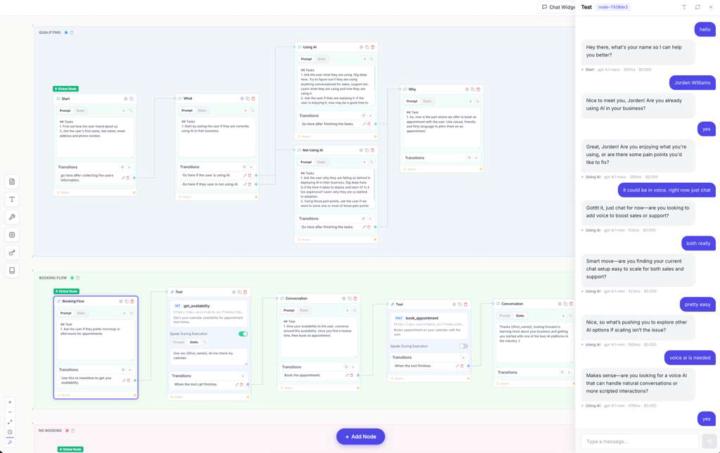
flowbuilder production
long dev cycle but we've rebuild the platform from the ground up along compliance audits. its a lot. but, something we have put into product for managed clients is the production version of flow builder for voice and chat. I know a lot of people have wanted this for some time, we have to.

0 likes • 22d
Any updates on this @Jorden Williams

29d •
DND/No Follow Up
For the voice agents if someone says they are not interested or they will call when they are ready does the agent know not to follow up? I'm following Jorden's calling snapshot for my voice agents. If it doesn't how can i set that up?
0 likes • 28d
go to tools / add tag (add a description)

28d •
Rebilling
Is it easier to just rebill one amount ? I was trying to create a tier but I imagine trying to automate changing the amount ( example .14/minute to .10/ minute after a certain amount of use is hard to maneuver. Just wondering how other users are pricing tiers.
1 like • 28d
I bill monthly for all usage. A bit easier for my process.

Nov '25 •
Wrong Dates HELP!!!
Anyone else having a similar problem? We're constantly getting this error with the dates the AI is entering. I've tried setting the temperature to 0, and sometimes I even enter the current year's dates in the prompt, but it still doesn't work. I don't know what to do anymore. Some of my clients are already frustrated. Any ideas?
0 likes • Feb 6
@Marco Betancourt

Jan '25 •
AI giving wrong dates
The AI gives wrong dates, for example, in this conversation: Great, Claudia! We can schedule your virtual assessment for Saturday, January 18th at 12:00 noon or Tuesday, January 22nd at 3:00 pm. Which of these options sounds better to you? 22nd is not tuesday, and in the calendar in GHL, the tuesday isn't even available
0 likes • Feb 6
@Marco Betancourt
1-10 of 211

@christian-betancourt-9533
AI & Marketing Savage at ClickScale.ai
Active 19h ago
Joined Oct 25, 2024
Toronto
Powered by