
Write something
Pinned

5h •
🔍 Why Trust in AI Is Built After Deployment, Not Before
Most conversations about AI trust happen before anything is used. We debate risk, accuracy, and readiness in abstract terms, hoping to arrive at certainty before we act. But trust does not work that way. Trust is not granted in advance. It is earned through experience. ------------- Context ------------- When organizations talk about trusting AI, the instinct is to seek assurance up front. We want proof that the system is safe, reliable, and aligned before it touches real work. This instinct is understandable. The stakes feel high, and the unknowns feel uncomfortable. The result is often prolonged evaluation. Committees debate edge cases. Scenarios are imagined. Risks are cataloged. Meanwhile, very little learning happens, because learning requires use. What gets missed is a simple truth. Trust is not a theoretical state. It is a relational one. We do not trust people because they passed every possible test in advance. We trust them because we have worked with them, seen how they behave, and learned how to respond when they make mistakes. AI is no different. ------------- Why Pre-Trust Fails in Practice ------------- Pre-deployment trust frameworks assume we can predict how AI will behave in all meaningful situations. In reality, most of the important moments only appear in context. Edge cases emerge from real workflows. Ambiguity shows up in live data. Human reactions shape outcomes in ways no checklist can anticipate. The more we try to decide trust in advance, the more detached the decision becomes from actual use. This does not mean risk assessment is useless. It means it is incomplete. Risk analysis can tell us where to be cautious. It cannot tell us how trust will feel day to day. When organizations insist on certainty before use, they often end up with neither trust nor experience. AI remains theoretical. Fear remains intact. ------------- Trust Grows Through Pattern Recognition ------------- Humans build trust by noticing patterns over time. We observe consistency. We learn where something performs well and where it struggles. We recognize warning signs. We adjust our behavior accordingly. This is how trust becomes calibrated rather than blind.

Pinned
1d •
Skool Update!
We've just dropped a few of our guides from inside the AI Advantage Club here inside Skool! Inside the Classroom area, you'll find a new section titled "Guides" and inside you'll find 3 of our step-by-step guides we create twice a week for the AI Advantage Club community. Every month we'll add a new guide to help you implement AI in your life/business. Check out the Guide section inside the classroom!

Pinned

3d •
The Habit That Quietly Kills Momentum in Business
Most entrepreneurs aren’t stuck because they’re lazy or incapable. They’re stuck because they’re waiting. Quietly. Waiting for more clarity, better timing, more confidence, or for things to settle down. As long as you’re waiting, your potential and your business stays parked. Progress in business doesn’t come from more preparation. It comes from decisions. Every time you explain why you’re not moving yet, you hand control to something outside yourself: the market, the economy, your schedule, your past results. None of those are coming to build the business for you. The people who actually break through don’t feel ready. They move while uncertain. They don’t wait for perfect conditions... they adapt to the conditions they’re in. They don’t wait for permission, because no one is handing it out. Most people keep their effort conditional. “I’ll go all in when things calm down.” “I’ll commit once I feel more confident.” “I’ll start after this next thing.” And months (sometimes years) pass. Not because the idea wasn’t good, but because the conditions were never removed. So here’s something actionable for the week ahead: Pick one decision you’ve been delaying because you wanted more clarity. Make it by the end of the week...imperfectly. Then take the first uncomfortable action that follows from that decision. No optimizing. No overthinking. Just movement. Clarity shows up after action, not before it. Drop in the comments: What’s the one decision you’re done waiting on this week?

🔥
6d •
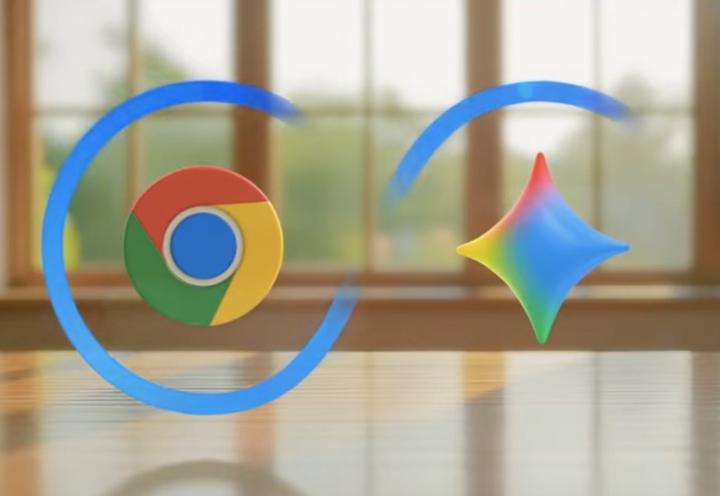
📰 AI News: Chrome’s New Auto Browse Turns Gemini Into Your Web Co-Pilot
📝 TL;DR Google just gave Chrome a new Gemini feature called Auto Browse that can click around the web for you, compare options, fill forms, and move data between sites while you stay in the tab you care about. This is your browser quietly turning into an AI agent that does chores online instead of you. 🧠 Overview Gemini is no longer just a sidebar that summarizes pages, it can now actually use the web. Auto Browse lives inside Chrome and lets Gemini 3 handle multi step tasks like planning trips, shopping within a budget, renewing things, or digging through your accounts to find what you need. For now it is rolling out to Google AI Pro and Ultra users in the US, but this is clearly Google’s opening move toward an “agentic browser” where your main job is to say what you want, not click a hundred buttons to get there. 📜 The Announcement Google announced a new Gemini in Chrome experience that includes a persistent side panel and a feature called Auto Browse. You open the Gemini panel, describe what you want, and Chrome spins up one or more tabs that Gemini controls on screen. In Google’s demos, Auto Browse handled tasks like reordering a jacket from a past order, hunting for discount codes, booking tours for a trip, and keeping the cart under a set budget. It connects across Google products like Gmail, Calendar, Shopping, Flights and Maps so it can find details in your email, check your schedule, and then act on the right sites, all from inside Chrome. ⚙️ How It Works • Always on Gemini side panel - Chrome now has a Gemini panel you can pin so the assistant sits beside any page while you browse, ready to summarize, compare, or start Auto Browse for a task. • Auto Browse agents - When you ask for a multi step task, Gemini opens a tab, clicks links, fills forms, and navigates sites on your behalf while you watch its actions in real time. • Connected Google apps - Auto Browse can pull info from Gmail, Calendar, Maps, Shopping, and Flights, so it can find past orders, check dates, or look up saved trips without you copy pasting.

⭐
Oct '25 •
Your First Pre-Event Training Just Dropped! Watch It HERE!
When we go LIVE next Thursday for The AI Advantage Summit, you’ll learn how to reclaim at least 15 hours a week — and how to turn that time into bigger results in your business, career, and life. Because time is your most valuable resource. Once it’s gone, you can’t get it back. But with the right systems (and the right tools), you can get more of it every single week. We just dropped a quick pre-event training with 3 questions that will help you: ✅ Clear the noise ✅ Get focused ✅ Open up more space in your day Check it out now — it’s the perfect way to lay the groundwork before we dive in together next week. We’ll go deeper (and way bigger) at the Summit. See you in 9 days! 👉

1-30 of 11,209

skool.com/the-ai-advantage
Founded by Tony Robbins, Dean Graziosi & Igor Pogany - AI Advantage is your go-to hub to simplify AI and confidently unlock real & repeatable results
Leaderboard (30-day)
1

+214
2

+173
3

+132
4

+132
5

+131
Powered by