Activity
Mon
Wed
Fri
Sun
Oct
Nov
Dec
Jan
Feb
Mar
Apr
May
Jun
Jul
Aug
Sep
What is this?
Less
More
690 contributions to AI for LinkedIn - evyAI.com

2d •
💥Social Proof ZOOM Party TODAY Wed. 9/23 3PM ET Posting Party Engagement
💥Social Proof Party Learn how to: #1 Build Trust, and #2 Build Relationships Today Wed. 9/23/26 3PM ET Posting Party Engagement Please put your posts from LI today here so we can support you! Thanks! Social Proof Party with Rick 𝐓𝐨𝐝𝐚𝐲 @ 2𝐩𝐦 - 3𝐩𝐦 𝐂𝐒𝐓 Chicago time (3 𝐩𝐦 𝐄𝐓 𝐓𝐎𝐃𝐀𝐘! East Coast) ZOOM Link Below: https://us02web.zoom.us/j/6158237723 Join us on Wednesdays at 3pm ET for our Social Proof Party! ✅ Connect with fellow members and boost each other’s credibility ✅ Share who you want to recommend and why ✅ Write genuine, thoughtful recommendations ✅ Strengthen relationships and grow your reputation We’d love to see you there. Add to calendar: https://www.skool.com/evyai/calendar?eid=65d8079901f741ddbbe7e6275b4fbe04&eoid=1790190000


1 like • 20h
@Jane Lehman Great news Jane! What email address did you send to?
3 likes • 20h
@Philip Griffith done

22h •
Catch up with the LinkedIn posting challenge!
If you took the LinkedIn posting challenge, let us know how it went below. Leave a comment letting us know what you thought about the challenge. If you want to join the next challenge, let me know in the comments below as well. This was an amazing challenge! Please go through and catch up on it. If you missed anybody's posts that you need to comment on, you can still do all 10 days and catch up with them. If you haven't responded to people yet, go ahead and respond to the people who commented on your posts. That's powerful!
1 like • 22h
@Joe Apfelbaum , the challenge was a great experience because you gave us the tools to make it easier to post each day. You provided the topics and prompts to create our content. I look forward to joining the next challenge as well. Thank you.

2d •
✨ Wednesday and a Side Salad. ✨
Come on by and let's share together. Looking to accelerate your marketing results and boost your visibility? Join us every Wednesday at 11 AM Eastern for our LinkedIn Posting Party! Be prepared to introduce yourself while I share practical marketing tips and strategies. This is a casual, friendly space where you can: ✔️ Meet others who want to grow their presence ✔️ Post your latest LinkedIn post and support others ✔️ Engage authentically with meaningful comments Bring your post, your questions, and your willingness to engage! When we support each other we all win! EvyONE is welcome! 😇 📝 𝗛𝗼𝘄 𝘁𝗼 𝗣𝗮𝗿𝘁𝗶𝗰𝗶𝗽𝗮𝘁𝗲: 👍 𝗟𝗜𝗞𝗘 this post as soon as you see it 💬 Share your LinkedIn Post in the comments for review ❤️ 𝗟𝗜𝗞𝗘 every comment you engage with ✂️ Remove UTM tracking links (delete anything after ? in your links) 🔄 No new post? Share a previous one - no pressure! 🏷️ Tag LinkedIn connections you met at our event for extra engagement 🌟 𝗧𝗶𝗽𝘀 𝗳𝗼𝗿 𝗮 𝗦𝘂𝗰𝗰𝗲𝘀𝘀𝗳𝘂𝗹 𝗣𝗮𝗿𝘁𝘆: 📹 Show up on camera during our Zoom event 💭 Be active in the Zoom chat 🎤 Prepare a solid 15-second elevator pitch 💥 𝗜𝗺𝗽𝗼𝗿𝘁𝗮𝗻𝘁 𝗟𝗶𝗻𝗸𝘀 • Zoom link: https://us06web.zoom.us/j/84488878929 • Post URL Cleaner: https://strategy.evyai.com/post-url-cleaner • Bulk URL Opener: https://strategy.evyai.com/bulklinkopener2 I’d love to see you there.
1 like • 2d
@Felix Markman done
0 likes • 2d
@Kish Rao done
3d •
🔥TODAY 9/22 is Evan's Accountability Mastermind/Posting Party 5pm ET💥
Please plan on joining us TODAY Tues. 9/22/26 with @Evan Mestman @Rick Kloete & Team! NOTE: 💥🎉 Here's the Zoom LINK FOR THE PARTY: https://us06web.zoom.us/j/6894237473 Join us every Tuesday at 5 PM ET | 4 PM CST for our: 𝗟𝗶𝗻𝗸𝗲𝗱𝗜𝗻 𝗔𝗰𝗰𝗼𝘂𝗻𝘁𝗮𝗯𝗶𝗹𝗶𝘁𝘆/𝗣𝗼𝘀𝘁𝗶𝗻𝗴 𝗣𝗮𝗿𝘁𝘆! "NEW" Improved Post URL Cleaner: in LABS: https://app.evyai.com/app/labs choose the clean URL😊‼️. VERY IMPORTANT as it changed. Bulk Link Opener 4: https://strategy.evyai.com/bulklinkopener4 (Scroll up from the bottom…works well) We’d love to see you. PLEASE: Bring a Friend! Save on your calendar here: https://www.skool.com/evyai/calendar?eid=08ec0b304e7349caa5a5253776feea26&eoid=1790110800 Be ready to share your: 1. Wins! 2. Challenges or Questions (always welcome)! 3. What would you like to be held accountable for in the coming week This is a casual, friendly space where you can: ✅ Meet other professionals who want to grow their presence ✅ Post your content and support others ✅ Engage authentically with meaningful comments ✅ Build real connections, not just likes It’s not about algorithms...it’s about conversations, community, and showing up for each other. Whether you’re a seasoned LinkedIn pro or just starting to share your voice, you’re welcome to join us. Bring your post, your positive energy, and your willingness to engage! Let’s lift each other up and make LinkedIn a little more human. And…. 📝 𝗛𝗼𝘄 𝘁𝗼 𝗣𝗮𝗿𝘁𝗶𝗰𝗶𝗽𝗮𝘁𝗲: - 👍 𝗟𝗜𝗞𝗘 this post as soon as you see it - 💬 Share your LinkedIn Post in the comments for review - ❤️ 𝗟𝗜𝗞𝗘 every comment you engage with - ✂️ Remove UTM tracking links (delete anything after ? in your links) - 🔄 No new post? Share a previous one

2 likes • 3d
@Ian Horner done
2 likes • 3d
@Arleen Torgersen done

4d •
WORKSHOP ALERT! The LinkedIn Relationship Strategy That Creates More Business
You can register for upcoming workshop https://evyai.com/webinar, you don't want to miss it! Feel free to invite your friends too. Everyone talks about growing their network. But growing your network isn't the same as growing your business. The truth is, opportunities don't come from collecting more connections. They come from building stronger relationships with the people already in your network. Most professionals focus on expanding their reach. Top performers focus on deepening relationships. And that's what creates referrals, conversations, and new business opportunities. In this webinar, we will show you the LinkedIn relationship strategy that helps professionals build meaningful connections that lead to real business growth. You'll learn practical ways to strengthen your network, stay top-of-mind, and create opportunities through authentic engagement instead of transactional networking. If you want LinkedIn to become more than just a place to collect connections, this session will give you a proven strategy you can start using immediately. Key Takeaways ✅ Why strong relationships create more business than large networks ✅ How to nurture connections without feeling transactional ✅ Simple ways to stay consistently engaged with your network ✅ The relationship-building habits that lead to more referrals and introductions ✅ A proven strategy for turning LinkedIn connections into long-term business opportunities 📢 Stop collecting connections and start building relationships that grow your business. Join this session and learn the LinkedIn relationship strategy that creates lasting opportunities. You can register for upcoming workshop https://evyai.com/webinar, you don't want to miss it! Feel free to invite your friends too.

0 likes • 3d
Is there a recording? I hope I can watch the replay. Thanks!
1-10 of 690
@marlene-sidon-4370
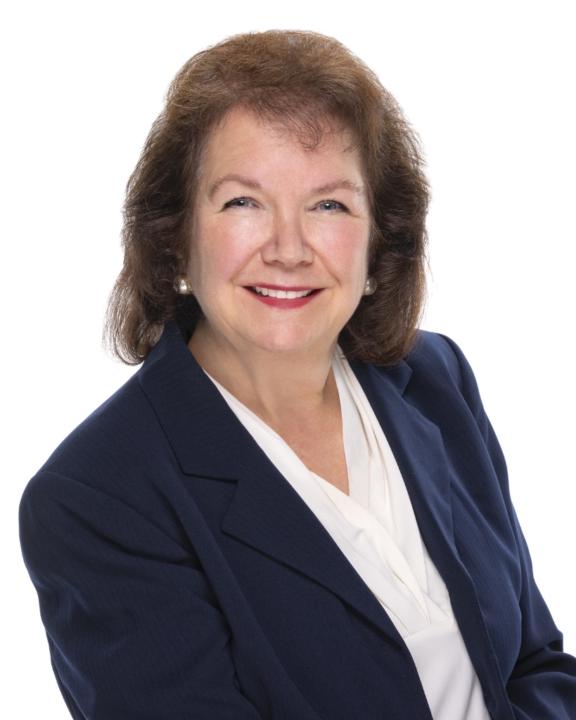
Helping healthcare leaders improve patient experience, team performance & service quality through strategy, communication, and process improvement.
Active 20h ago
Joined Jun 18, 2025
Metro Atlanta, GA.
Powered by