
Write something
Pinned

2d •
🧭 Delegation Is Not Abdication: Designing Guardrails for AI That Acts
We keep hearing that AI will “take work off our plate.” The truth is subtler. AI can take tasks off our plate, but only if we keep ownership on our shoulders, and build the guardrails that make delegation safe. ------------- Context: The Two Extremes We Keep Falling Into ------------- When teams start experimenting with AI that can take actions, sending messages, updating records, scheduling tasks, changing settings, the first reaction is often excitement. The second reaction is usually a control reflex. We either lock the system down so tightly that it cannot help, or we loosen it too much and hope it behaves. Both extremes are understandable. Over-restriction feels responsible because it minimizes risk. Over-delegation feels productive because it maximizes speed. But both approaches tend to break trust. Over-restriction produces disappointment and abandonment, because people cannot feel value. Over-delegation produces incidents, because the system will eventually act confidently in the wrong direction. The heart of the issue is that many organizations treat AI delegation as a binary choice. Either the AI is “allowed” or it is “not allowed.” That framing misses how delegation works in real life. We do not give a new colleague full authority on day one, and we do not keep them in permanent trainee mode either. We expand autonomy gradually, with clear boundaries and feedback. Agentic AI forces us to become designers of autonomy. Not in a technical sense, but in an operational sense. We are shaping what happens when the system is uncertain, when the context is incomplete, and when the consequences are real. ------------- Insight 1: Autonomy Needs Shape, Not Just Permission ------------- When we give AI the ability to act, the default state becomes momentum. The system will follow instructions, connect dots, and execute steps faster than we can think through edge cases. That is the point, and it is also the risk. So the key question is not “Should AI have autonomy?” It is “What shape should autonomy take?” Autonomy without shape is chaos disguised as productivity.

Pinned
2d •
Testing Claude Opus 4.6 & More AI News You Can Use
This week, I break down the Claude Opus 4.6 release from Anthropic and shows off some early test results, explains why so many are freaking out about Google's Project Genie, discusses OpenAI's latest Codex app release, and more. Enjoy!
Pinned

4d •
Which voice are you feeding right now?
Every entrepreneur has two voices running in the background. One voice wants progress. It pushes you to decide. To move before you feel ready. To take the next step instead of waiting for certainty. The other voice sounds reasonable. It tells you to wait. To gather more information. To avoid making the “wrong” move. Here’s the problem: That second voice doesn’t feel like fear and instead it actually feels like strategy. But over time, it quietly turns into regret. Most people don’t stall because they lack ambition. They stall because indecision feels safer than ownership. Progress is rarely blocked by effort. It’s blocked by hesitation. So here’s the question I want you to sit with today: What decision are you avoiding because you don’t want to be responsible for the outcome? Write it down. Then ask one more question: What is this costing me every week I don’t decide? Lost momentum? Lost confidence? Lost time? Lost learnings? Action for today : Pick one decision you’ve been circling. Decide it. Give yourself seven days to observe and adjust. You don’t need perfect certainty. You need movement. I promise you... this is the way.

🔥
34m •
📰 AI News: WordPress.com Launches Official Claude Connector For Site-Aware AI
📝 TL;DR WordPress.com just shipped an official Claude Connector that lets Claude securely “see” your site stats, content, and comments. This turns Claude from a generic chatbot into a site-aware assistant for audits, insights, and decision making, without giving it edit powers. 🧠 Overview WordPress.com is now the first WordPress host with an official Claude integration in the connectors directory. Under the hood, it is built on their MCP and OAuth 2.1 setup, which means Claude can query your site data in a controlled, revocable way. Practically, this means you can ask Claude questions like “Which posts have not been updated in a year” or “Show me pages with high traffic but low engagement” and get answers grounded in your real analytics and content, not guesses. 📜 The Announcement In early February, WordPress.com announced that the Claude Connector is live for sites on paid plans. It is officially supported by both WordPress.com and Anthropic, so you are not gluing together a hacky custom integration. Once connected, Claude gains read only access to specific tools on your account, like site stats, posts, pages, and comments, depending on your role and settings. You can see exactly what it can access, and you can cut the cord at any time from either Claude’s settings or your WordPress.com “Connected apps” panel. ⚙️ How It Works • Built on MCP and OAuth 2.1 - The connector uses WordPress.com’s MCP server plus OAuth 2.1, so Claude requests access through a standard, secure login and you approve it in your browser. • Read only by design - Claude can read stats, posts, comments, and other tools you enable, but it cannot create, edit, or delete content on your site in this first version. • Role based permissions - Access maps to WordPress.com roles, so an Administrator sees more tools than an Author or Contributor, just like in the normal dashboard. • A few clicks to connect - You enable MCP on your WordPress.com account, choose which tools to expose, then in Claude’s Connectors area you search for WordPress.com and approve access.

14h •
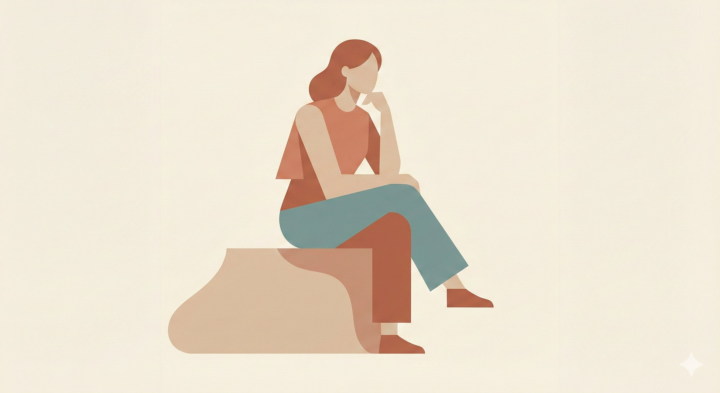
Minimal Character Illustration
A simple but effective prompt for creating modern, design-led character illustrations without overcomplicating anatomy or posing. Focuses on one clear pose, simplified shapes, soft lighting, and a restrained colour palette — ideal for clean, consistent editorial, UI, or brand visuals. Prompt used: Illustrate [SUBJECT] in one clear, static pose. Reduce clothing and anatomy to basic forms. Use soft lighting and restrained color palette. The figure should feel modern and design-led.
1-30 of 11,333

skool.com/the-ai-advantage
Founded by Tony Robbins, Dean Graziosi & Igor Pogany - AI Advantage is your go-to hub to simplify AI and confidently unlock real & repeatable results
Leaderboard (30-day)
1

+249
2

+158
3
+136
4
+130
5

🔥
+115
Powered by