

🔥
May 27 •
🥁 DRUMROLL PLEASE Lesson 4 of Workflows & SOPs is Ready!
Lesson 4 is now available in the classroom 🎉 We made it to the final lesson in the Workflow to SOP sprint. This week, we’re taking the SOP you drafted and setting it up so it can actually be used in your business. We’ll look at where the SOP should live, who owns it, who needs access, what materials need to be linked or created, how to introduce it to your team, and how to review it after it’s been tested with real work. This is the part that helps your SOP become more than a document sitting in a folder. Your assignment this week is to complete the Week 4 setup worksheet and decide how this SOP will be launched, reviewed, and kept useful. Click here to head to the classroom to watch the lesson and download the worksheet. And if you’d like feedback, post your SOP title, owner role, review date, and one supporting material you still need to create or update. I’d love to see what you’re building. ~Cris

🔥
May 13 •
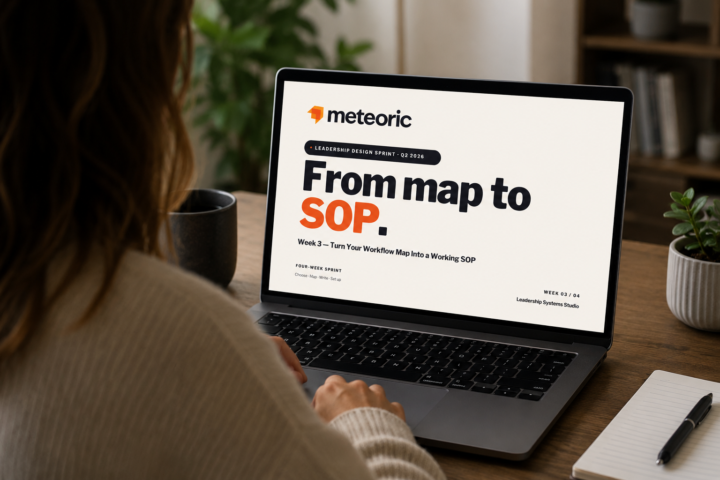
Week 3: Create a Working SOP
Lesson 3 of our Q2 Leadership Design Sprint is now live in the classroom! Now we’re turning your Week 2 workflow map into a review-ready working SOP draft. In this lesson, you’ll organize your steps, roles, standards, supporting materials, and open questions into a format you can review, refine, and prepare for use in Week 4. Head to the classroom to watch the lesson and grab the worksheet. This is a great one to work through with your actual workflow map beside you. And, just as in the other lessons, I've created a helpful AI assistant for you. I'm really looking forward to seeing your draft SOPs! Please remember, I am here to answer questions or provide any guidance you need, so don't be shy if you want an extra set of eyes on your SOPs. Visit the classroom
🔥
May 2 •
Workflow Mapping (Week 2 of Workflows & SOPs)
Hello everyone, I've just uploaded the Week 2 lesson for the Workflows &SOPs sprint. It's an accessible exercise that isn't overwhelming but is a valuable skill to learn. Check it out here: https://www.skool.com/meteoric/classroom/959da493?md=7ab8b2afb1854e9b83bbdaca37a2945a Included are a worksheet and a custom GPT to help you fill in the gaps. Once this is complete, you'll be ready to start building your SOP in the next lesson. Then, in our final lesson, we'll learn how to set up an SOP system that your team will actually use. Post any Qs in the community, and if you've completed your workflow, share your work here. 🙌🏻

🔥
Apr 22 •
Workflows & SOPs Training Posted in Classroom!
Week 1 of the Leadership Design Sprint Workflows & SOPs is officially ready in the classroom! 🎉 In this training, you’ll learn how to choose the right workflow to turn into an SOP so you can stop overcomplicating the process and start building systems your team can actually use. This week, we cover how to identify a workflow with a clear start point, end point, and scope that’s realistic to complete. That's it. Super simple and approachable! If you’ve ever felt stuck trying to document everything at once, this will help you simplify, get clear, and make progress. Go give it a watch, and when you’ve chosen your workflow, come share it with us in the community. 👩🏻💻 Watch the training here
🔥
Apr 21 •
Workflows & SOPs Moved to Wednesday
Hello friends! Unfortunately I have to move the Sprint to tomorrow. Thanks for your understanding and hope to see you there. You can find the updated event in the calendar. ~Cris
1-9 of 9
skool.com/meteoric
B2B service firm owners: Transfer expertise & client delivery to your team by developing yourself, your team, and the supporting systems together.
Leaderboard (30-day)
1

🔥
+15
2

+6
3

+6
4

+1
5

+1
Powered by