

4d •
New Writer's Voice Skill in the Classroom
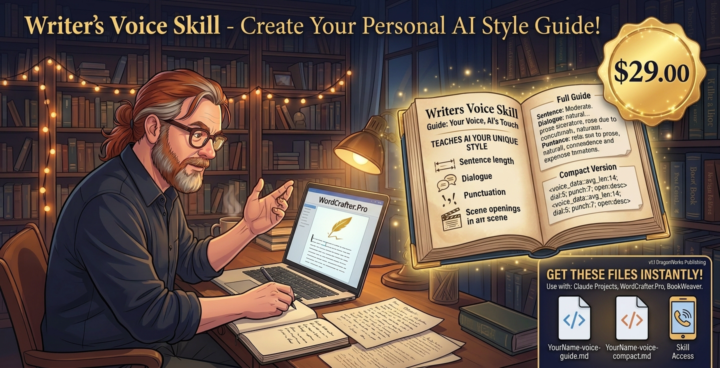
Finished the Writer's Voice Skill and added it as a Pro Level Class or $29 one time Purchase This will take a sample of your writing or any one else's you like the style of and analyze it to Create a Writing Style Guide. It creates this in two versions, A human readable and an extremely token light version that is AI readable to use. Add the compact version as a context file in the binder, select it and instruct the wrier's room to "Use the StyleGuide file selected to write all outputs in this style"

18d •
writing
loading api and to get more tokens etc. I tired to send something through chat but it was like it didn't go anywhere.
18d •
I'm asking for help
I updated my account with what I could spend for Claude, when I went back and posted the new api code. It is still saying my api key is invalid.
May 31 •
WCP Feedback Responses
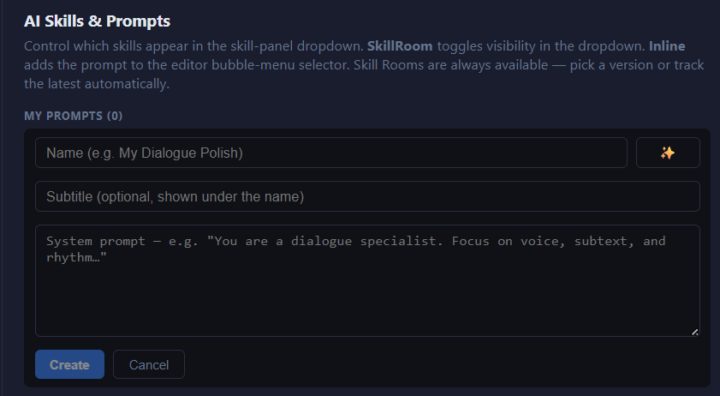
Q: Must I copy a prompt into each book to run it against that specific book? Or is there a way to run a prompt that I have stored in my Prompt Book to run against a book or chapter in another book area in a series or in another series? Thanks A: I'm assuming this is for using Custom prompts? Any of these methods works with any apikey/Ai model One Way: Click on the Gear in the lower left corner of WCP to open your settings. Click on Prompts Click on New Prompt You will see the window below Give your custom prompt a Name and a subtitle (helps you remember what it does later Paste your prompt into the text window (It's re-sizeable) Click Create Two options are now on the name of the prompts line Inline/Skillroom Your prompt can be one/ the other / or both Inline runs the prompt on a selected piece of text in the editor Skill room adds it to the skills menu so you can select it just like one of the skillrooms and run it form the chat window in the lower right hand corner of WCP Second Way Choose the Chatroom/Open Prompting skillroom select the files in your binder for context copy /paste the prompt into the chat window in the lower right hand corner and submit it Third Way Choose the Chatroom/Open Prompting skillroom select the files in your binder for context Create a new file for your prompt in the binder. Select it as context copy /paste the prompt into the file you just created with the name of the prompt in the file in the chat window "Run the prompt promptname on the selected context" Hopefully one of those is the answer you were looking for

🔥
May 10 •
open router models
does the choice of models update on their own or do you have to physically go in an add them to the list? There is a model named Owl Alpha that is free on Openrouter.Ai. can that be added?
1-16 of 16

skool.com/ai-pro-writers-studio
The Home for AI-Powered Authors. Master story, prose, and marketing with expert AI personas to finish & sell your book fast. Never write alone again
Leaderboard (30-day)
1

+358
2
+199
3

+129
4

+118
5
🔥
+97
Powered by