
Pinned

💎
⭐
4h •
I sold my AI agency. here's the playbook
In September 2024 I started an AI automation agency. Nine months later I was doing $100K/month in recurring revenue. Then I sold my share to my partners. I took everything I learned: - The client acquisition system - The pricing - The delivery process … and I turned it into a step-by-step playbook for building a one-person AI agency. No code. No team. No guesswork. See exactly what's inside: -> I sold my AI agency. here's the playbook PS: If you are an AIS+ member, this is included in the Scale module. No need to purchase separately. - Nate
Pinned
💎
⭐
1d •
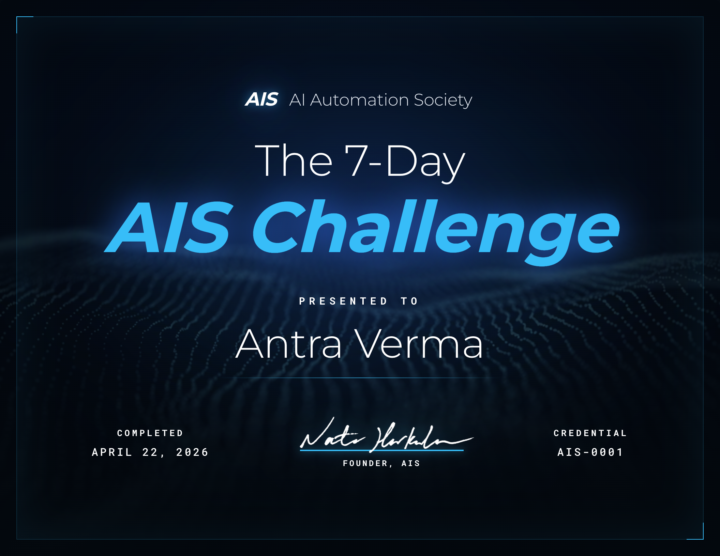
🎉 We have our FIRST graduate of the 7-Day Challenge!
Huge congrats to @Antra Verma for being the first to cross the finish line 👏 To celebrate, we're hooking her up with a FREE AIS shirt, and her official completion certificate is attached below 🏆 Let's give her a massive round of applause in the comments, she set the bar! Can't wait to see more of you submit your projects and join the graduate club. 👉 Want to take on the challenge? Head to the Classroom section or jump in HERE 👕 And if you want to grab some AIS merch for yourself, check it out HERE Cheers everyone! - Nate
Pinned

🔥
4d •
🏆 Weekly Wins Recap | Apr 18 – Apr 24
From high-ticket deals and agency SaaS launches to client systems, websites, and real-world automations - this week inside AIS+ was packed with serious builder energy. 🚀 Standout Wins of the Week 👉 Michael Wacht closed a $10K AI Readiness Assessment deal, sponsored by finance with training and system-integration readiness included. 👉 @Uros Pesic signed a £9K UK agency client for a 3-month ops audit and used multi-agent Claude Code to prep 20+ interviews in parallel. 👉 @Fernando Gómez turned a corporate social-media automation system into an agency SaaS with €2.5K setup + €100/month per client. 👉 @George Mbajiaku closed his first $1,300 client by shifting his pitch from “n8n builder” to “problem solver.” 👉 @Josh Holladay wrapped a 30-day client sprint and earned a retainer offer for ongoing strategy, builds, and AI education. 🎥 Super Win Spotlight | Balaji Iyer Balaji joined AIS+ knowing he could build something useful - but he needed structure, clarity, and confidence. Since joining, he has: • Set up his own cloud instance, Docker, Postgres, and self-hosted n8n • Built a real backend workflow from scratch • Created an app he now improves daily • Moved from “Can I really do this?” to “How can I make this better?” His biggest shift? Going from sitting on the sidelines → to finally building something he’s proud of. Balaji’s journey is proof that once you take the first step, momentum starts to build. 🎥 Watch Balaji’s story 👇 ✨ Want to see wins like this every week? Step inside AI Automation Society Plus and start building assets that compound 🚀

💎
⭐
Oct '24 •
Welcome! Introduce yourself + share a career goal you have 🎉
Let's get to know each other! Comment below sharing where you are in the world, a career goal you have, and something you like to do for fun. 😊

6m •
Connect OpenClaw to Gmail, Calendar & Webhooks
Day 11 is where the agent actually starts pulling its weight. For the first 10 days, my OpenClaw setup was technically impressive but practically useless. It could think, it could remember, it had a personality, but it lived in its own little world. I'd still be checking my own inbox, still managing my own calendar, still manually pinging it whenever something happened that I wanted it to know about. That's not an agent. That's a chatbot with extra steps. This one fixes that. I walk through wiring OpenClaw into Google Workspace so it can actually triage your inbox, draft replies, check your calendar, and create events. Then I get into the part nobody talks about properly, which is the three automation triggers and when to use which one. Webhooks for when the outside world needs to wake your agent up. Cron for exact-time scheduling. Heartbeat for recurring agent-initiated work. Most people pick the wrong one and then wonder why their setup feels janky. I also go into the security stuff that I learned the hard way. Like why you should never connect your personal Gmail to an agent (it gets full read-write access to everything), and how SSRF blocking in browser automation quietly saves you from prompt injection attacks that could make your agent exfiltrate data from internal services. And then there's the custom integration section, which is honestly my favorite part. There are three paths to building your own integrations, and the conversational shortcut where you just walk the agent through a workflow once and tell it "turn that into a skill" still feels like cheating every time I do it. If your agent still can't touch your actual inbox, calendar, or workflows, this is the day it stops being a toy.
0
0
1-30 of 16,095

skool.com/ai-automation-society
Learn to get paid for AI solutions, regardless of your background.
Leaderboard (30-day)
1

+5541
2

🔥
+3945
3

+3579
4

+2221
5

+1085
Powered by