

just now •
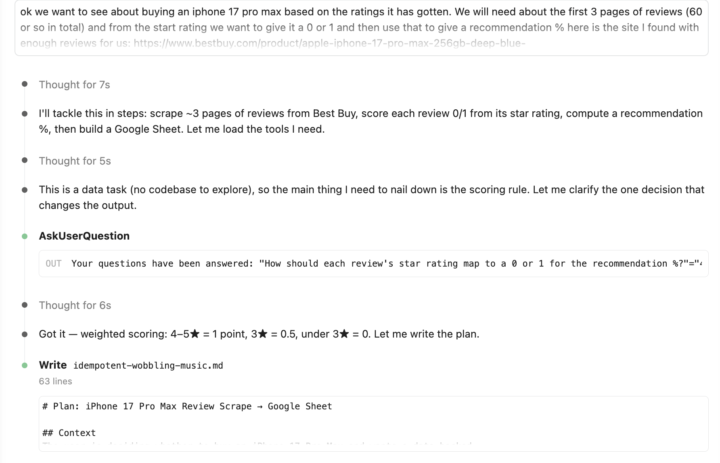
Day 2 done. Played with the Firecrawl MCP server and this one fought back a little. 😅
Back for round two of the 7-day challenge 🙌 What I built: I hooked up the Firecrawl MCP server and put it to work scraping real data off the web. Started with a pull from Yelp to grab some leads, and that went smoothly, no complaints. Then I got ambitious and tried scraping product reviews, first off Google, then off Best Buy, and that's where things got spicy. One thing that clicked: Not every site scrapes the same. The Yelp pull was quick and clean, but the moment I pointed it at Google and Best Buy for reviews, it hit some real snags. I ended up having to restart the whole scraping session, and the second run did behave better, so sometimes the fix really is just to tear it down and start fresh. Good reminder that the tool working perfectly once doesn't mean the next target is going to be as friendly. One thing I'd improve next time: The big head-scratcher was speed. That second run took way longer than my earlier Yelp pull, and I honestly can't tell you why yet. So next time I want to actually dig into what's slowing it down, whether it's the site fighting back, the volume of reviews, or something in how I set up the request. Figuring out the "why" behind the slow run is my homework. Not as clean as Day 1, but I learned more from it wrestling with me than the easy win did. That's the point of the challenge, right? 😄 Anyone else run into scrapers that work great on one site and choke on the next? Curious how you all handle it. (The third page, for some reason, kept failing, so I just told Claude to run with the 2 pages we had.)
0
0

💎
⭐
Oct '24 •
Welcome! Introduce yourself + share a career goal you have 🎉
Let's get to know each other! Comment below sharing where you are in the world, a career goal you have, and something you like to do for fun. 😊

2d •
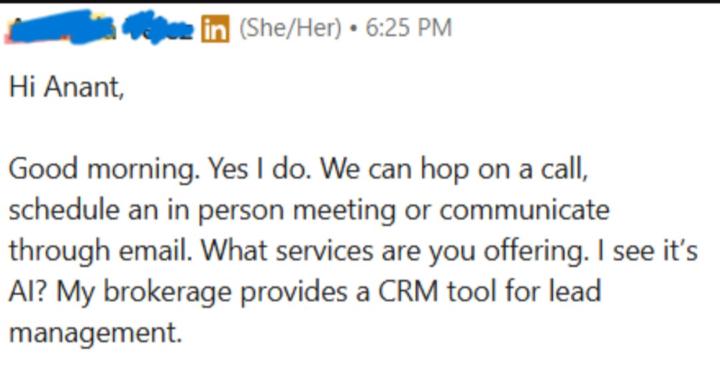
Anyone up for FREE AI services?
Hey guys, I had a target of helping 5 people for FREE regarding AI & Automation (No hidden charge). I already got 2/5 people. I'm doing this for getting some testimonials (video, if possible) & case studies. If you're interested, visit: https://anantdongre.dev
💎
⭐
Oct '24 •
Please Read | Rules and Guidelines 📜
1) 🚫 No Business Promotions → NO “DM me for…” or "Comment 'Automation'" posts. 2) 🔗 No Linking Your Own Community/YouTube Videos 3) 🏷️ Title Specifically 4) 🔍 Search for Help First (searchbar) 5) 🙌 Stay Respectful 6) ❌ Enforced Clean‑Up Posts that break these rules will be removed without warning. If you ever have questions, feel free to ask. Let’s make this the best AI Automation community out there by sharing, collaborating, and learning together. 🚀

🔥
1d •
Day 2 results #AISChallenge
Completed Day 2. I will be going back to this part of the challenge and do something a little more challenging. It took a few false starts to get used to working with Visual Studio and incorporating it with Claude. I finally settled on scrapping some info from WebMD.
1-30 of 12,585

skool.com/ai-automation-society
Learn to get paid for AI solutions, regardless of your background.
Leaderboard (30-day)
1

🔥
+7572
2

+6459
3

🔥
+6005
4

🔥
+5273
5

🔥
+1841
Powered by