

🔥
3d •
🏆 Weekly Wins Recap | June 27 – July 3
From $40K AI projects and first clients to custom CRMs, AI operating systems, and production-ready automations, another week inside AIS+ proved that consistent building keeps creating opportunities. 🚀 Standout Wins of the Week inside AIS+ 👉 @Kobe Shemesh closed a $40K upfront AI project after refining his Claude Code workflow, proving that small improvements in execution can create massive business results. 👉 @Galyn Fergerson landed her first client just 6 days into AIS+, turning a discovery call into a $750 AI OS project before even finishing the automation course. 👉 @Girish Mohan built an AI Scrum Master that now prioritizes his calendar, tasks, and deals automatically—helping him execute every day with more focus. 👉 William Rendall was promoted to AI Workstream Strategy Lead less than three months after joining AIS+, crediting the community for accelerating his growth. 👉 Diane McCracken celebrated her 100th Claude Code session at 68 years old, showing that curiosity and consistency matter far more than experience. ⸻ 🎥 Super Win Spotlight | @Ahmad Abd Alkarim Ahmad joined AIS+ with years of leadership experience but wanted a better way to turn ideas into action. Today, his custom AI Operating System helps him manage projects, analyze business problems, and support his team without slowing anyone down. His biggest lesson? Don't just watch. Build. Practice. Share what you learn. That's where the real return comes from. 🎥 Watch Ahmad's story 👇 ✨ Every week, members are turning ideas into systems, skills into businesses, and momentum into real opportunities. Step inside AI Automation Society Plus and start building assets, systems, and skills that compound 🚀


13m •
Day 7
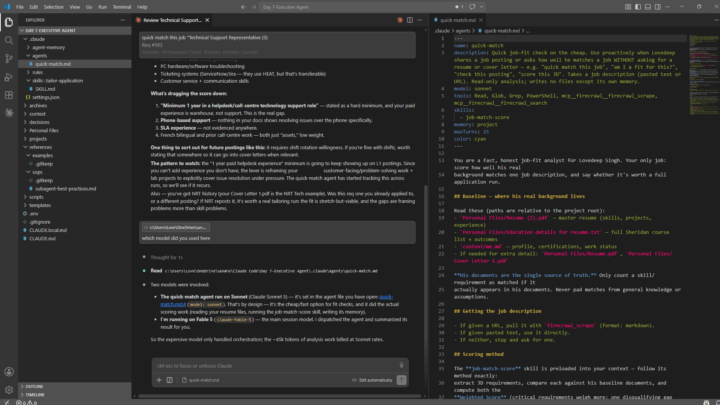
#AIS Challenge Built an Executive Agent to build resume and cover letter pdf file from my personal data using different skills, I created during its setup. Also Created a sub agent to see my alignment with the job. Although the Main agent has everything inbuilt from building job related files to show my ATS score, the sub subagent will Sonnet for its task explicitly to give me a score at low price. Finally, finished 7-Day AIS Challenge with lot of learnings to move forward. Tools Used: Claude Code Pro, VS Code, Firecrawl MCP server
0
0

1d •
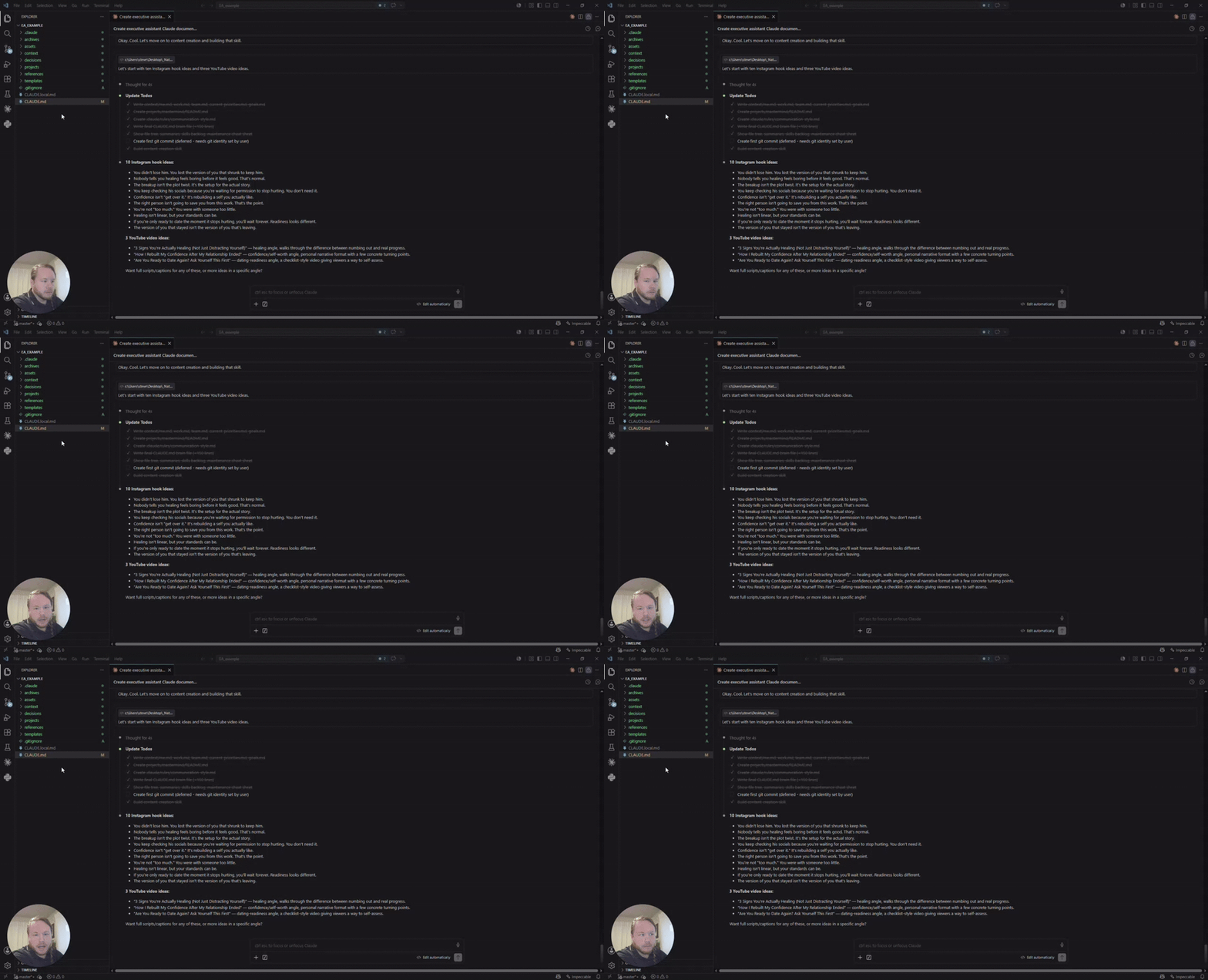
Day 7 - capstone
I finished the challenge! #AISChallenge Here's a quick look of my EA in action: https://www.loom.com/share/71dd4509b447409e90ac1f0278843ee2 I know I've only scratched the surface of what Claude Code can do, but this challenge has been invaluable in helping me get introduced to everything. I'm looking forward to learning more and seeing what this can turn into.
9d •
Day 1 - newsletter build
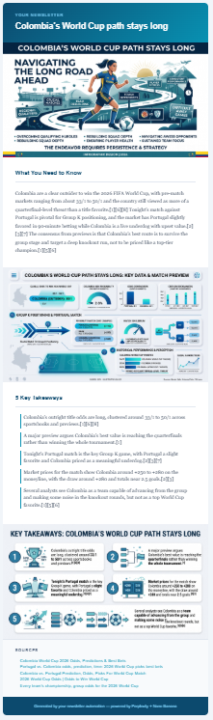
Hey, all! I made a quick one based on the Colombia vs Portugal World Cup match happening right now. Then for fun, I had my brother give me a random topic. I had Claude make that second one and email him directly. 1. The coolest thing I learned was the experience of having Claude define the project, ask for what it needed, and then stepping back to let it work. I can't believe how quickly it created these newsletters. 2. On the next iteration, I would include a logo and brand guideline along with some more structured direction on what the newsletter should include. This was more of a general playtest just to see what it's like. #AISChallenge

3d •
5 Days of Fable: Simple Audio Editing Tool
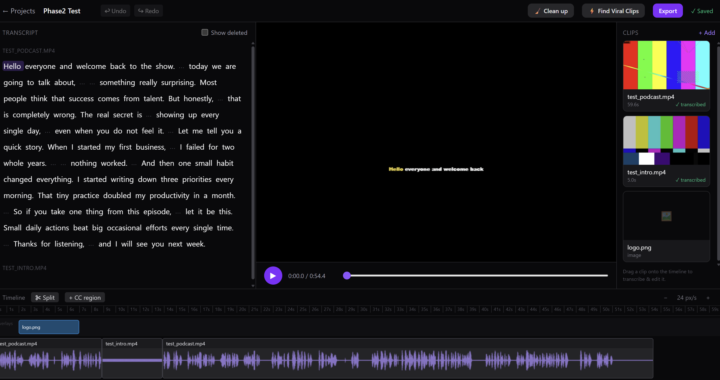
Fable 5 is only here for a couple of days so I've challenged myself to make something new with Fable 5 until that window is gone. Today's challenge was inspired by Descript. There are a lot of tools in Descript that I just don't need. Why would I pay for a subscription of tools that I don't need when I can just use Fable 5 to build it custom to my needs? I took the basic audio editing and document-editing style of descript and shrunk it down into just the basic tools I needed. I have been using Fable 5 to get the bulk outline of the project working with whatever credits I have in my 5 hour credit limit. I hope to go back and tweak this project and polish it later.
1-30 of 2,039

skool.com/ai-automation-society
Learn to get paid for AI solutions, regardless of your background.
Leaderboard (30-day)
1

🔥
+7790
2

+6682
3

🔥
+5903
4

🔥
+5704
5

🔥
+2102
Powered by