Activity
Mon
Wed
Fri
Sun
Oct
Nov
Dec
Jan
Feb
Mar
Apr
May
Jun
Jul
Aug
Sep
What is this?
Less
More
Owned by Matthew
Your AI operating system + Second brain. Hands-on training with Claude, ChatGPT, and automation.
AI Bits and Pieces
877 members • Free
AI Automation Society
458.6k members • Free
Skoolers
158.1k members • Free
214 contributions to AI Bits and Pieces

Jan 24 •
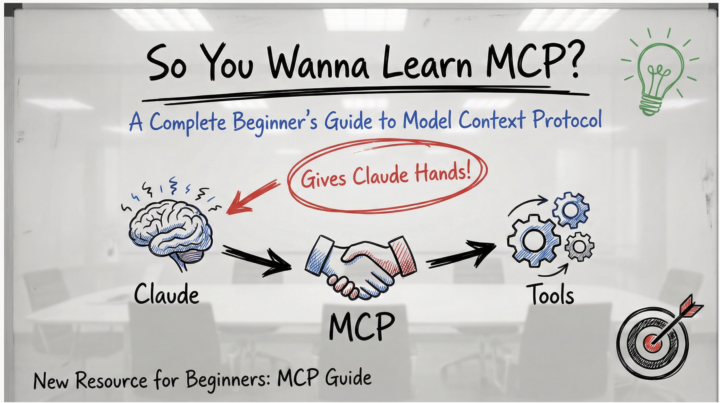
🚀 New Resource: So You Wanna Learn MCP?
Hey everyone! 👋 I just put together a complete beginner's guide to MCP (Model Context Protocol) - the new system that lets Claude actually connect to your tools and do real work. What's MCP? Think of Claude as having a really smart brain but no hands. MCP gives Claude those hands - letting it read your Gmail, work with GitHub, access Notion, search the web, organize your files, and connect to hundreds of other tools. The best part? Someone builds one MCP server and it works with Claude, Cursor, Cline, Windsurf, and any other AI app that supports MCP. No more reinventing the wheel. What's in the Guide? ✅ Visual explanations (diagrams, flow charts, analogies) ✅ Zero technical jargon - plain English throughout ✅ Step-by-step setup walkthrough (takes ~20 minutes) ✅ Hands-on tests to verify it's working ✅ Security tips for evaluating MCP servers ✅ 5 practical exercises to try immediately ✅ Troubleshooting guide Goal: Get you from "What is MCP?" to having your first server running in under 20 minutes. Pro Tips from the Community 🔥 Don't install 100 MCP servers at once! (h/t [Name if you have one]) Start with 2-3 that you'll actually use. Too many servers: - Bloat your context window - Slow down Claude's response time - Make it harder to figure out what's not working - Create unnecessary complexity Start simple. Add more as you need them. What to Try First? The guide walks you through setting up the filesystem MCP server - it's the easiest to configure and immediately useful: - Organize files - Batch rename - Create project structures - Search and analyze your documents Once that's working, expand to tools you actually use daily (GitHub, Slack, Notion, etc.) Let's Learn Together 🤝 This community thrives on sharing knowledge, so: ✨ Try the guide - Follow along and get one MCP server running 💬 Share your results - What worked? What was confusing? 🆘 Ask questions - No question is too basic. We all started here. 🧠 Share your tips - If you've used MCPs, drop your learnings below!
1 like • Jan 27
@Dimi Tse 👊🏻
1 like • 4h
@Kerry Doyle 🤯
Jan 27 •
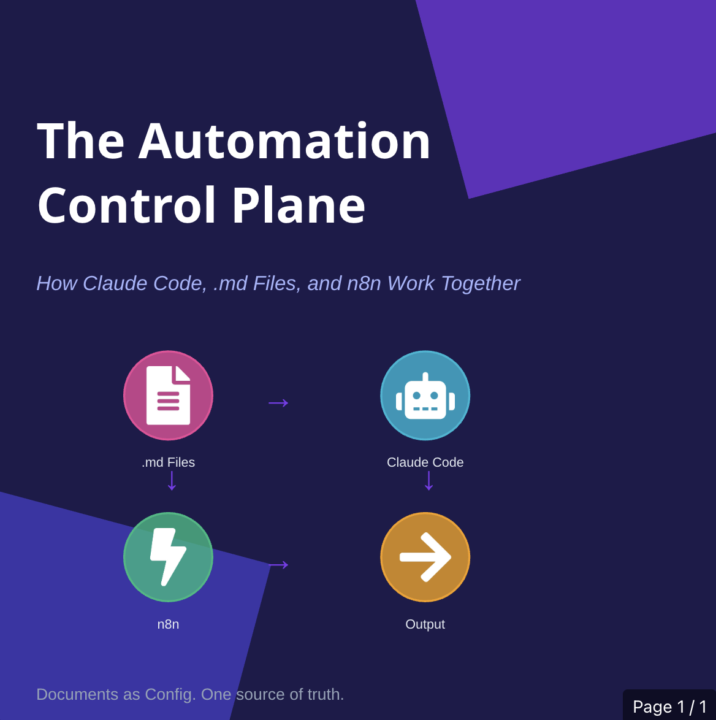
.MD+ ClaudeCode+ n8n = The Automation Control Plane
What if your documentation actually controlled your automations? Not described them. Not explained them after the fact. Controlled them. That's the shift: .md files become the source of truth. Claude Code reads them. n8n runs what Claude builds. Change the markdown, change the system. No more re-explaining context in every prompt. No more documentation that drifts out of sync within weeks. No more tribal knowledge that lives in one person's head. One place to define how it works. Everything else derives from there. TL;DR: - .md files = config, not docs - Claude Code = reads your rules, generates workflows - n8n = executes what gets built - Edit a document → system behavior changes - If you're tired of rebuilding the same patterns by hand, this is worth 10 minutes. Full article: Below⬇️
1 like • Jan 27
@Michael Wacht 👊🏻
1 like • 4h
@Kerry Doyle The knowledge and processes are still relevant. The main difference now is we have multiple tools and paths to get to the same outcome. Basically, choose your own adventure. 😁

3d •
📅 Microsoft Copilot Part 5: What Are My Top Priorities
Your calendar tells you where you need to be. But what actually needs your attention? For this example, I am using Plan My Day, an agent set up in my Copilot account. Think of an agent as Copilot configured for a particular job, with its own instructions and information sources. (Microsoft Learn) Microsoft provides a Plan My Day template designed to help identify priorities, prepare for meetings, and surface decisions waiting on you. (Microsoft Learn) The goal is simple: Spend less time figuring out where to start and more time doing the work. 🔁 Practice This - Open Microsoft 365 Copilot. - Select Plan My Day under Agents - Click Top Priorities. - Submit 🔍 What You Are Looking For Focus on three things: - Relevance: Are these genuinely important, or simply the meetings on your calendar? - Preparation: Does it identify something you should review, follow up on, or decide? - Evidence: Can you check the source behind the recommendation? Those are useful starting points. I still decide whether they belong at the top of my list. 📌 Notice What Is Missing There is an important detail in my results screenshot: “No email/chat data returned.” That does not mean there are no emails, unanswered questions, or pending decisions needing attention. It means this particular review did not return that information. A useful briefing should tell you what it found—and what it could not check. 🔑 The Takeaway - The value is not another list of meetings. - It is a short review that helps you decide what deserves attention. - Let Copilot suggest the priorities. You make the final call. - Did it surface something you might have missed—or put something in the wrong order?

2 likes • 2d
These three things are really the core of success in this formula. - Relevance: Are these genuinely important, or simply the meetings on your calendar? - Preparation: Does it identify something you should review, follow up on, or decide? - Evidence: Can you check the source behind the recommendation? Outstanding use case @Michael Wacht !
2 likes • 2d
@Michael Wacht 👊🏻
Apr 4 •
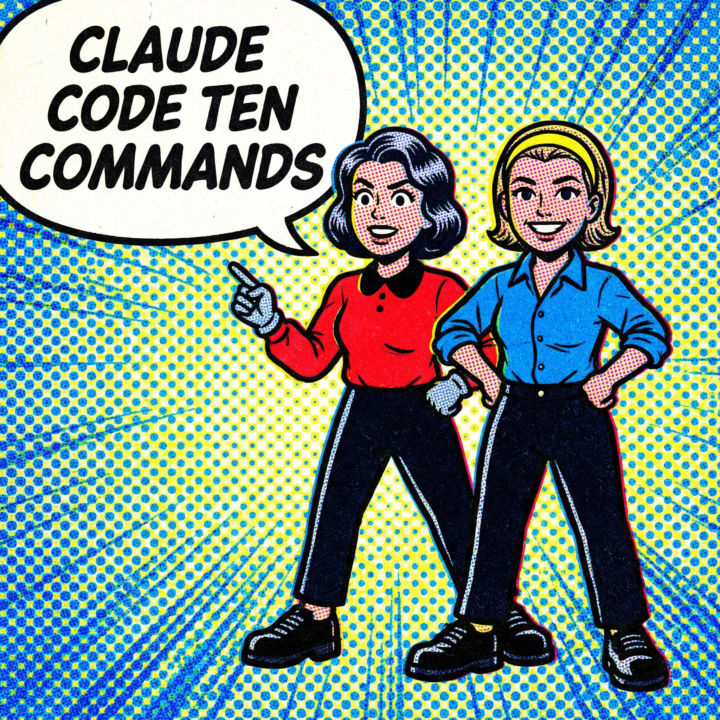
Claude Code Ten Commands You Can Use Every Day
The slash commands that actually matter, in the order you'll need them. 1. /init First thing in any new project. Creates a CLAUDE.md file where you define how your project works, what conventions to follow, what to avoid. Without this, you're re-explaining your codebase every session. With it, Claude opens the session already oriented to your codebase. 2. /compact (full disclosure, I never use this one.) Your context window is finite. When a session runs long and context quality degrades, /compact compresses everything down to the essential points and frees up space. Run this proactively before starting a new chunk of work in the same session. 3. /clear Full reset. Wipes the conversation entirely. Use it when you're switching to a completely different task and don't want bleed from the previous conversation affecting results. 4. /cost Shows your token usage and spend for the session. I check this after long sessions to understand what's actually expensive. Helps you spot when a conversation has ballooned and you should /compact or start fresh. 5. /doctor Diagnoses your Claude Code setup. Checks your config, API keys, MCP servers, permissions. When something isn't working and you can't figure out why, run this first. Saves you from chasing config problems that aren't actually code problems. 6. /memory Between sessions, Claude Code retains what you've told it. /memory lets you view, add, or remove that stored context. Build it up over time so you're not starting from scratch every conversation. 7. /config Opens your settings. Permission modes, model preferences, allowed tools. The controls that determine how Claude Code behaves at a system level. 8. /review Runs a code review on your current changes. Point it at a PR or your working diff and Claude walks through it like a reviewer. Catches things fast. 9. /resume Pick up where you left off. Shows your recent sessions and lets you jump back into any of them with full context. I use this constantly when I close a terminal and come back the next day.
1 like • Apr 8
@Phill Coxon No worries, I appreciate your honesty. The truth is I keep my sessions to 20% if it's a million context. I don't let it go above that, typically because I design my runs to be very short and direct, and then I save my sessions. Honestly, Phill, there's no wrong way to do it. I've just found that I can't afford to lose any portion of my context. Once you start having some longer iterations, at this point it may not be as important, but it's just a really good habit to keep your context windows small. That way you can accomplish things very quickly and very efficiently, and if you need to go backwards, it is super easy to go pull exactly where you were. Again, there's absolutely no wrong way to do it. 👊🏻
1 like • 2d
@Kerry Doyle Much has changed, but this list is solid. One of my most used not on this list is /goal !
Jan 22 •
So You Wanna Learn Claude Code?🤖
@Michael Wacht Thanks for letting me share! Hey everyone! I've been getting questions from folks wanting to learn Claude Code but not sure where to start. So I put together a complete beginner's guide - and I mean complete beginner. Zero technical knowledge required. What's Inside: ✅ What Claude Code actually is (in plain English) ✅ Step-by-step setup (takes 15 minutes) ✅ Your first conversation (literally what to type) ✅ 5 simple things to try (copy-paste ready) ✅ What to do when you get stuck ✅ Your first week roadmap This isn't theory - it's a "do this right now" guide. You'll create your first file within minutes of installing. Who This Is For: - You've heard about Claude Code but don't know what it does - You want to learn coding but feel intimidated - You're curious about AI but aren't technical - You just want to see what this thing can do The Approach: No BS. No jargon. No assuming you know anything. Just clear, simple steps that anyone can follow. I walked through this with someone who had never coded before, and they were up and running in 15 minutes. If you can send a text message, you can use Claude Code. Download the Guide: 👉 [Attached: So_You_Wanna_Learn_Claude_Code-formatted.pdf] Read it, follow the steps, and then come back here and share what you created! I want to see your first projects, your questions, your "holy crap this is cool" moments. Questions? Drop them in the comments or the chat. We're all learning together here - that's what this community is for. No question is too basic. Let's do this! 🚀 P.S. - If this helps you, share it with someone else who might benefit. The more people using AI tools effectively, the better we all get.

0 likes • Mar 26
@Kostadin Filev Absolutely! 👊🏻
1 like • 2d
@Kerry Doyle You're not too late. It's easier now than ever.
1-10 of 214

@matthew-sutherland-4604
AI Automation Architect @ ByteFlowAI | Skool Community Owner of “AI for Life” (Claude.ai, CoWork, Claude Code).
Active 4h ago
Joined Dec 14, 2025
Mid-West, United States
Powered by