Activity
Mon
Wed
Fri
Sun
Jan
Feb
Mar
Apr
May
Jun
Jul
Aug
Sep
Oct
Nov
Dec
What is this?
Less
More
Owned by Flor
Find balance and wholeness as faith, nature, and the calm rhythms of farm life restore harmony to body, mind, and spirit.
Memberships
the CLASSIFIEDS
832 members • Free
The Skool Hub
2.8k members • Free
SkoolHers
412 members • Free
Change Your Life
7 members • Free
Synthesizer
33.2k members • Free
Skoolers
181.9k members • Free
5 contributions to the CLASSIFIEDS
6d •
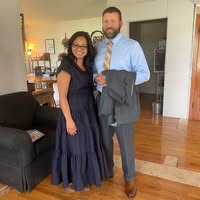
My Why❤️
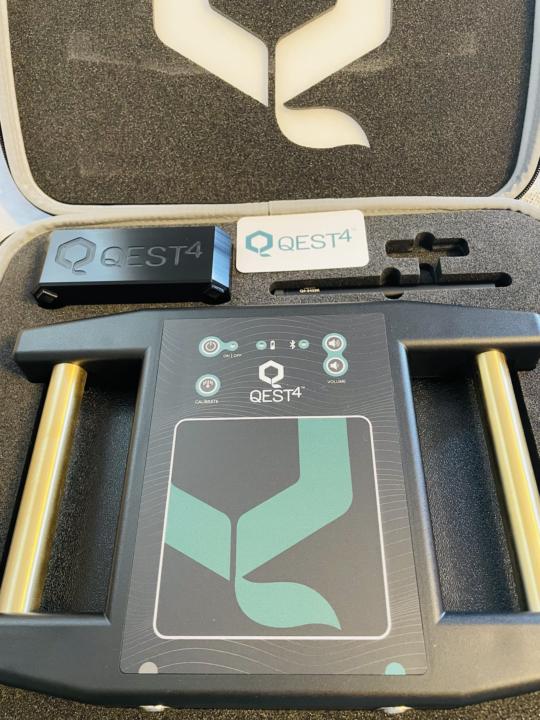
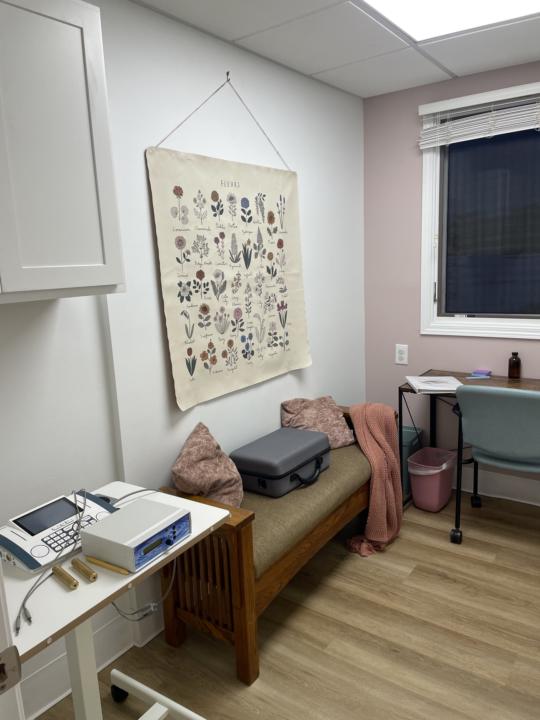
The main reason I began my healing journey years ago was because of them—my favorite “clients,” my family. I’m deeply grateful for the knowledge, protocols, and tools we’ve been able to invest in to give these children a healthier future, should they choose it. I’m especially thankful to have this visual support available to them now and to my clients. The Qest4 is an incredible bioenergetic assessment technology that communicates with the body through subtle frequency responses. It helps identify the energetic stressors, imbalances, and priority areas the body wants to address—offering a clear visual of what the body is asking for on a root-cause level. Over the last two days, I’ve been able to run scans on several of us and will continue working down the family list. One scan revealed the exact energetic pattern tied to one of my son’s “symptoms”—without me entering any additional information. He looked at the results and said, “Ok… this is freaky,” with a smile. But he’s grown up in this wellness world, and he understands that the protocols and therapies we’re implementing—Wellness Pro Plus, Ionic Foot Detox, and Infrared Sauna—are there to support his healing. After his session, he asked, “Mom, do you do this for the money, or because you really enjoy doing this?” I asked him what he thought. He answered, “You really do like helping people, and all these things help you do that.” And he’s absolutely right. Getting to do this work with each of my children, and with Jason, is an honor and an incredible blessing. Being entrusted to help every person the Lord sends my way—physically, emotionally, and spiritually—is something I will never take for granted. If you’re ready to begin or continue your own healing journey, I would be honored to walk alongside you. Reach out anytime, I'd be happy to answer any questions you may have. ❤️🙏 *Yes, I can also do virtual sessions/appointments for anyone who would like them.
0
0
Nov 14 •
Just introducing Myself!
Hi, everyone, I’m Flower M. Webb, ND Most people just call me Flower—a name that naturally blossoms from my given name, Flor. I like to joke, “If you can’t roll the ‘r,’ just call me Flower.” I’m a follower of Jesus, a happy wife, and the proud mom of seven amazing children. My life is deeply rooted in faith, purpose, and a calling to bring hope and healing wherever God leads me. I’m a Naturopathic Doctor (ND), a Certified Bionetic Naturopathic Counselor, and a Certified Trauma-Informed Counselor. I’m currently working toward my Personal Trainer certification and plan to study Functional Medicine in the coming year. I truly believe in lifelong learning and equipping others to thrive in body, soul, and spirit. My approach to wellness is Christ-centered, compassionate, and holistic. I love creating a safe space where people can heal and grow—integrating holistic naturopathic principles, frequency therapy, trauma-informed care, and faith-based lifestyle coaching. My goal is to help others embrace God’s original design for health and wholeness. As the founder of Made Whole: Spirit, Soul & Body, I draw inspiration from 1 Thessalonians 5:23 (KJV): “And the very God of peace sanctify you wholly; and I pray God your whole spirit and soul and body be preserved blameless unto the coming of our Lord Jesus Christ.” This verse captures the heart of my mission: to help others pursue complete wellness through natural, biblically aligned principles. Alongside my family, we are also developing a wellness farm—an extension of our ministry and a peaceful place where people can reconnect with creation, find rest, and experience God’s healing presence. Whether I’m meeting one-on-one, or sharing encouragement online, my mission remains the same: to glorify Christ and guide others into the wholeness, freedom, and healing found in Him. I’m so excited to be here and to learn from you all. I’d also love to invite you to join me on my Skool community—it’s still a work in progress, but my prayer is that what I share there will be encouraging and valuable to you. If I can ever be of help, please don’t hesitate to reach out. I’d love to connect and walk alongside you on your wellness journey.
🔥
Oct 13 •
🚨 Newbies Skool Toolkit (21 Steps to Success)
I’m writing this as if I’m right here with you, because being online can feel cold, lonely, and sometimes isolating, especially when you’re starting something new. So join us here 🌱 Growth Squad Heroes Why Skool? Because Skool combines community, classroom, and calendar in one. Unlike Facebook Groups, LinkedIn, or Discord, Skool lets you keep your content and community in one place, create a focused distraction-free experience, use gamification and engagement tools, and get paid easily with Stripe. Payments are processed until Wednesday, with payouts occurring on Monday, except for bank holidays, in which case payments will be cleared on Tuesday. These steps are me walking you through Skool side by side, showing you what to press, why it matters, and how to set yourself up for success. Think of me as one of your many mentors here in Skoolers not just giving you steps, but making sure you feel supported while you build your community. ⚠️ Avoid cold DMs. You’re limited to 10 cold messages a week, so don’t waste them. Let Skoolers organically want to follow you or ask for more information; this is how trust is built. Don’t just join groups to pitch or convince members to join your group. Instead, engage genuinely, add value, and people will naturally check you out. 🔌 Get plugged into the source. Complete the Skoolers classroom, regularly check what’s new, help others as you learn and progress, and always give back more than you take. Step 1 Enroll in the Skool classroom. I wish I had done this sooner I’m here regularly now. There aren’t many tutorials on YouTube, and the few available are pretty poor. For example, I once searched for how to create a course and add a video. The tutorial I found made it look super difficult—30 minutes of my life gone. Instead, head into the Skool classroom. Here's how to in less than 5mins! To add videos in your Skool classroom go to your group → click “Classroom” → either create a new module or open one you already have → hit “Add Lesson.” Give it a title, then just paste your YouTube, Vimeo, or Loom link—Skool auto-embeds it.

2 likes • Nov 14
Thank you for this incredible information!
Nov 10 •
Just saying Hello!
I'm doing a challenge over in my community, and today is day 8! Needed to take the walk indoors this time because we had a blizzard overnight. I tried walking out on the road for about ten minutes but it was way too icy on the road! Happy Monday!

⭐
🔥
Sep 1 •
Please Introduce Yourself
One of the most important things I've learned since becoming an online entrepreneur is that the most important thing you can do to grow your business is to build relationships. Many of us (myself included) have rushed to promote our groups and services that we care so deeply about. And it only makes sense - we are excited about what we are doing! Today, I'd like to invite you to take a step back and introduce yourself to the group by answering the following questions: 1. Who are you personally? 2. Who are you professionally? 3. What is something you love doing outside of work? 4. What is something surprising about you? As you open up and make more connections, you will find that not only are people more interested in what you do, but they will also be more interested in helping you make connections with other people they know! 😉 After you introduce yourself, please scroll through the other introductions and add a comment to someone you have something in common with or would like to know more about. 😊 Please add your introduction in the comments below! ⬇️

2 likes • Nov 9
Hello everyone, my name is Flor, but most people call me Flower. ☺️ I’m a follower of Jesus Christ, wife of 21 years, and a homeschooling mom of seven children—currently homeschooling our four boys. My greatest joy is creating a home where faith, learning, and wellness come together in everyday life. I’m a Naturopathic Doctor, Bionetic Naturopathic Counselor and trauma-informed wellness coach. My work centers on root-cause wellness—helping others restore balance in spirit, soul, and body through modalities such as Biofeedback, Ionic Foot Detox, the Wellness Pro, and Green Therapy. My passion is guiding others toward God’s natural design for health and wholeness. I love spending time outdoors—walking barefoot on the earth, going on long walks every day, soaking in the sunshine, and connecting with God through the beauty of His creation. It’s where I find rest, renewal, and inspiration. I was born and raised a city girl in the rough parts of Chicago, but God has completely transformed my life—I’m now a country girl living on a farmstead with my family, learning to live the way He intended: simply, naturally, and rooted in His creation. I'm happy to be here, and look forward to getting to know you all!
1-5 of 5
@flor-webb-7926
Naturopathic Doctor blending faith-based natural healing with farm life—where nature and wellness unite to restore whole body balance.
Active 10h ago
Joined Nov 9, 2025
Powered by