Activity
Mon
Wed
Fri
Sun
Sep
Oct
Nov
Dec
Jan
Feb
Mar
Apr
May
Jun
Jul
Aug
What is this?
Less
More
Owned by Des
Content marketing for creators over 40. Build an audience on YouTube, Instagram, TikTok and beyond, then turn it into real income. Free.
Turn your Skool community into $1K-$5K/month - even with just 0-50 members
RETURN to SELF
169 members • Free
AI Automation Society
439.6k members • Free
Skool Events Daily
448 members • Free
Empowered Investor Pathway
7 members • $5,000
YouTube Mastermind
39 members • $2,000/year
8 contributions to Learn Substack🔥

🔥
Jun 9 •
We Hit 111 - You Know How Much I Love Angel Numbers?
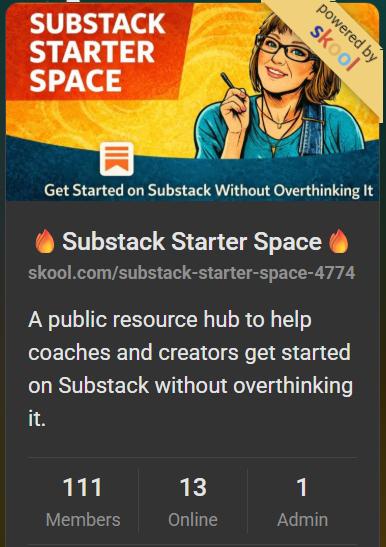
111 and 11 11 are my very favorite angel numbers. For a space that was created to function as SEO for Substack-The You World Order - I'm rather bowed over by the response over here. The Substack You World Order community is private - that means that nothing I post over there gets indexed. Which is why I created this space - because everything here does! The Best way to use this space is to create posts about what you're doing here and on Substack - add your links! It's okay. USE the SEO juice by commenting on posts I make - but create your own too. Thanks again for being part of this movement!

🔥
3 likes • Jun 9
Yay! Congratulations 🎉
🔥
May 22 •
🚨⭐We Just Hit 100 Members!!⭐
For a community I put together mainly for seo purposes, I'm ecstatic that there are now 100 of us! @Stephanie S is our 100th member. I'd love to encourage you all to join the You World Order Community as it's where all the action takes place - also free - but MUCH more activity and visibility opportunities.

🔥
1 like • May 23
@Jill Hart You're welcome 🙂
🔥
1 like • May 23
@Jill Hart Aww, thanks! 😊
🔥
Apr 17 •
The 7 New Featured on Substack - EXPLAINED
This was a jam packed episode - we covered a lot of ground about Substack's Latest features and answer questions along the way. Here's the doc we used that you can use to follow along Catch on YouTube
🔥
2 likes • Apr 17
Thanks for sharing. I shall take a look at this later.
🔥
2 likes • Apr 17
@Jill Hart awesome, it sounds exciting!
🔥
Mar 26 •
The “Gain of Information” Problem Most Content Creators Don’t Realize They Have
Most people are creating content. Very few people are adding new information. That difference determines whether your content grows your audience, builds authority, and brings in clients, or just floats around the internet doing nothing. This applies to: Substack YouTube Pinterest Skool Podcasts Email... All of it The internet does not reward content anymore. It rewards information gain. 𝙄𝙣𝙛𝙤𝙧𝙢𝙖𝙩𝙞𝙤𝙣 𝙜𝙖𝙞𝙣 𝙢𝙚𝙖𝙣𝙨: 𝘼𝙛𝙩𝙚𝙧 𝙨𝙤𝙢𝙚𝙤𝙣𝙚 𝙘𝙤𝙣𝙨𝙪𝙢𝙚𝙨 𝙮𝙤𝙪𝙧 𝙘𝙤𝙣𝙩𝙚𝙣𝙩, 𝙩𝙝𝙚𝙮 𝙠𝙣𝙤𝙬 𝙨𝙤𝙢𝙚𝙩𝙝𝙞𝙣𝙜 𝙩𝙝𝙚𝙮 𝙙𝙞𝙙 𝙣𝙤𝙩 𝙠𝙣𝙤𝙬 𝙗𝙚𝙛𝙤𝙧𝙚, 𝙪𝙣𝙙𝙚𝙧𝙨𝙩𝙖𝙣𝙙 𝙨𝙤𝙢𝙚𝙩𝙝𝙞𝙣𝙜 𝙢𝙤𝙧𝙚 𝙘𝙡𝙚𝙖𝙧𝙡𝙮, 𝙤𝙧 𝙘𝙖𝙣 𝙩𝙖𝙠𝙚 𝙖𝙣 𝙖𝙘𝙩𝙞𝙤𝙣 𝙩𝙝𝙚𝙮 𝙘𝙤𝙪𝙡𝙙 𝙣𝙤𝙩 𝙩𝙖𝙠𝙚 𝙗𝙚𝙛𝙤𝙧𝙚. If nothing changed for them, the content had no gain of information. What Gain of Information Actually Looks Like 😒𝙲𝚘𝚗𝚝𝚎𝚗𝚝 𝚠𝚒𝚝𝚑𝚘𝚞𝚝 𝚒𝚗𝚏𝚘𝚛𝚖𝚊𝚝𝚒𝚘𝚗 𝚐𝚊𝚒𝚗: - Quotes - Motivational posts - Generic tips - “5 ways to be more confident” - “Post consistently” - “Know your audience” - Reposting what everyone else already said 😁𝙲𝚘𝚗𝚝𝚎𝚗𝚝 𝚠𝚒𝚝𝚑 𝚒𝚗𝚏𝚘𝚛𝚖𝚊𝚝𝚒𝚘𝚗 𝚐𝚊𝚒𝚗: - A framework - A step-by-step process - A mistake people are making - A system you use - A case study - A comparison - A strategy - A map - A checklist - A tutorial - A breakdown of how something actually works - Showing results or data - Showing your workflow People follow creators who teach them how to see the world differently or do something better. 𝑯𝒐𝒘 𝑻𝒉𝒊𝒔 𝑨𝒑𝒑𝒍𝒊𝒆𝒔 𝒕𝒐 𝑺𝒖𝒃𝒔𝒕𝒂𝒄𝒌, 𝒀𝒐𝒖𝑻𝒖𝒃𝒆, 𝒂𝒏𝒅 𝑷𝒊𝒏𝒕𝒆𝒓𝒆𝒔𝒕 🔥Substack Instead of: “Consistency is important” Use: “How I turn one Substack post into 5 pieces of content and why this is the only way content compounds.” Instead of: “Build your email list” Use: “The 4 assets every Substack should have before you try to grow your subscribers.” 🔥YouTube Instead of: “How to start a podcast” Create: “The 4 biggest mistakes podcast guests make and how Substack fixes every one of them.” Instead of: “Content marketing tips” Create: “How one Substack article turns into a YouTube video, Pinterest pins, Skool posts, and email content.” 🔥Pinterest 𝑷𝒊𝒏𝒕𝒆𝒓𝒆𝒔𝒕 𝒆𝒔𝒑𝒆𝒄𝒊𝒂𝒍𝒍𝒚 𝒍𝒐𝒗𝒆𝒔 𝒊𝒏𝒇𝒐𝒓𝒎𝒂𝒕𝒊𝒐𝒏 𝒈𝒂𝒊𝒏 𝒃𝒆𝒄𝒂𝒖𝒔𝒆 𝑷𝒊𝒏𝒕𝒆𝒓𝒆𝒔𝒕 𝒊𝒔 𝒂 𝒔𝒆𝒂𝒓𝒄𝒉 𝒆𝒏𝒈𝒊𝒏𝒆, 𝒏𝒐𝒕 𝒔𝒐𝒄𝒊𝒂𝒍 𝒎𝒆𝒅𝒊𝒂.

🔥
1 like • Mar 26
Thanks for sharing @Jill Hart this is awesome information!
🔥
Feb 15 •
Video Tutorial 📌 Turn Skool Posts Into Evergreen Traffic (and Income)
Here is a quick video & Pinterest pin showing how to pin Skool posts to Pinterest using your referral link - the right way. If you’re already active in Skool, this lets you: • Extend the life of your posts • Get discovered on Pinterest long after you hit “post” • Ethically earn referral income from communities you love No extra content. Just smarter visibility. 👉 Watch the short video 👉 Save the pin 👉 Start turning engagement into assets This is exactly how we build traffic → community → income inside The You World Order. ✨
🔥
2 likes • Feb 16
This is a really good Idea @Jill Hart Gonna watch your video now to find out how to do this.
1-8 of 8

🔥
@des-dreckett-6753
Helping creators turn YouTube into paid Skool members. Built The Content Revenue Lab from scratch. No big audience needed.
Online now
Joined Jan 31, 2026
Spalding