Activity
Mon
Wed
Fri
Sun
Mar
Apr
May
Jun
Jul
Aug
Sep
Oct
Nov
Dec
Jan
Feb
What is this?
Less
More
Memberships
Ai Automation Business Skool
47 members • $49/month
Pathway To Salesforce (PTS)
575 members • Free
Learn Power Apps
2.5k members • Free
31 contributions to Pathway To Salesforce (PTS)

2d •
Learning Salesforce Admin? Here's a security feature I just discovered
I'm working through admin concepts in my developer org, and I stumbled on something cool that doesn't get talked about enough: Users can grant YOU temporary login access—then take it away when you're done. Why aspiring admins like us should know this: A lot of us are studying scenarios where orgs DON'T allow "Administrators Can Log in as Any User" for security reasons. So how do you troubleshoot user issues in the real world? The answer: Grant Account Login Access How users do it: 1. Profile icon → Settings 2. Grant Account Login Access 3. Pick "Company Administrator" 4. Set duration (1 day - 1 year) 5. Save What this means for you as admin: You can log in as that specific user, see exactly what they see, troubleshoot their issue, and then they revoke access. No permanent permissions needed. Why I'm excited about this: In my dev org, I'm setting up different user profiles to practice this workflow. It's helping me understand how enterprises balance security with support needs. Question that's got me thinking: When a user grants access to "Company Administrator," does it give access to ALL System Admins in the org, or just one specific admin? 🤔 For other aspiring admins: Have you tested this in your dev org? What did you discover? Drop your findings below—I'm curious how others are practicing multi-admin scenarios! Let's learn together 🚀 Have a wonderful week ahead
27d •
Assistance Needed - Salesforce Data Analysis Assignment Access Issue
@Godwin Mbah I'm encountering a technical issue while attempting to access the assignment section for the Salesforce Data Analysis module, specifically: Assignment: Practical Project - Create Reports and Dashboards to Help Pathway to Salesforce Understand Core Business Insights Issue: I'm stuck in a continuous loop when trying to access this assignment. Each time I attempt to open it, I receive the same error message (see attached screenshot). Could you please help me resolve this issue so I can proceed with the practical project? Thank you for your assistance.
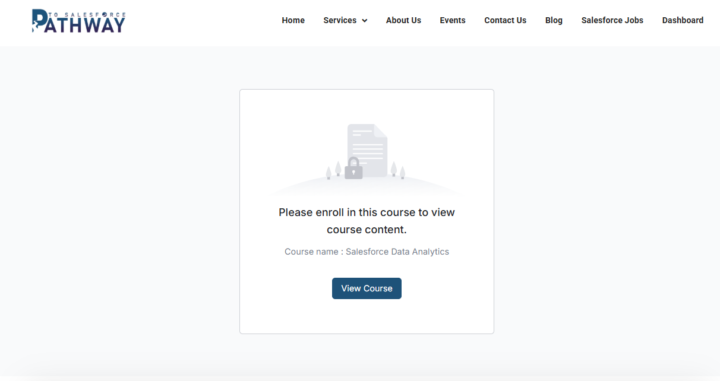
1 like • 15d
@Godwin Mbah - Please any update on this issue. Still the same.
1 like • 13d
@Josephine Nti Confirmed

15d •
🚨 DATA Analysis Assignment Update, Issue Resolved ✅
Quick update everyone, the assignment access issue has now been fully fixed in the Data Analysis Course. What changed Previously, the Data Analysis course was set up without enrollment, but assignments require enrollment to work properly. To make sure everyone can access assignments smoothly, enrollment is now required. What you need to do, step by step 1️⃣ Go back to the Data Analysis course page 2️⃣ Click Enroll in the course, it is free 3️⃣ Once enrolled, go back into the course 4️⃣ Click the assignment again, it will now open normally That is all 👍🏽 If you had any issues before, please follow the steps above and you should be good to go. Thanks for your patience and keep pushing forward 💪🏽🔥 @Ademola Falegan @Chukwudi Sunday and others Kind regards Godwin Mbah

1 like • 15d
Confirmed with thanks

17d •
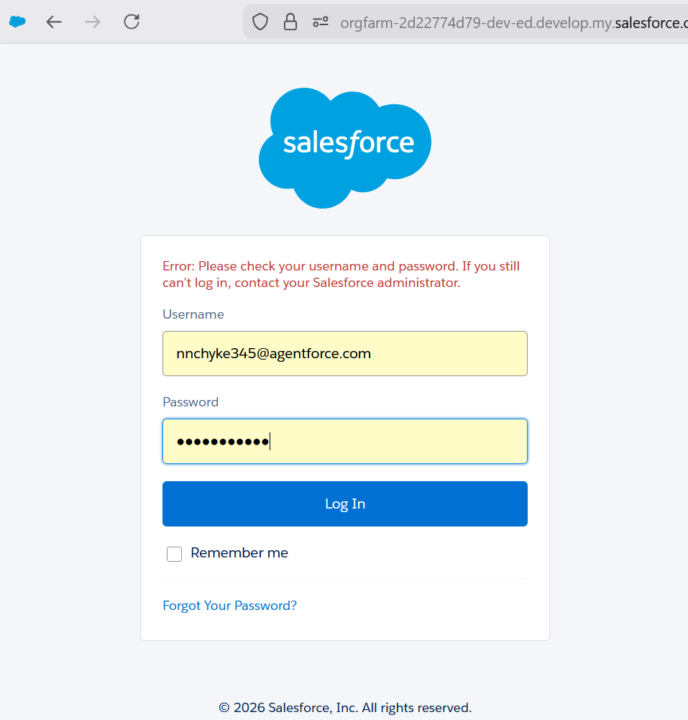
Can't login to Salesforce Org!!!
The system says I should contact my admin if my username and password are ok. I have even changed my password, yet I can't log in. Please, who is the admin I need to contact to help me out?
0 likes • 16d
Strange behavior since you're the admin of your org. Please try this to see if it helps you get back in: Open a new private browsing window (called "InPrivate" in Edge or "Incognito" in Chrome) and visit: https://login.salesforce.com/ Please do not use any saved links – use the https://login.salesforce.com/ link above. Once the page loads, enter your correct username and password to log in. This will rule out any browser cache issues that might be preventing your login. To open a private window: - Edge: Click the three dots (•••) in the top right corner, then select "New InPrivate window" - Chrome: Click the three dots (⋮) in the top right corner, then select "New Incognito window"

26d •
Center of Excellence !
The term 'COE' can be related to which of the core responsibilities of a Salesforce administrator? See you in the comment session. ⬇️
0 likes • 26d
CENTER OF EXCELLENCE!! A COE isn't just ONE admin responsibility—it's like the Avengers of Salesforce Admin duties! The Salesforce Admin within a COE is literally the person who makes it all happen—reports, dashboards, configurations, user support, you name it! The Salesforce Admin in a COE? They're the superhero doing it ALL—managing configs, creating reports, supporting users, and keeping the org healthy! 💪
1-10 of 31

@christopher-ekorhi-8085
Power Apps Developer specializing in SharePoint, Dataverse, and Power Automate to create efficient business solutions.
Active 1h ago
Joined Nov 27, 2025
Powered by