Activity
Mon
Wed
Fri
Sun
Apr
May
Jun
Jul
Aug
Sep
Oct
Nov
Dec
Jan
Feb
Mar
What is this?
Less
More
Memberships
AI Automation Society
306.1k members • Free
Assistable.ai
3.3k members • Free
Automated Marketer
3.5k members • Free
LeadIndicator.ai
560 members • Free
AI Automation Agency Hub
305.2k members • Free
AI Automation (A-Z)
150.3k members • Free
Google Ads Skool
4.8k members • Free
AltAgency Base Camp
1.5k members • Free
Google Ads Masterclass
11.5k members • Free
4 contributions to Assistable.ai

11d •
Haiku & Numbers
I switched to Haiku and like it but when it gets to numbers it’s a mess. It repeats zip code like “fifteen two twenty” instead of one five two two zero. Same with phone numbers. I didn’t have any issues with GPT4.1 but wondering if there’s a fix for this?
0 likes • 5d
@Hari Prathap Balamurugan I think I have that prompt but feel free to check: 1768856819873x581567933581734900
0 likes • 5d
@Luke Murphy yes mine does that too. Not sure what to change
18d •
Ai won’t start call for 13 seconds
My ai is setup for overflow calls and to start the conversation with a greeting. Lately, it will not do the greeting until about 13 seconds in. So it picks up, but won’t speak for 13 seconds. I have the phone numbers answer wait time set to 0. Can’t figure out why it’s doing this.
0 likes • 14d
@Jorden Williams These were native. I spoke with support and I guess it had something to do with the intro message. It was blank because I never needed it before so I guess that fixed it
0 likes • 14d
@Hari Prathap Balamurugan Everything is working well now. Thank you!
Aug '25 •
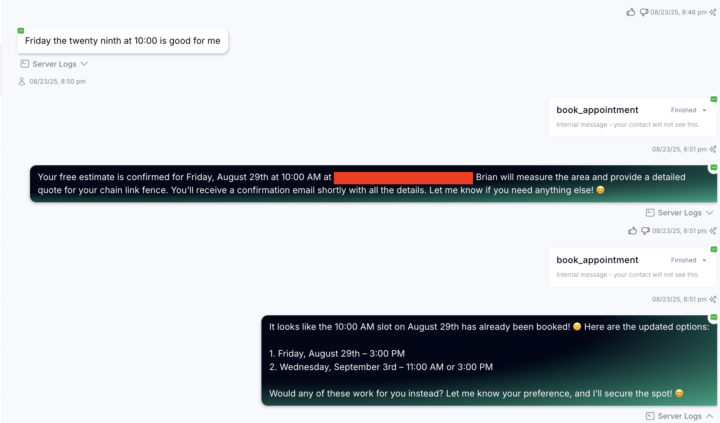
Chat Booked Appt. Twice
Is there any reason the bot tried to book the appointment twice (see screenshot)? It booked the first one perfectly, but then tried to book it again, which caused an error message saying "that spot is not available." I don't sync my calendars I have the bot choose the calendar ID by zone and it's worked nicely until this one. Not sure what to tweak.
0
0

Aug '25 •
Dynamic Greet Live (different greetings for outbound vs inbound)
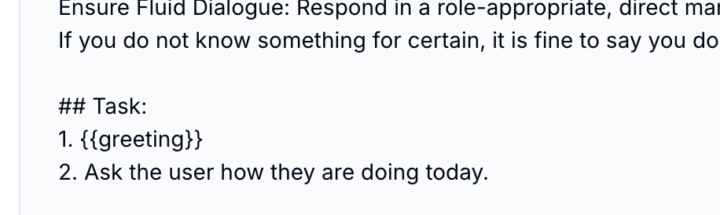
Dynamic greeting is now live in the assistant builder. Simply input your inbound greeting and your outbound greeting using the inputs and then reference the variable in the prompt: {{greeting}} Now, when the call is inbound we will use the inbound greeting and when the call is outbound we will use the outbound greeting -- this way your assistant can be truly customizable by direction. and yes, variables can be use in the greeting itself as well Button: Dynamic Greeting Merge Tag / Variable For Prompt: {{greeting}}
1 like • Aug '25
@Jorden Williams this is awesome! Is it possible to dynamically setup the assistant to start the conversation on inbound but the user to start on outbound?
1-4 of 4

@brian-mcmahon-3803
Over 10 years of marketing and management experience across the online and local space.
Active 3d ago
Joined Jul 31, 2025
Powered by