Activity
Mon
Wed
Fri
Sun
May
Jun
Jul
Aug
Sep
Oct
Nov
Dec
Jan
Feb
Mar
Apr
What is this?
Less
More
Memberships
AI for LinkedIn - evyAI.com
1.7k members • Free
16 contributions to AI for LinkedIn - evyAI.com

Feb 9 •
Third Posting Party of 2026 (Post your Links Below) 2.9.2026
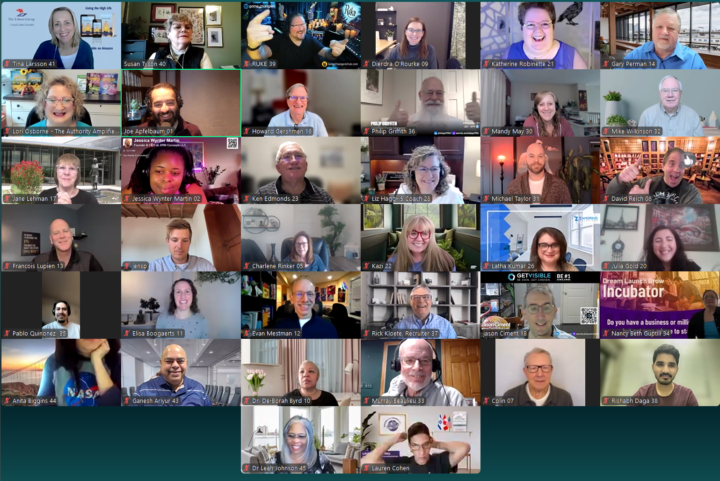
We are having our Third posting party of 2026 today at 10am EST.. It will be hosted on www.highenergyzoom.com this is a special event we host 25 times a year and our goal is to get to know each other on a zoom call so we can engage more on each others content. Its so important to be part of a meaningful community of people who can support each other regularly and connect with each other in a meaningful way. If you can make it, please join us and share your link in the comments. Bring a friend with you if you are able to so they can benefit.. Imagine having a list of 100 people that you will invite to posting parties in 2026.. even if none of them come you still have invited 100 people and added value to their life. Think about that from that perspective. A few resources we love ot share about how these parties work. Resource 1: When you post a link, make sure its a clean link. We like to share FEED URLS instead of long urls that have UTMs on them. You can clean your link with our Link Cleaner https://evyai.com/url-cleaner/ Resource 2: Use the evyAI Idea generator to help you come up with ideas for what to post about. If you dont have an idea, just add a keyword and BOOM 4 ideas appear https://app.evyai.com/idea-generator Once you have your idea, please post a post on Linkedin and share it below so we can comment on your post and give you max exposure. Resource 3: To keep track of all your links, we have something called the BULK LINK OPENER 4, that allows you to quickly paste in all the links and open them in an organized way. You can even use the keyboard shortcut ALT + W to open each one and when you are done commenting try CTRL + W and it will close that window and repeat.. seee how fast it goes. https://strategy.evyai.com/bulklinkopener4 Resource 4: We offer daily office hours for those that need some tech support on how to use Linkedin or how to use evyAI to create content, images, ideas, save profiles, have a workflow on Linkedin and get clients. Join us at 12pm est and 7pm est daily where we uncover how to leverage Linkedin together with the help of evyAI. https://strategy.evyai.com/officehours

9 likes • Feb 9
https://www.linkedin.com/feed/update/urn:li:activity:7425523682539831296/
0 likes • Feb 9
@Lance LeFort done

May '25 •
🔥SOCIAL Proof & Branding Webinar and Party today 4 pm ET 5/21💥
If you'd like to learn more about how to attract new business clients versus chasing them, come join us this afternoon at our 1st ever Recommendation Party! You can get info here: https://www.skool.com/evyai/calendar?eid=3cecd92ab9ab484cabeb70fef4a3c173 Looking forward to seeing all of you then. Thanks, Ricky Ricardo, "You got some splaining to do Lucy"! 😁

1 like • May '25
John, could we speak
1 like • May '25
@Rick Kloete no I am sorry

May '25 •
Question - how do we make sure we sound unique?
I noticed today many comments on my thread (and likely my own) - all sound the same... and I can tell we all used evyAI. So there some adjusting and training to do. I did some customizing - of personas... and I'm thinking template tweaking comes next. Am I on the right track? How can I make sure I sound like a version of me? I'm starting to learn enough to save time...but now, I think I need the next step. The one that keeps me from sounding like a specific, identifiable AI. THANKS for any insights!
4 likes • May '25
I feel the same. I would love to know how to tweek it
May '25 •
Who is your IDEAL Target Market? Please comment!
I am working on an AI agent that can find you PROSPECTS regularly and I need 10 people to give me their target market. You need to be as specific as possible. Below there are a few GOOD examples and a few BAD examples.. Please make sure you follow the good examples. Good Example: Title: Marketing Director Location: New Jersey Company Size: 1000-5000 Employees Bad Example: Title: Decision Makers Location: Anywhere Company Size: Small Business Good Example: Title: Real Estate Agent Location: California Company: Compass Bad Example: Title: Women Problem: That Need Coaching Location: IST Time Zone Hope you guys understand what a good example is and what a bad example is. Key Elements of Good Examples: 1. Specific Job Titles: "Marketing Director" or "Real Estate Agent" clearly identify the exact role you're targeting. 2. Defined Locations: "New Jersey" or "California" provide geographic boundaries rather than vague regions. 3. Company Details: Either company size ("1000-5000 Employees") or specific company names ("Compass") give clear parameters for filtering. Why Bad Examples are Ineffective: The bad examples are too vague and would return an overwhelming number of irrelevant prospects: 1. Overly Broad Titles: "Decision Makers" could be anyone with authority in any department. 2. Undefined Locations: "Anywhere" gives no geographic focus for targeting. 3. Ambiguous Qualifiers: "Women That Need Coaching" is subjective and not something easily searchable in professional databases. 4. Vague Company Parameters: "Small Business" spans too wide a range without specific industry or size metrics. Here are 10 well-defined target market examples: 1. Title: Chief Technology OfficerLocation: Boston, MassachusettsCompany Size: 500-1000 EmployeesIndustry: Healthcare Technology 2. Title: VP of Supply ChainLocation: Chicago, IllinoisCompany Size: 5000+ EmployeesIndustry: Manufacturing 3. Title: Social Media ManagerLocation: Austin, TexasCompany: Dell TechnologiesDepartment: Marketing 4. Title: HR DirectorLocation: Seattle, WashingtonCompany Size: 100-500 EmployeesIndustry: Software Development 5. Title: Director of OperationsLocation: Miami, FloridaCompany Size: 50-100 EmployeesIndustry: Hospitality 6. Title: Financial AdvisorLocation: San Francisco Bay AreaCompany: Morgan StanleyExperience Level: 5+ years 7. Title: Procurement ManagerLocation: Denver, ColoradoCompany Size: 1000-5000 EmployeesIndustry: Telecommunications 8. Title: Head of Digital MarketingLocation: New York CityCompany Size: 200-500 EmployeesIndustry: E-commerce 9. Title: Construction Project ManagerLocation: Phoenix, ArizonaCompany Size: 50-200 EmployeesSpecialization: Commercial Buildings 10. Title: Corporate Event PlannerLocation: Atlanta, GeorgiaCompany: Coca-ColaDepartment: Corporate Communications
2 likes • May '25
My target market Title: owner, CEO, founder Company size: 1million-25 million in revenue Location: USA Industry: construction related industry: service industry
Apr '25 •
11 Prompts to Use with Anyones PDF from their LinkedIn Profile
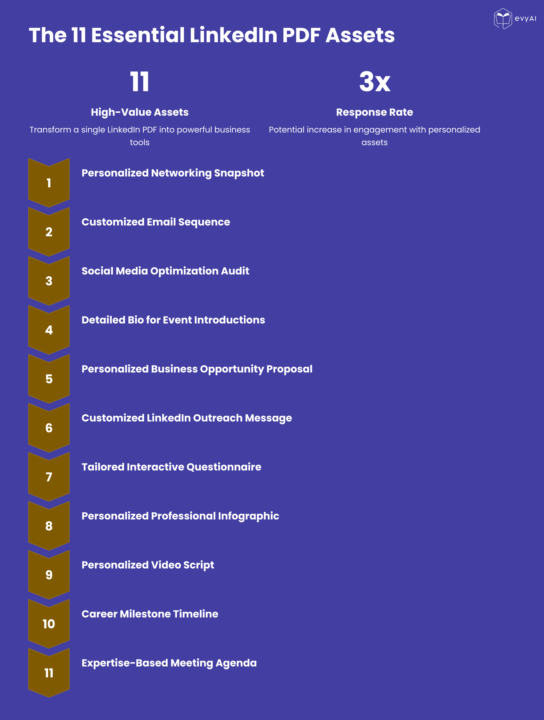
Transform LinkedIn PDFs Into 11 High-Value Networking Assets Today I'm excited to share a powerful strategy for supercharging your networking and business development efforts. If you've ever downloaded a LinkedIn profile as a PDF, you're sitting on a goldmine of opportunity. Go to ANYONES profile and hit MORE then hit DOWNLOAD PDF then use the prompts in the COMMENTS with the PDF in any LLM and watch the MAGIC UNFOLD. Remember to save the prompts into TEMPlates in evyAI to make your life easier. I've developed a system for transforming a single LinkedIn PDF into 11 distinct, high-value assets that can dramatically improve your outreach, relationship building, and conversion rates. Why This Matters Most professionals waste the rich data available in LinkedIn profiles, using it only for basic research. By applying strategic prompts to this information, you can: - Create truly personalized outreach that stands out - Demonstrate that you've done your homework - Directly address prospects' specific needs and challenges - Dramatically increase response and conversion rates - Position yourself as a thoughtful, prepared professional The 11 Essential LinkedIn Profile Assets Here's a quick overview of what you can create from a single LinkedIn PDF: 1. Personalized Networking Snapshot - A strategic brief to review before meetings 2. Customized Email Sequence - A three-part progression that builds engagement 3. Social Media Optimization Audit - Actionable recommendations for their profile 4. Detailed Bio for Event Introductions - Multiple versions for different contexts 5. Personalized Business Opportunity Proposal - Connecting their needs to your solution 6. Customized LinkedIn Outreach Message - Stand-out connection requests 7. Tailored Interactive Questionnaire - Uncover specific challenges and needs 8. Personalized Professional Infographic - Visual representation of collaboration value 9. Personalized Video Script - High-impact video outreach 10. Career Milestone Timeline - Visualizing their journey and future opportunities 11. Expertise-Based Meeting Agenda - Strategic framework for productive conversations
3 likes • Apr '25
It amazing.
1-10 of 16

@ahuva-gruen-1274
Ahuva Gruen, Fractional CFO with 20+ years of experience, helps businesses grow by providing financial clarity, strategic insights, and greater profit
Active 17d ago
Joined Feb 12, 2025
Powered by