Activity
Mon
Wed
Fri
Sun
May
Jun
Jul
Aug
Sep
Oct
Nov
Dec
Jan
Feb
Mar
What is this?
Less
More
Memberships
LeadIndicator.ai
561 members • Free
Assistable.ai
3.4k members • Free
386 contributions to Assistable.ai

2d •
Archive
Once we archive an account. I notice it still tried to bill the client who no longer is active. we deleted it and its still taking money from them . is there a way to completely disable the account for a subaccount

0 likes • 2d
Before archiving the account you have to make sure to delete the card details from the portal for them if the account is rebilled.

10d •
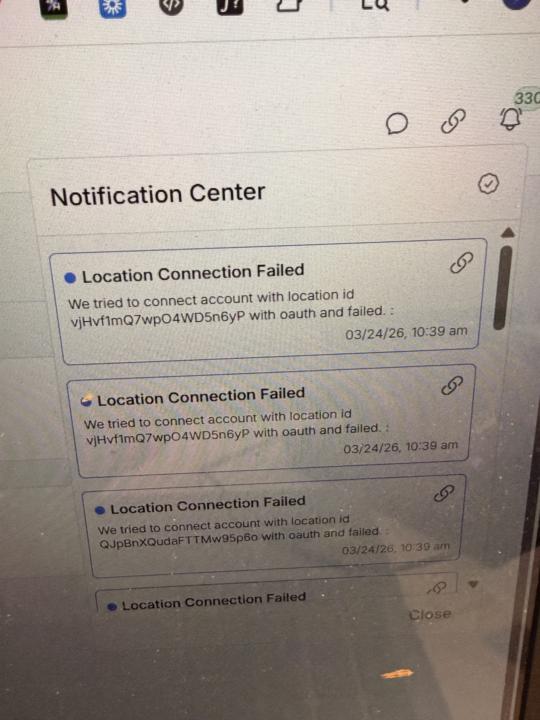
Hard reset connection failed
I did hard reset many times ( following Jorden’s video: uninstall app in market place, then reset ghl connection ) but still failed to connect. Does anyone know how to fix? @Jorden Williams @Assistable Ai @Assistable Team
0 likes • 10d
@Jocelyn Tran I see you have un-installed the app but not installed it back. Can you confirm?
0 likes • 8d
@Jocelyn Tran is it still not connected?

11d •
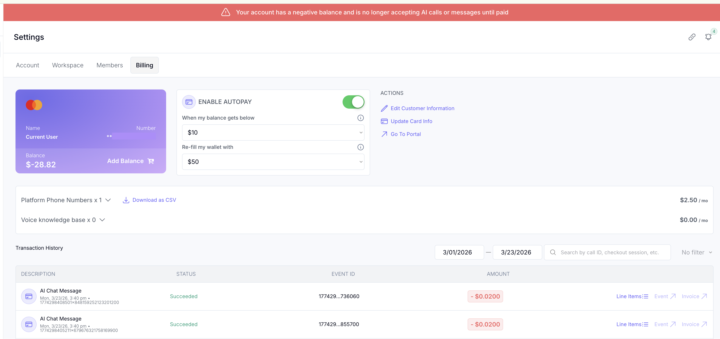
My API key isn't being used for some reason.
It's weird, It just started using the wallet in the account instead of my api key. I really have no idea why random stuff like this is happening. Venting a little now... My openai usage jumped up for nor reason about a month ago to almost double. On track this month to be at about $2500 when it normal 1k. And now for some reason this is random [to me at least it random]. Not sure what to do... I'm asking support and tagging people tagging people. Just seems like I can't get any help.
1 like • 8d
@Luis Patiño you can reach out to us via support widget in your workspace and we can have the dev team look into this
0 likes • 8d
@Kendrick Jo You can reach out us via support widget with workspace id with a loom video to show your OpenAi account is all good and I can have the dev team look into this

10d •
AI + API Calls no longer working. Please help!
Hey guys, my Assistable AI assistants stopped working yesterday suddenly. All API calls in automations to Assistable are also failing. Is anyone else encountering this? I did a hard O Auth reset like support suggested, but still no luck. Support hasn't been able to solve the issue either. Can someone help me take care of this? My accounts are all down! Clients are not happy.
0 likes • 8d
Can you please let me know the ticket number
0 likes • 8d
@Waleed Farra your workspace is under a reseller? The only reason support will not be available as our support services are exclusively for direct clients. That said you can reach out to your reseller and if they are not able to fix please ask them to reach out to us

8d •
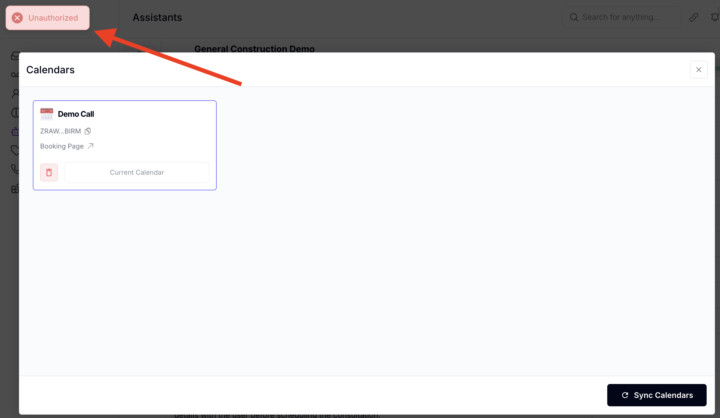
Calendar Unauthorized?
There is a pop up on my ai assistant when open up the calendars that says "unauthorized" and it wont let me sync. When i call the ai to book an appointment it im assuming because of this issue. What do i do to fix this? I used the the ai help desk and it asked me to click the trash button on the subaccount which archived the subaccount and now it wont let me do anything with that subaccount for the next 48 hours even though i followed the ai help desk instructions
0 likes • 8d
Can you guys please do a hard reset and retry-https://www.skool.com/assistable/hard-reset-your-oauth-for-compliance-here-is-how
1-10 of 386

Active 18h ago
Joined Apr 30, 2025
Powered by