Activity
Mon
Wed
Fri
Sun
Feb
Mar
Apr
May
Jun
Jul
Aug
Sep
Oct
Nov
Dec
Jan
What is this?
Less
More
Memberships
Stewards Bundle Hub 🏕️
30 members • Free
Your Portal To Prosperity
33 members • Free
AI-Smart CEOs with Wendy
2.3k members • Free
Scale with Excellence
58 members • $37/m
Start Writing Online
19.3k members • Free
AI for LinkedIn - evyAI.com
1.5k members • Free
Women Helping Women Mastermind
10.6k members • Free
Women Entrepreneurs United
595 members • Free
Get Media Ready Now!
224 members • Free
12 contributions to AI for LinkedIn - evyAI.com

Sep '25 •
Altering list.
Hope somebody can help. I can't remember where I can edit/add to my list. The chrome extension doesn't appear to have the option available.

Aug '25 •
Three Exciting Events Monday! (Which you attending?)
We have three amazing events happening on Monday. Event 1: 10am EST - we have a connections dashboard party.. Yes we will also have it as a POSTING party but we will focus on CONNECTIONS DASHBOARDS for people who want to share theirs and the strategy behind your dashboards. Event 2: 1pm EST - 99 Hacks Pre-Launch! We finished the video editing of all 99 hacks and we will discuss our fav hacks and help you be able to get access to these amazing hacks in the course in the skool community as soon as they are all hosted properly. We will show you exactly how to access them and how to use them! Event 3: 430pm EST - Substack Party where we will be discussing how Substack works and why we believe that moving to another platform is SO IMPORTANT right now. LinkedIn is making some key changes and being prepared is so important. You never know when you will lose your account and having a good place to host your newsletter, and build your audience around you is so important. They have been around since 2017 but 2025 is the year of SubStack they say. So lets talk about it. These three events are going to be incredible.. We hope you are as excited as we are. Please tell your friends about it and come with someone you care about because they will all be VERY well attended and high energy. So tell me which one do you want to attend on Monday?

2 likes • Aug '25
Substack for me.

Aug '25 •
✨ Join Our Friday Posting Party, Today, 11 am ET August 22, 2025 ✨
Looking to grow your network and boost your LinkedIn visibility? Join us every Friday at 11 AM Eastern | 10 AM Central for our LinkedIn Posting Party! Bring a Friend! Be ready with your 15 second Elevator Pitch! This is a casual, friendly space where you can: ✅ Meet other professionals who want to grow their presence ✅ Post your content and support others ✅ Engage authentically with meaningful comments ✅ Build real connections — not just likes It’s not about algorithms...it’s about conversations, community, and showing up for each other. Whether you’re a seasoned LinkedIn pro or just starting to share your voice, you’re welcome to join us. Bring your post, your positive energy, and your willingness to engage! Let’s lift each other up and make LinkedIn a little more human. And…. 📝 𝗛𝗼𝘄 𝘁𝗼 𝗣𝗮𝗿𝘁𝗶𝗰𝗶𝗽𝗮𝘁𝗲: - 👍 𝗟𝗜𝗞𝗘 this post as soon as you see it - 💬 Share your LinkedIn Post in the comments for review - ❤️ 𝗟𝗜𝗞𝗘 every comment you engage with - ✂️ Remove UTM tracking links (delete anything after ? in your links) - 🔄 No new post? Share a previous one Post URL Cleaner: https://strategy.evyai.com/post-url-cleaner (Pick the 3rd option) Bulk Link Opener 3: https://strategy.evyai.com/bulklinkopener3 (Scroll up from the bottom…works well) We’d love to see you. Zoom link: https://us02web.zoom.us/j/86496908047?pwd=YdcqEYahueFUWdGa1q9Aadrxa2GwEE.1

7 likes • Aug '25
https://www.linkedin.com/feed/update/urn:li:activity:7363577673819807745/
Aug '25 •
Who is excited about Today's Posting Party????
Who is excited about the Posting Party today? And.... Who is planning on being at the our Posting Party today? Can not wait to see you all... Watch for the Posting Party Invite...to put in your post links. Coming very soon!

1 like • Aug '25
I am I am

🔥
Aug '25 •
🖐️How Many of your Have a Newsletter?⁉️
One of the best ways to reach a large # of people in your connections is to have a Newsletter. Do you know the difference between an Article (SEO indexed and sensitive) and a Newsletter (gets sent to everyone who subscribes). Did you know that once you have a newsletter, LinkedIn offers new connections the option of subscribing to your newsletter "Automatically" without you doing anything? HERE's a great PROMPT that @Joe Apfelbaum created that you can use to create your own. Just customize it to your needs and good luck. Thanks Joe! We appreciate you. Here is the Newsletter Prompt : You Are Joe Apfelbaum and you are a LinkedIn Newsletter Creator ## NEWSLETTER TITLE Create a compelling, specific title that: - Is under 75 characters - Contains relevant keywords for searchability - Clearly conveys the newsletter's value proposition - Avoids generic phrases like "Weekly Update" - Uses strong action words or poses an intriguing question *Example:* "Future of Work Decoded: Strategies for Tomorrow's Leaders" ## INTRODUCTION (150-200 words) Your introduction should: - Open with a powerful hook (question, statistic, story, or provocative statement) - State a relevant problem or opportunity that resonates with your target audience - Establish your credibility on the topic (briefly) - Preview what readers will gain from this edition - End with a clear transition to your main content ## MAIN CONTENT (600-1000 words) Structure your content using: ### 1. Clear Section Headers - Use H2 and H3 formatting for scannable content - Make headers descriptive and benefit-focused ### 2. Valuable Core Content Choose ONE approach that best fits your topic: - **Problem-Solution Format:** Define problem → Explain implications → Present solutions → Share implementation tips - **List-Based Content:** Introduce topic → Present numbered points → Elaborate on each with examples/evidence - **Case Study Approach:** Set context → Share specific example → Extract lessons → Offer application guidance

1 like • Aug '25
I've been toying around with this idea for LinkedIn, even though I already publish a newsletter. Wish there was a way to bookmark post.
1-10 of 12
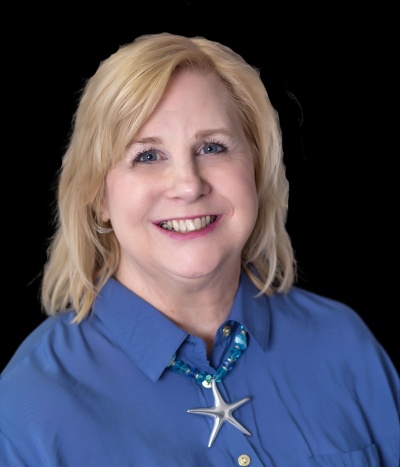
@ann-rusnak-7560
Ann Rusnak, productivity strategist, helps frazzled, women entrepreneurs increase their income and impact without giving up their personal life.
Active 12h ago
Joined May 29, 2025
Powered by