
Write something

7h •
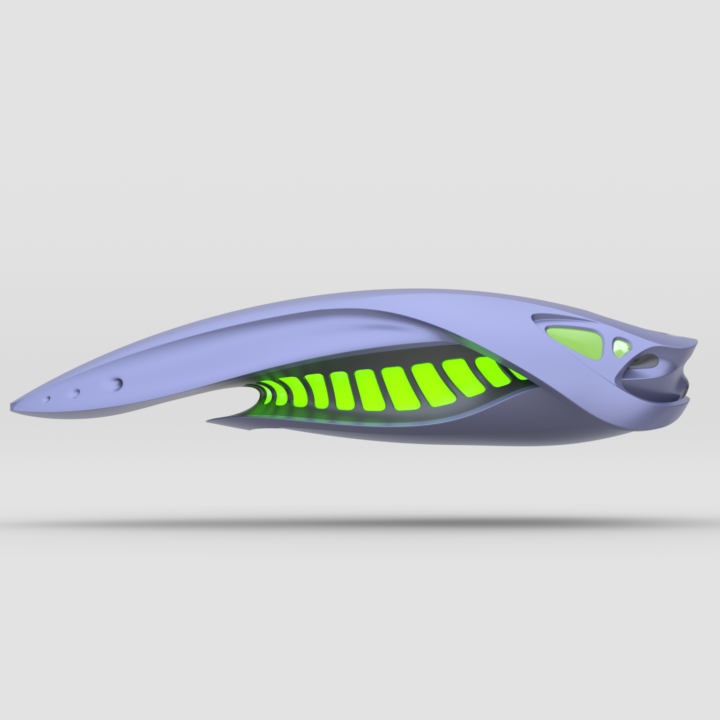
Star ship concept (freestyle)
Inspired by random image from Pinterest. Shared: https://share.plasticity.xyz/r/3WgIsbvyf6HLJVtPJgN2AdFGSSQlRyTSyh2xuav4Vpw

2d •
Question about the C (cut) command
When doing the USB hub modeling we use the cut command to cut out from the top of the body. The demonstation had one create a rectangle, move it just into the body and move it off. When C is pressed it created the cut. I had to do trial and error before I got the cut to be the correct size. How does the size of cut relate to the size of the rectangle and where the rectangle is when you hit C. I'm confused as how one can get the cut just the right size?????

2d •
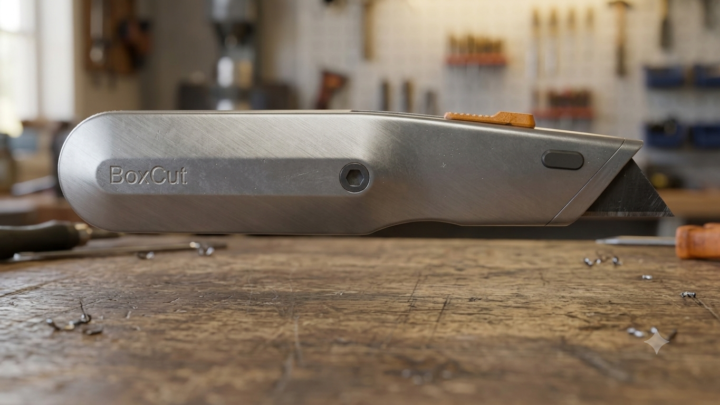
Boxcutter knife🔪:
Quick Nikita YouTube tutorial: Uv unwrapped in Blender - Textures in Substance painter- quick renders in Blender. Some AI backgrounds added
0
0

27d •
Final Animation of Apple Watch from Plasticity to Blender Octane
Great beginner course, thanks @Nikita Kapustin !


6d •
Forge Addon Blender
See the new addon FORGE for Blender providing plasticity type of modelling directly in Blender! Having only recently purchased plasticity (price put me off for along time) and now this addon provides same functionality !!! I have not purchased yet but here's the link (not an affiliate link) on gumroad. https://rendercraftstudio01.gumroad.com/l/forge?autocomplete=true&layout=discover&query=forge&recommended_by=search&_gl=1*1d6eq1m*_ga*MTM2MTY0NjA0LjE3Nzc5NTE2MDg.*_ga_6LJN6D94N6*czE3ODI4NDQwNDAkbzI4JGcxJHQxNzgyODQ0MDUyJGo0OCRsMCRoMA..
1-30 of 2,753

skool.com/ultimate-3d-membership-7140
Make Professional 3D Work in Plasticity & Blender Available for Everyone.
Leaderboard (30-day)
1

+13
2
+10
3
+10
4

+9
5

+9
Powered by