Activity
Mon
Wed
Fri
Sun
Aug
Sep
Oct
Nov
Dec
Jan
Feb
Mar
Apr
May
Jun
Jul
What is this?
Less
More
Memberships
Creative 3D Community
6.9k members • Free
Mobility & Injury Prevention
229.5k members • Free
Blender Professionals
2.5k members • Free
Free Houdini for Artists/Dev
121 members • $19/month
Salt: High Calibre Clients
128 members • Free
Octane for Blender
303 members • $15/month
9 contributions to Creative 3D Community

29d •
Final Animation of Apple Watch from Plasticity to Blender Octane
Great beginner course, thanks @Nikita Kapustin !

0 likes • 4d
@Arjun Tekupalli Nice Ajun, thanks you !. Good luck, let me know if I can be of any help. I’m a beginner but if I can help with anything
1 like • 4d
@Wendy Sarrett Thanks Wendy ! , appreciate that :)

Jun 8 •
Hello everyone!
I’m Selçuk (Seljuk), an industrial designer with a background in aviation, product development, and 3D‑CAD. I recently joined the community and I’m really happy to be here. Lately I’ve been exploring more creative directions, especially concept vehicle design, and this feels like the perfect place to learn, get inspired, and connect with other creators. Looking forward to contributing whenever I can and being part of the community.
1 like • 29d
Hello Selcuk ! :) Welcome

Jun 3 •
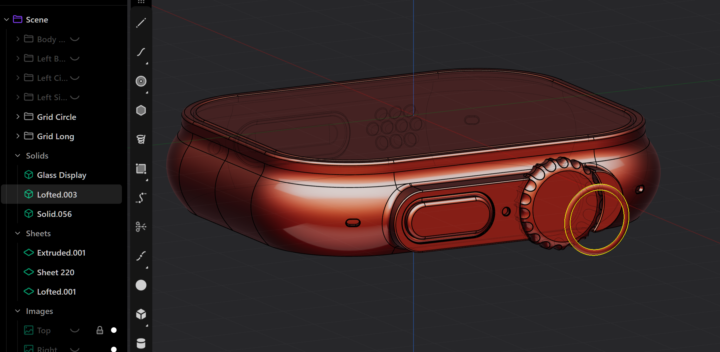
help needed 4 days trying and still i cant do it
hi there i need help please. i am following the apple watch free tutorial and i cannot for the life of me make the ring fit the watch the way you do in the tutorial. i have gone over it again and again and im stuck . im using the lastest indie version and hope what im trying to do makes sense and ive moved the ring out so you can hopefully see what im trying to do and i have tried different methods but as a beginner im currently beat.
0 likes • Jun 4
@Stephen Wadge All good Stephen !
0 likes • Jun 4
Hopefully you work it out, I didn't fully understand what was happening, but I think as long as it's not something that affects the final render, could move on from it. Take care bro 👍

May 27 •
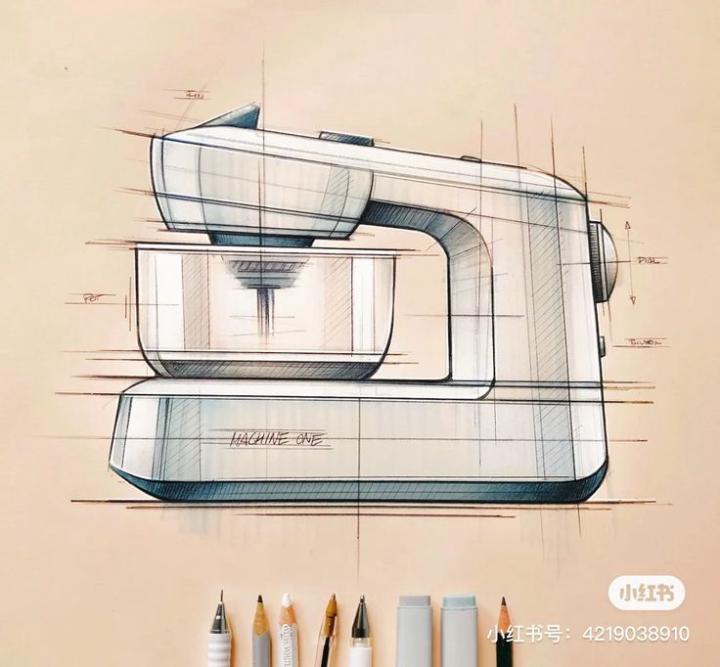
Dough mixer
Found this sketch on Pinterest. Went on with modelling it in Plasticity. Here are the results.
1 like • May 27
Looks good, well done!
May 19 •
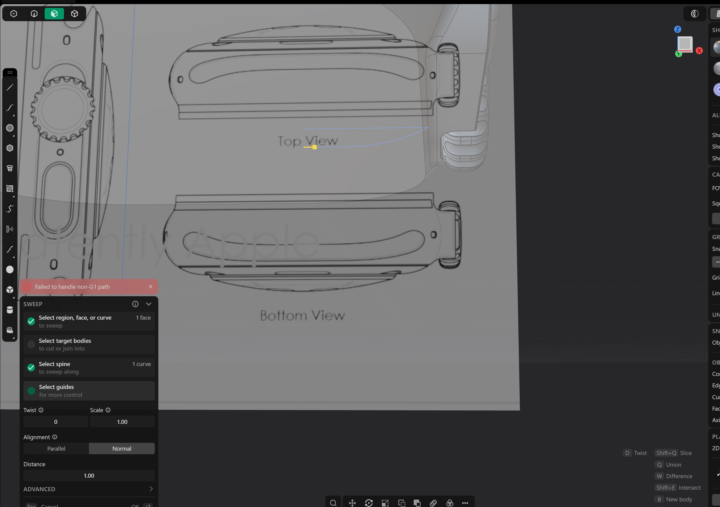
Failed to handle non G1 path on Sweep operation
This is driving me crazy . I'm trying to create a sweep for the bottom of the Apple Watch and it doesn't seem to be working properly no matter what i do
1 like • May 19
@Eugene Huliakevich Thanks Eugene ! Hope you good bro :)
1 like • May 19
Eugene, it was just me being dumb lol. I selected the curve as the spline to sweep along so i reversed it and thas why it was throwing up error😆. Works now
1-9 of 9

@onur-nidayi-1847
Freelance Motion Designer from London. I was originally working with Cinema 4D but am slowly moving to Blender. Still learning and progressing 🙂
Active 48m ago
Joined Apr 28, 2026
Powered by