

7h •
💬 Are All AI Chat Boxes Basically the Same?
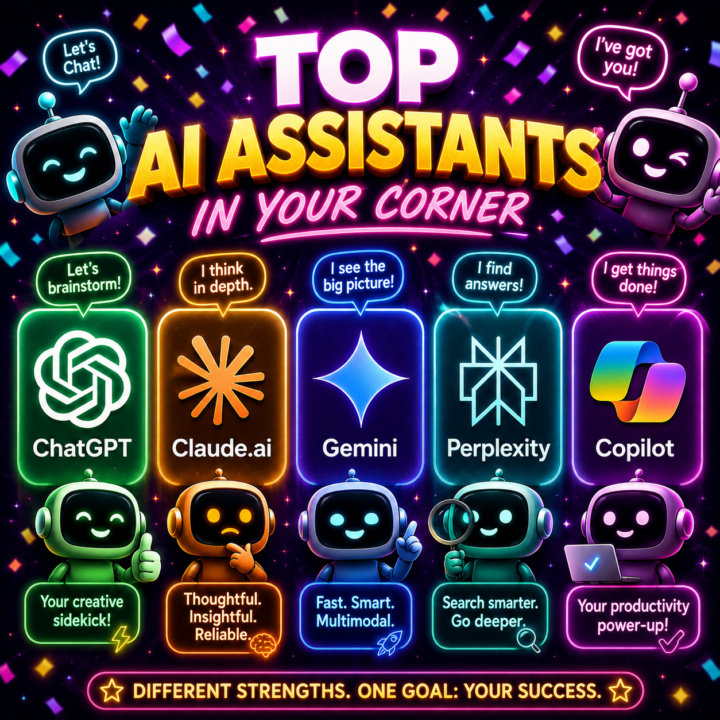
🤖 ChatGPT 🤖 Claude 🤖 Gemini 🤖 Perplexity 🤖 Copilot So many tools, tabs, and opinions about which one is “best.” 😅 But here’s the good news⤵ You do not need to master every AI chat box before you start using AI in your business. In a new lesson I just added, I walk through the big-picture differences between 5 popular chat tools and why any of them can help you get started with brainstorming, writing, researching, and creating. I also share a simple little workaround if you’re using free accounts and hit your limit. 😉 The lesson is waiting for you inside the Level 3 module. 👉 If you’re already Level 3, head on over and watch it ✨HERE✨ 👉 If you’re not Level 3 yet, comment below and let’s get you moved up! Which AI chat box have you tried so far ... ChatGPT, Claude, Gemini, Perplexity, Copilot, or something else? 👇
1
0
13h •
🔥If you use Claude Desktop… don’t sleep on this tool!
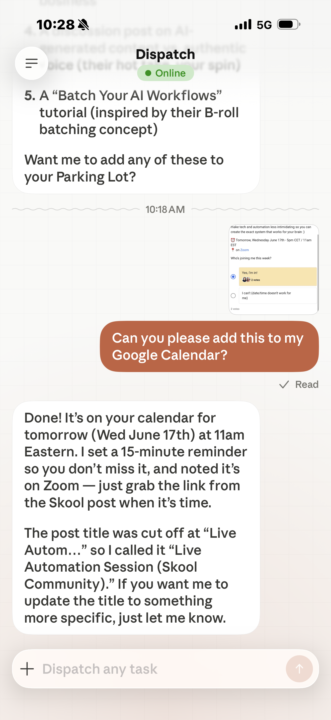
If you have Claude Desktop with Cowork… are you taking advantage of the Dispatch tool? This is one of my favorites because it allows me to use the power of Cowork even when I’m away from computer. For example… I’m sitting in the doctor office right now and saw that there’s a live zoom call tomorrow I don’t want to miss. I just took a screenshot and uploaded it in dispatch with the Claude app and asked it to add the event to my calendar. Done!✅ There are many other use cases for Dispatch, and I’m thinking of creating a reference tool with as many as I can come up with… who’d be interested in something like that?
Poll
6 members have voted
0
0
3d •
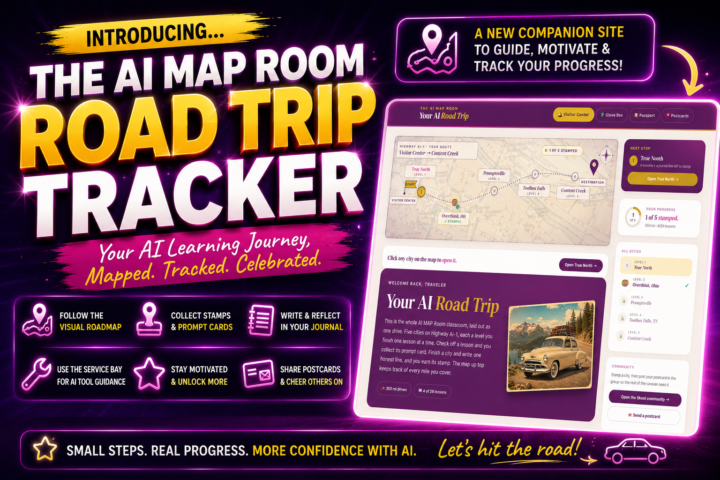
🤭 I built something FUN for all AI MAP Room members! 🗺️🚗
I’m so excited to share a new companion website I created to help you move through your AI learning journey with more clarity and momentum. It’s called the AI MAP Room Road Trip Tracker ... and it’s designed to make learning AI feel less overwhelming and a lot more fun! 🎉 Inside, you’ll be able to: ✅ follow a visual roadmap through the AI MAP Room ✅ see the different “stops” on your learning journey ✅ check off activities as you complete them ✅ collect stamps and prompt cards ✅ write reflections in your journal ✅ use the Service Bay to get guidance on which AI tool to use ✅ stay motivated as you unlock more of the classroom ✅ feel encouraged to share your postcards and progress in the classroom so we can all cheer you on and help you move up the levels and unlock more! The tracker is here to help you see the path more clearly. And all members are encouraged to use it, whether you’re brand new, just getting comfortable, or already building with AI. It does not however, replace the classroom itself. The goal is to keep taking small steps, practicing, engaging, and building confidence as you go. You can find the tracker:👉 HERE Once you’ve explored it, come back and tell us what you think! 🚗✨
2d •
✨ My Favorite NotebookLM Visual AI Sidekicks
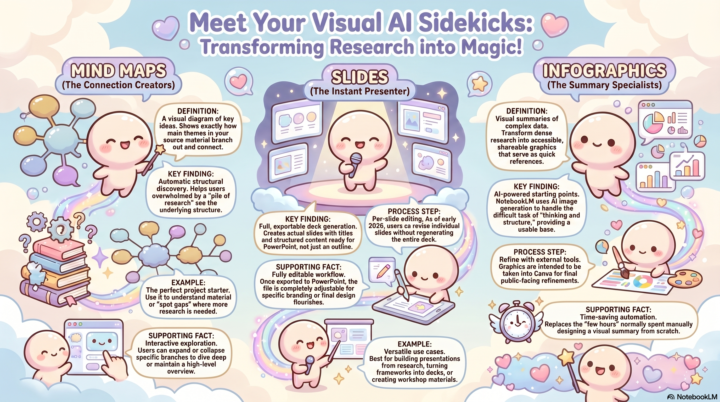
One of my favorite things about NotebookLM is that it does not just help you understand your research → it can help you see it. Inside NotebookLM, you can turn your source material into visual assets like: 🧠 Mind maps to see how your ideas connect 🎤 Slides to quickly shape your research into a presentation 📊 Infographics to simplify big ideas into something easier to share (like the one attached to this post!) These are not always the final polished version, and you do still need to prompt the tool to get the visual aid you're looking for, but they are (in my opinion) the best AI-powered starting points. They help you spot patterns, organize your thinking, and move from “I have a pile of research” to “I can actually use this.” Actually, it was originally launched as a Student's tool, to help students digest information, study it, and learn concepts in an easy way. But it has since morphed into so much more than that! I have a full lesson on this inside the NotebookLM classroom module if you want the step-by-step on these, and all the other fun ways NotebookLM's Studio can help you. Your Turn: ⤵ Have you used any of these tools? If not, which one sounds the most interesting to you right now? A mind map, slides, or an infographic? 👇
7d •
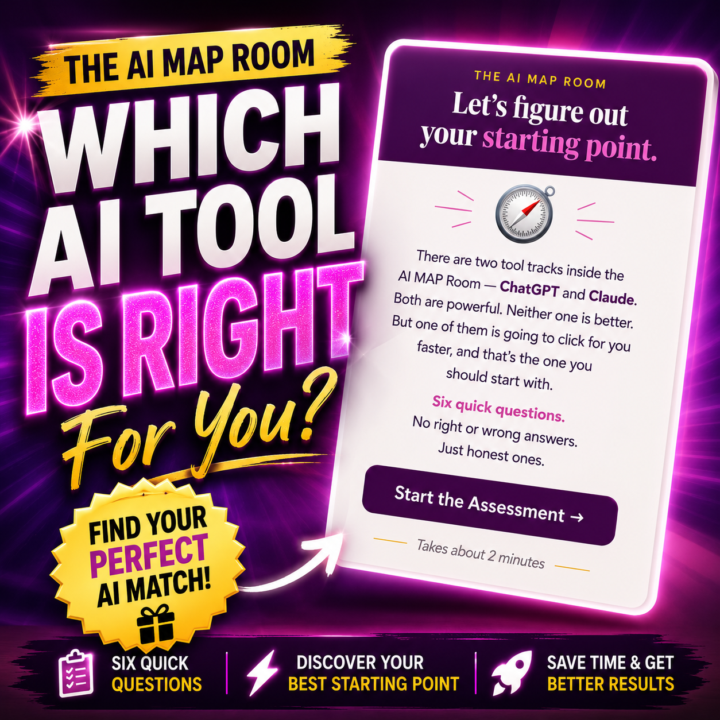
For my AI Beginners...
Feeling unsure whether to start with ChatGPT or Claude? 🤔 Inside the Level 3 Module, there's a quick tool to help you figure out your best starting point. I built this because for beginners, it can be overwhelming to even know where to start, especially when we're hearing about so many tool options every time we log into our social media. But here's what to know; 👉 ChatGPT and Claude are both powerful. 👉 Neither one is “better” for everyone. 👉 The best tool depends on where you are, how you think, and what you want AI to help you do. This quick assessment walks you through 6 simple questions so you can discover which AI tool ecosystem may be the best fit for you right now. It can help you decide if you should start with: ✅ ChatGPT ✅ Claude ✅ or a simple mix of both Especially if you’re new and thinking: “Which one should I learn first?” “Am I picking the wrong tool?” “Where do I even begin?” 👉🏻 You’ll find it inside the Level 3 Module HERE ❓Quick question: Are you more curious about ChatGPT, Claude, or still totally undecided?
1-30 of 40
skool.com/the-aimap-room
A community of midlife women learning to build online income with ChatGPT, Claude, and other AI tools. No overwhelm and no tech background needed.
Leaderboard (30-day)
1

🔥
+85
2

+84
3

🔥
+77
4

+54
5

+29
Powered by