
Write something
Pinned

⭐
3d •
🔥 Welcome to the Private AI Advantage Community!
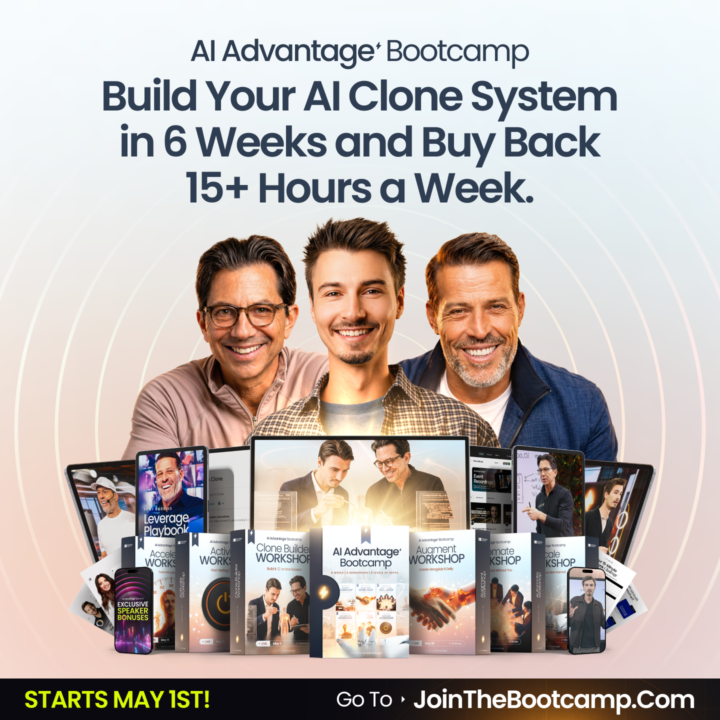
First and foremost, so glad you’re here. The 2026 AI Advantage Summit just wrapped, and the energy was incredible. If you joined us live, you already know what this community is about. And if you’re just finding your way here now, perfect timing. The doors to the AI Advantage Bootcamp are officially open. This is where the real work begins. Over the course of the Bootcamp, you’ll build your own AI clone, create AI agents that work for you around the clock, and put together a setup designed to save you 15 hours every week. Not 15 hours of busywork. Fifteen hours of the stuff that drains you, distracts you, and keeps you from the work that actually moves the needle. Whether you’re brand new to AI or you’ve been experimenting for a while, this is the right next step. The Bootcamp is practical and step-by-step. You don’t need a tech background. You just need to show up and do the work. JOIN THE BOOTCAMP HERE And while you’re getting settled, introduce yourself in the General Discussion section. Let us know where you’re from, what you do, and what you’re most hoping to change. We’re glad you made it. Let’s get to work.
Pinned
⭐
1d •
🔥 Quick Clarification: The Difference Between Our 3 AI Advantage Communities
Hey everyone, we’ve received a few questions in the customer service inbox, so we wanted to take a moment to clearly explain the difference between the groups and experiences inside the AI Advantage ecosystem. --------------------------------------------------------------------------------------------------- 1. This Skool Community (Free) This group right here is our free community. It’s where Igor Pogany, our team, and the community continue to share value, insights, resources, conversations, and support. Inside here you can expect: - Free trainings and resources inside the Classroom - Ongoing conversations - Community support - Updates of the latest AI News - Updates and announcements for AIA - Valuable insights to help you grow with AI This group is completely free and we fully encourage you to stay engaged, ask questions, connect, and use everything available here. And just because the Summit is over, doesn’t meant mean this group is going anywhere! --------------------------------------------------------------------------------------------------- 2. AI Advantage Club (Paid Membership) The AI Advantage Club is our premium membership for those who want to go deeper and continue building their AI skillset consistently. Depending on how you joined: - VIP members received a 30-day trial - Bootcamp members receive 3 months included And if you took the VIP upgrade AND joined the Bootcamp, you would have 4 months free inside the Club. Inside the Club, the experience goes deeper with things like: - Advanced trainings - Step-by-step guides and our “Hacks of the Week” - AI workflows - Prompt libraries you can copy - Business use cases - Time-saving systems - Ongoing implementation support - New resources added regularly - A Technical Support Team who can answer questions if you hit roadblocks trying to implement an AI tool Think of this as your AI gym membership. It’s the place where you will train those AI muscles and really focus on implementing AI into your life and business.
Pinned
⭐
4m •
📣 Your Top 5 Questions = Answered
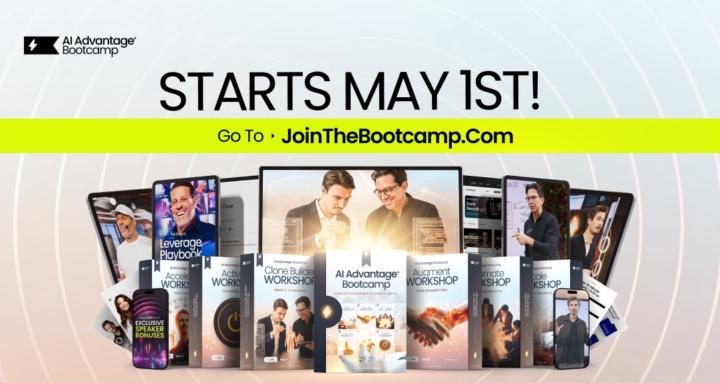
Ever since we shared about our all new 2026 AI Advantage Bootcamp we’ve been getting the same 5 questions… So before the doors shut for good at midnight tomorrow night, we want to give you the answers! Let’s get into it: 1. What will I build or learn during Bootcamp? Over 6 weeks, you'll build your own AI Clone-Agent. Not a chatbot or a gimmick, but a personalized AI partner has been fed your goals, your voice, and your everyday tasks. By the end, it won't just assist you when you ask. It'll work for you on its own - handling research, drafting and sending emails, creating content, and running tasks on autopilot.Our bold promise: If you show up to the trainings and do the work, you WILL reclaim at least 15 hours a week (and if you don’t, we’ll refund 100% of your money) 2. How is the Bootcamp different from the AI Advantage Summit or AI Advantage Club? The Bootcamp is a 6-week, hands-on experience to build and train your own AI Clone-Agent. You did not learn that at the Summit and you will not learn it inside the Club. It’s unique to the Bootcamp. Think of it like this: The Club is your gym membership where you stay plugged in and build momentum. The Bootcamp is your personal trainer with 6 weeks of immersion and training to set you up with a system you can use for life. 3. Do I need specific tools, software, or devices? We recommend using a laptop or desktop computer for the Bootcamp sessions… and the only other cost beyond the program fee is a $20/month subscription with Claude. 4. How much time should I expect to commit? We will have one, 45(ish) minute Kickoff Call on Friday, May 1st to walk through your Bootcamp setup (but we will try and keep it shorter)... Then we have 6 weekly workshops every Tuesday, for about 90 minutes. So it should be less than 2 hours a week you have to commit for trainings (although we do recommend using and working with your Clone in your off time to build its skills)

15m •
Ideas for Solutions to Track and Manage your Work
Hey everyone, I'm looking to optimize my workflow and could use some insights from the community on project management and visibility. Currently, I don't have a seamless way to see and track the work across all my different projects. I'm trying to figure out a dynamic solution within my Claude Code workflow. Ideally, I need a system where whenever I—or Claude—complete work on a project, the tracker updates automatically. I want to be able to look at it and instantly understand the real-time status of everything, so I can easily jump back in and push projects across the finish line. Specifically, I am looking for a solution that dynamically tracks: - Current Status & Progress: Where each project currently stands and the overall progress made. - Remaining Work & Next Steps: The specific tasks needed to finish the project and the immediate next action items. - Blockers: A clear list of dependencies or bottlenecks holding up progress. - Session Management: The name and Session ID of the last chat session about the project so I can easily resume it. - Critical Context: A brief summary of the last critical conversation or decision that impacted the project. - Essential Metadata: Any other required or "nice-to-have" information a user needs to effectively manage multiple projects at once. Has anyone successfully implemented a solution for this within their Claude Code workflow? If so, how are you handling this problem? What tools, scripts, or workflows have you put in place, how is it working for you so far, and what would you recommend someone else implement? Would love to hear what is currently working for you all and any advice you might have! 🙏

35m •
Claude
What version of Claude do we need to build out clone or AI Agent? Any concerns about the recent issue with Claude acting independently & erasing a company's entire database?
1-30 of 18,304
skool.com/the-ai-advantage
Founded by Tony Robbins, Dean Graziosi & Igor Pogany - AI Advantage is your go-to hub to simplify AI and confidently unlock real & repeatable results
Leaderboard (30-day)
1

+1716
2
+1245
3

+701
4

+592
5

+545
Powered by