
Write something
Pinned

3d •
This Is What Commitment Actually Looks Like
I just want to take a moment to say this... I’m genuinely proud of you. Not because this is easy. Not because you have it all figured out. But because you’re leaning into the work anyway. Adapting is uncomfortable. Learning new tools stretches you. Changing how you think, move, and operate takes effort. And most people avoid that. Most people wait until it feels simple. Until it feels familiar. Until someone else proves it first. You didn’t. You are committed to the tools. You are staying in the room. You choose to get better instead of staying comfortable. That tells me everything I need to know. When things change and you don’t opt out… When you feel resistance and lean in anyway… That’s what separates the few from the many. This is how real growth happens. Not overnight. Not perfectly. But consistently. Keep going. You’re exactly where you should be.

2h •
Hi everyone, I’m Emilie 👋
I’m new here and slowly moving from “AI-curious” to actually building with it. My background is in web development and some software projects, which means I spend a lot of time thinking about how LLMs fit into real systems without breaking everything around them. I care less about flashy demos and more about things that are stable, debuggable and safe for real users. Right now I’m experimenting with using AI as a supporting layer: helping with code, answering domain-specific questions, and acting as a structured assistant inside existing products rather than trying to make it “the whole product”. I’m especially interested in logging, guardrails, and what to do when the model is wrong or confused.. basically, how to design around failure instead of pretending it doesn’t happen. I joined this community to learn from people who are actually shipping things, not just talking about them. I’m happy to share my experiments, mistakes and small wins along the way, and I’ll probably ask a lot of questions about architecture, safety and practical use cases. Looking forward to learning with you all.

🔥
2h •
Why do people waste money on tech?
Because they don't know what technology is for. Tech exists for one purpose: to optimize a process. That is the case for both archaic tools like hammers, shovels and Excel to also all the modern AI software and smart devices we're seeing launching everyday. So process is key. If you don't have clarity on your process, or if it is not good, than a specific tool will not solve any problem. Overlooking the process and focusing on the tools is the biggest mistake for both IT professionals and those who hire them. Every tool has it's downsides and every software is flawed. But more often than not, when you fail at a project, the problem is not on the tool or the platform you're using, but on lack of planning and proper management. - Automating your sales process is useless without having a great offer - Launching a paid traffic campaign is a waste of money if you don't know where your potential clients are and how to talk to them - A fancy landingpage will not bring you any results without a clear communication and a great CTA - Implementing a CRM won't do anything for you if you don't know how to analyse data and get feedback on your clients in order to continuously improve your process at each new one AI is changing the game, lowering the barriers for people to start their businesses and giving eveyone who dominate and keep up with the changes an unfair advantage over those who don't. But just like any technology, you won't get anything out of it without a great offer, a solid plan and a well managed process.


51m •
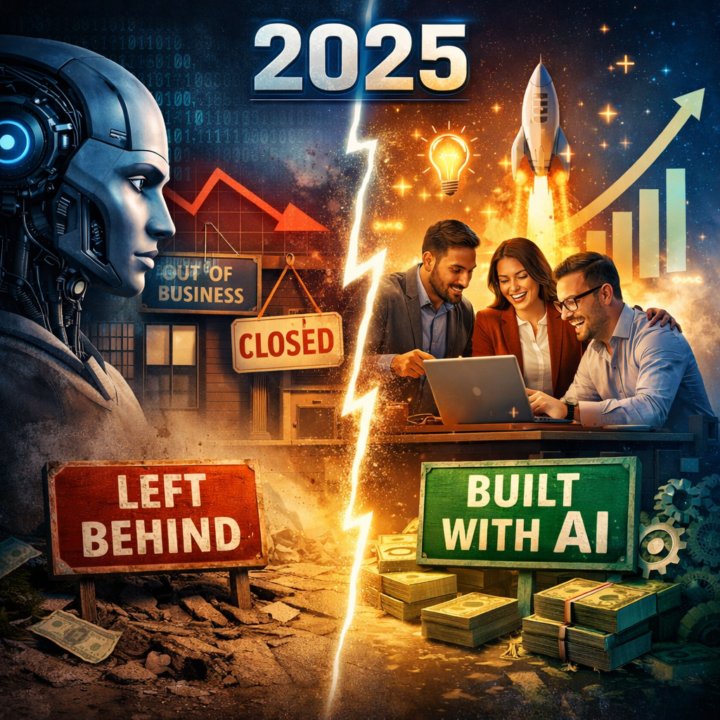
What's the biggest AI advancement of 2025 ?
❌ Well… I’ll tell you what it wasn’t: 🚫 AGI 🚫 Mass job displacement 🚫 The breathless predictions from January 🔥 2025 was the year smaller companies stopped waiting for permission. And started using AI strategically. Not as a replacement 🤖 As a multiplier for people already doing good work ⚡ 🏗️ At Rooost, we’ve built systems where AI: → analyses every sales call → drafts content frameworks → handles the repetitive admin that used to eat hours of time (LET ME TELL YOU 😅) ⏱️ A month’s content planned in 15 minutes ☕ Call insights surfaced before the kettle’s boiled ✅ None of it replaced anyone 🚀 All of it made us faster, sharper, more consistent 📉 The gap isn’t between companies with AI and companies without it anymore 📈 It’s between companies treating AI as a shiny announcement and companies quietly embedding it into how they actually work 🏆 The winners of 2025 weren’t the ones with the biggest AI budgets They were the ones who stopped obsessing about AI and started building with it 🧠⚙️ 💬 What’s your experience been?

🔥
24h •
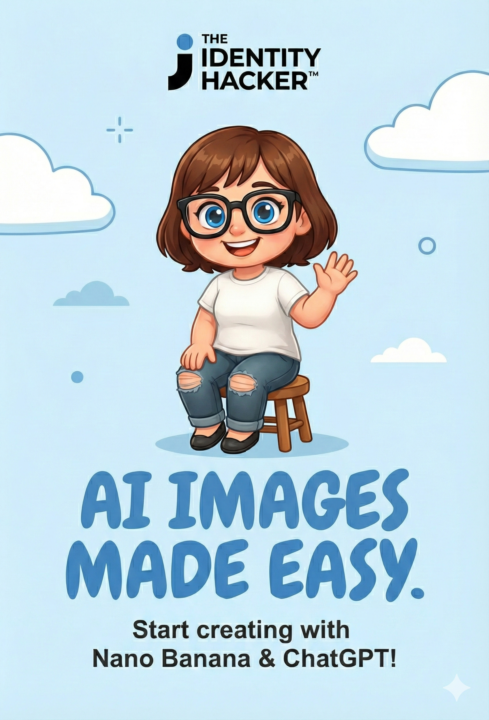
Easy Guide: Which AI should you use for your images? (ChatGPT vs. Nano Banana)
Hey everyone! 👋 I know AI image tools can feel overwhelming. Suddenly there are new versions dropping every week (like the new ChatGPT Image 1.5 that just came out!). To keep it simple, I tested the two biggest players so you don't have to guess. Here is the "Plain English" breakdown of which one you should use for your daily tasks. Option 1: ChatGPT (The "Fast Camera") Best for: Quick fun, social media posts, and simple ideas. Think of this like a Polaroid camera. You point, shoot, and get a great-looking picture instantly. - Use this if: You need a quick image for a Facebook post, a slide background, or just to brainstorm an idea. - Why beginners like it: It’s very forgiving. You can type a short sentence like "A cat wearing sunglasses on a beach," and it usually looks good on the first try. - The cool new feature: They added a "Refine" button where you can highlight just one part (like the cat's sunglasses) and change it without ruining the rest of the picture. Option 2: Nano Banana (The "Smart Designer") Best for: Consistency, text, and specific layouts. Think of this like hiring a patient graphic designer. It listens to specific instructions better. - Use this if: You are making a YouTube thumbnail where the text needs to be readable, or if you are creating a character (like a mascot) that needs to look the same in 5 different pictures. - Why pros like it: It is better at "logic." If you ask for a flowchart or a diagram, it actually tries to put the boxes in the right order. - The superpower: It can handle complex prompts where you describe exactly where things should go. Cheat Sheet: Which one for what? - Need a quick meme or funny pic? 👉 Go with ChatGPT. - Need a Thumbnail with text on it? 👉 Go with Nano Banana. - Need a logo or brand mascot? 👉 Go with Nano Banana (it remembers characters better!). - Need to change just the background of a photo? 👉 Go with ChatGPT. Homework: Try generating the same idea in both tools and post the results in the comments! I’d love to see which style you prefer.
1-30 of 10,173

skool.com/the-ai-advantage
Founded by Tony Robbins & Dean Graziosi - AI Advantage is your go-to hub to simplify AI, gain "AI Confidence" and unlock real & repeatable results.
Leaderboard (30-day)
1

🔥
+1315
2

+898
3

+811
4

+751
5

+341
Powered by