

🔥
1d •
Oversubscribed
One of the biggest lessons from Oversubscribed is that you should not wait until a product is finished before you start creating demand for it. A lot of creators build the whole thing first. Then they post once. Then they wonder why nobody buys. But demand usually needs to be built before the offer goes live. That means talking about the problem first. Show the result. Share examples. Let people raise their hand. Ask who wants it. Then release the offer to people who already understand why it matters. This works for digital products, prompt packs, communities, challenges, templates, and services. Instead of saying: “I made a prompt pack.” Start earlier: “I’m building something that turns one messy idea into posts, captions, image prompts, and product angles. Who would use this?” That one post gives you feedback, interest, and language you can use in the product. The goal is not to pressure people. The goal is to create clarity and demand before the launch. Today’s question: Are you launching after building interest, or are you finishing products and hoping people magically notice?

🔥
2d •
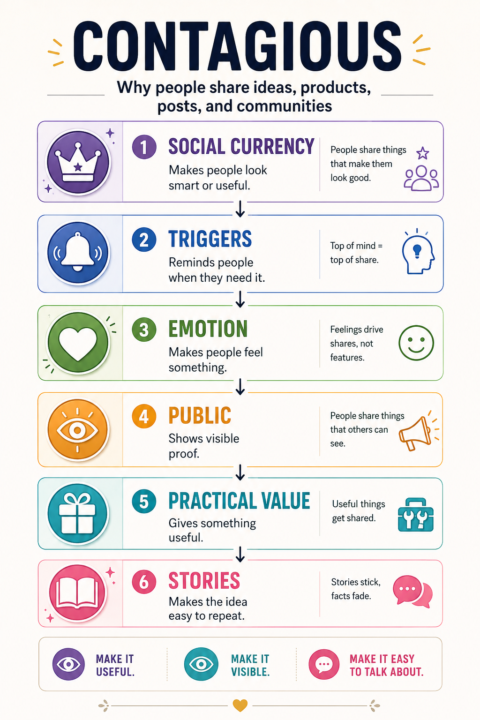
Contagious
One of the biggest lessons from Contagious by Jonah Berger is that people do not share things randomly. They share things that make them look useful, feel something, solve a problem, or tell a simple story. That matters if you are building a product, community, prompt pack, or digital offer. It is not enough to make something helpful. People need to understand why it matters and what they can do with it. A prompt pack becomes more shareable when it helps someone create a finished result. A Skool post becomes more useful when it gives people something they can actually apply. A product becomes easier to talk about when the result is clear. Instead of saying: “I made a prompt pack.” Try: “This helps you turn one messy idea into posts, captions, image prompts, and product angles.” That is easier to understand. It is easier to remember. It is easier to share. Today’s question: What result does your offer create that someone would actually want to show, share, or talk about?
🔥
4d •
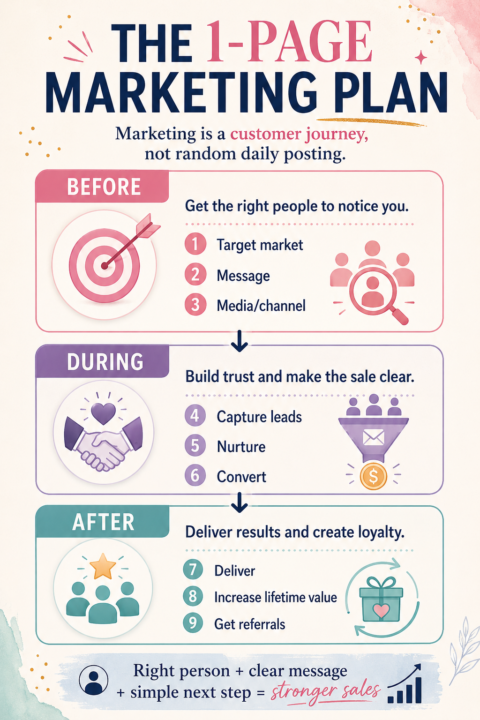
Marketing is a customer's journey
Marketing gets easier when you stop treating it like random posting. That is the biggest lesson from The 1-Page Marketing Plan. Marketing is not just: Post more. Make more content. Try another platform. Make another offer. Hope the algorithm develops manners. It is a journey. Before someone buys, they need to notice you. During the decision, they need to trust you. After they buy, they need a good experience so they stay, use the thing, and tell other people. That means every business needs three things working together: A clear audience. A clear message. A clear next step. If your offer is vague, people will not know it is for them. If your message only explains the product, people may not understand the result. If your next step is confusing, they will disappear quietly and pretend they were “just looking.” A better question is: Who am I helping, what are they stuck on, and what finished result can I help them create? Today’s question: Is your marketing leading people somewhere clear, or are you just posting and hoping?
🔥
3d •
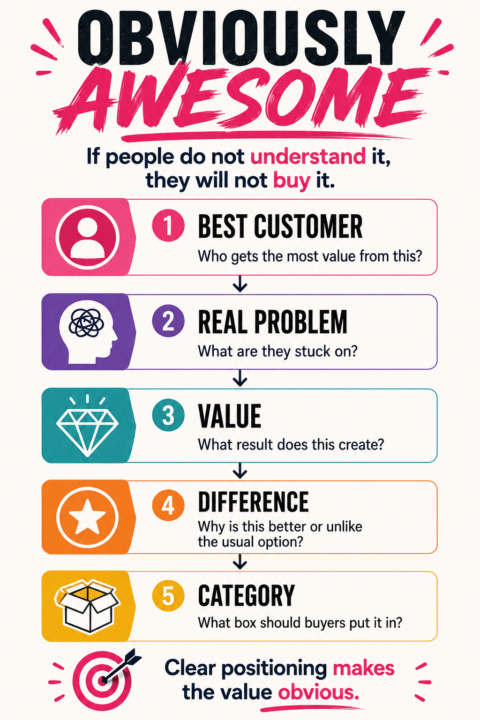
Obviously Awesome
One of the most useful frameworks from Obviously Awesome by April Dunford is that if people don't understand what your product is, they won't buy it. It sounds obvious, but it's a mistake a lot of creators make. We spend so much time building the product that we forget to explain it. A good product needs five things: • Who is it for? • What problem does it solve? • What result does it create? • Why is it different? • What category should people put it in? For example, instead of saying: "I sell AI prompts." You could say: "I help creators turn one rough idea into finished posts, products, images, and Skool content using practical AI prompt systems." Same product. Completely different level of clarity. The clearer people are about what you do and who you help, the easier it becomes for them to see the value. Before trying to improve your marketing, ask yourself: Would a complete stranger understand what I sell and why they should care within 30 seconds? If not, your positioning probably needs more work than your promotion. If someone landed on your profile today, would they immediately understand who you help and what result you help them achieve?
🔥
4d •
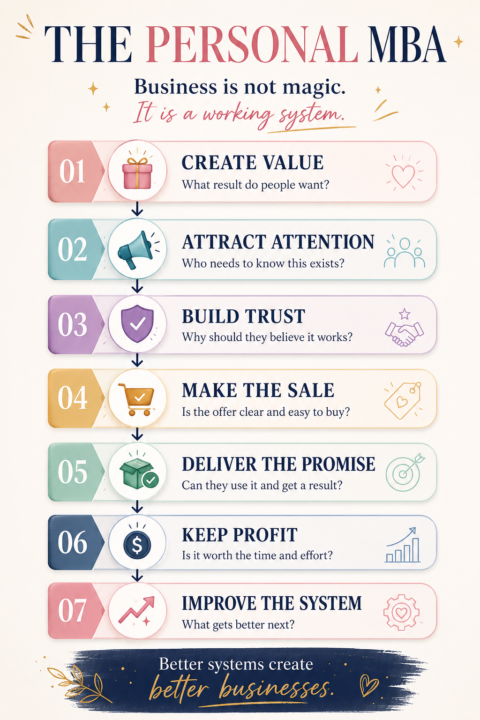
Personal MBA
A business is not one big confusing thing. It is a system. That is the biggest lesson from The Personal MBA. Every business needs to do a few core things well: Create value. Attract attention. Build trust. Make sales. Deliver the promise. Keep profit. Improve over time. When one part is missing, everything feels harder. You might have a great product, but no clear way to explain it. You might have good content, but no offer behind it. You might have people interested, but no simple next step. You might have a brilliant idea, but no system to deliver it. This is why clarity matters so much. The goal is not to make business more complicated. The goal is to understand the machine you are building. Today’s question: Which part of your business needs the most attention right now: value, marketing, sales, delivery, profit, or systems?
1-30 of 57
powered by
Suggested communities
Powered by