
Write something
Pinned

Jan 15 •
What eBay and AI content do you prefer?
What kind of eBay + AI content do you want more of in this group?
Poll
1 member has voted
1
0
Pinned
Sep '25 •
New members welcome post :-)
Ubaid Sandhu - This community is all about sharing knowledge, wins, struggles, and ideas around eBay selling, sourcing, and building a sustainable business. Whether you’re just starting out or you’ve been selling for years, you’ll find people here who understand the grind and the thrill. Feel free to: - Introduce yourself and tell us what you sell - Ask questions—big or small - Share sourcing stories, sales tips, or tools that make your life easier The more you share, the more value everyone gets. Glad to have you on board 🚀 /Klaus
Pinned
Apr 7 •
My Favorite “Due Diligence” Prompt For Sourcing Industrial Inventory (With AI Doing The Heavy Lifting
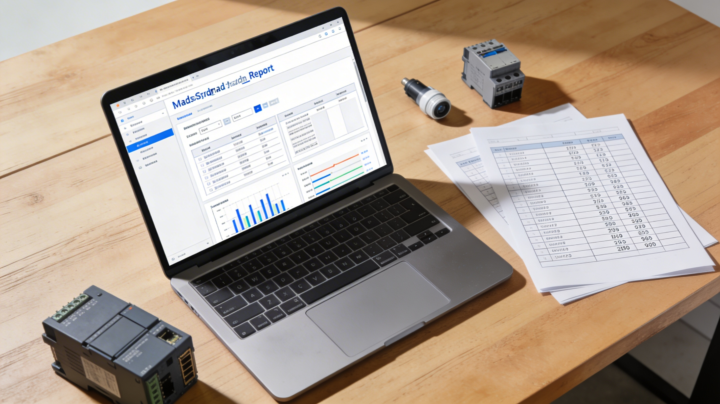
I wanted to share a prompt I use when I’m evaluating industrial automation / electrical lots (auctions, liquidations, surplus deals) for eBay reselling. This has saved me hours of manual research and helped me avoid bad buys while spotting hidden winners. Here’s the exact workflow the AI follows: - I upload the seller’s inventory sheet (PDF, Excel or CSV) - It reads the file and extracts: item name, manufacturer/brand, model/part number, quantity - It groups everything into logical categories: PLC modules, contactors, soft starters, sensors, grippers, power supplies, heating elements, safety relays, etc. - For each item (or per model if there are many of the same): Then it generates a structured markdown report that includes: - A table for each category with: quantity, model/part number, brand, approx. retail price, expected eBay price per unit, short notes - Estimated eBay revenue per category - Estimated total eBay revenue for the entire lot - A short priority list of “high‑value” items I should list first - Recommendations on what to sell individually vs what makes more sense to bundle in lots - It assumes everything is new/unused unless the sheet clearly marks it as used, and automatically uses lower multipliers for used items (and labels that clearly) - Finally, it writes a short conclusion + recommendations in Danish, in a direct, business‑like tone, aimed at a professional eBay seller (that’s for me, but you can change language/tone for your own use case) How I actually use this: - When I get a big industrial lot list from a broker or auction house, I drop the file into the prompt. - Within minutes I have a data‑driven view of: realistic resale value, which parts are worth the most, and whether the deal makes sense at the asking price. - It also doubles as a listing roadmap: I start with the high‑value SKUs, then move on to the long tail and bundle‑friendly items. If you’re running any kind of reselling / flipping operation where you’re offered bulk inventory lists (especially technical/industrial stock), feel free to swipe this prompt, adapt the categories to your niche, and let the AI do the boring part of the due diligence for you.

May 30 •
Welcome 🤗 me back
After experiencing unforeseen circumstances, I’ve fully recovered and am back for collaboration and more. 🤗🤝
0
0
1-30 of 72
powered by
skool.com/ebay-ai-mastery-academy-3480
Scale your eBay business with AI automation. Join Klaus from KLJ Trading to discover smarter, faster ways to boost your sales and profits.
Suggested communities
Powered by