
Write something
Pinned

3d •
GPTs vs Custom Instructions vs Project Instructions: which one should you use, and when?
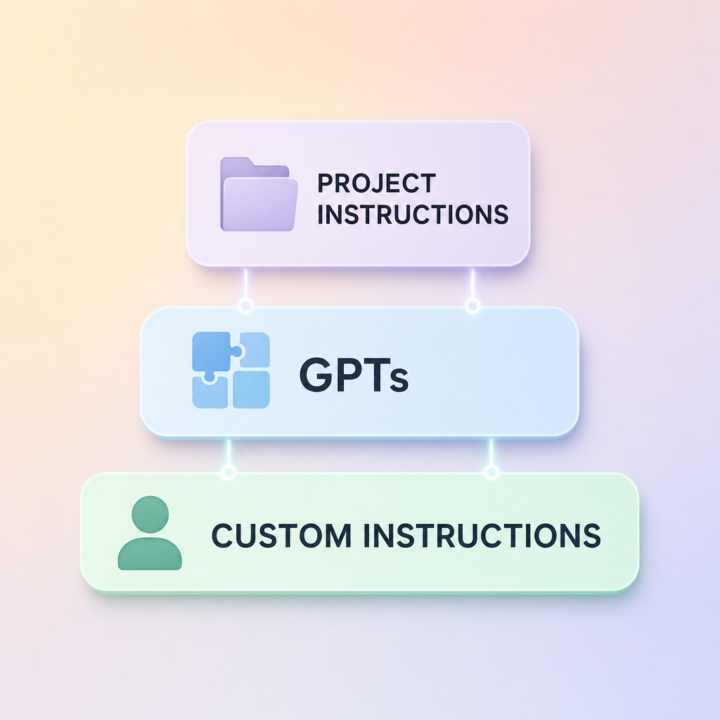
If you've ever set up Custom Instructions, then built a GPT, then added Project Instructions and wondered "wait, which one of these is actually being used right now?", you're not alone. They overlap, they sometimes conflict, and most people end up using just one and ignoring the others. Here's the simple frame I use: Custom Instructions → tell ChatGPT who YOU are. This is the stuff that's true in every chat: your business, your role, your voice, your defaults. Set it once, forget it, every conversation benefits. GPTs → package up a specific JOB. Build a GPT when you keep doing the same kind of task (generating LinkedIn posts, drafting cold emails, summarising calls) and you want a reusable tool with its own instructions, files, and behaviour. You can share GPTs with your team or the public. Project Instructions → give ChatGPT context for ONE body of work. Use Projects when you have a chunk of work with its own knowledge base, like a specific client, a course you're building, or a launch you're running. Inside that project, the instructions and files are scoped to it. The order of override, in plain English: In a normal chat → Custom Instructions apply. Inside a Project → Project Instructions take priority over Custom Instructions. Inside a GPT → the GPT's instructions take priority. So: Custom Instructions for who you are. GPTs for what you do. Projects for what you're working on right now. Pick the level that matches the lifespan of the task and you'll stop fighting yourself. Cheers Jason West 🙌
10d •
Custom Instructions: the 5-minute setup that makes every ChatGPT chat better
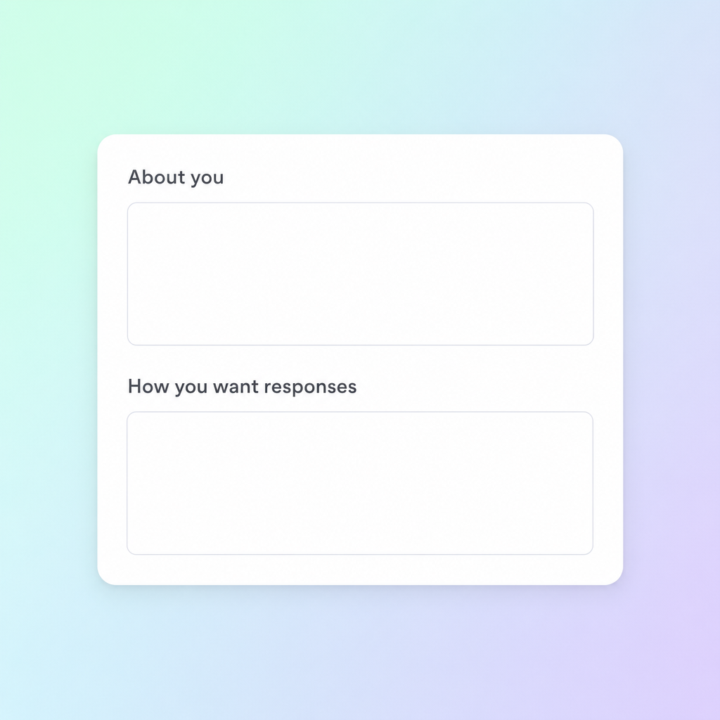
Most people open ChatGPT, fire off a prompt, get an OK answer, and move on. The thing that quietly separates the people getting incredible results from everyone else isn't a secret prompt — it's that they spent 5 minutes on Custom Instructions and never had to repeat themselves again. Custom Instructions sits in your settings. It's two text boxes ChatGPT reads silently before every reply, in every chat. Set it up once and the model already knows who you are and how you want to be answered. Here's the 5-minute setup that actually moves the needle: Box 1 — "What would you like ChatGPT to know about you?" Drop in three things: what you do, who you serve, and what you're working on right now. Example: "I run a SaaS business in customer support automation. My audience is small-business owners and marketing teams. I'm focused on growth and content right now." Skip hobbies and personal trivia — keep it work-focused. Box 2 — "How would you like ChatGPT to respond?" This is where most people leave money on the table. Tell it the tone, the format, and the things you don't want. Example: "Be direct and concise. Skip disclaimers and preambles. When I ask for copy, give me three variations. When I ask strategy questions, push back if my thinking is weak. Use plain English, not corporate-speak." Save it, open a new chat, ask the same question you've been asking for weeks. The difference is immediate. Two things to watch out for: don't stuff it with everything you can think of (the model weighs it heavier than you'd expect, and bloated instructions make answers worse not better), and revisit it every couple of months as your work shifts. What's in your Custom Instructions right now? Drop a line or two below — happy to suggest tweaks. Jason 🙌

9d •
ChatGPT vs Claude: Which is better?
Ive been using ChatGPT for a while now but never really looked into Claude, but Ive been hearing a lot about Claude recently. thoughts?

8d •
Gemini Now Generates Files Directly in Your Chat →
Google added native file generation to Gemini. Ask for a budget, a brief, or a deck, and Gemini produces the actual file: PDFs, Word docs, Excel sheets, Google Docs, Sheets, Slides, plus formats like CSV, LaTeX, RTF, and Markdown. No more copying chat output into a blank document and reformatting it manually. You can download the file directly or push it to Drive. The feature is rolling out to all Gemini users globally, free or paid. Why it matters: - Skip the copy-paste-reformat dance entirely. - Supports PDFs, Office files, Google Workspace, and more. - Available now to all Gemini users worldwide.
1-30 of 2,757

skool.com/chatgpt
A home for entrepreneurs who use ChatGPT to discuss, discover, and connect with others using this incredible AI technology. ⭐️ Invite your friends ⭐️
Leaderboard (30-day)
1

+28
2

+27
3

+26
4

+24
5

🔥
+19
Powered by