User
Write something
Weekly AI Workflow: Content is happening in 25 hours
Going LIVE in less than an hour for Day 1 of Mastering ChatGPT
Hey y'all! Quick heads up… we’re going live in less than an hour to kick off Day 1 of Mastering ChatGPT and we’re starting with the most powerful move you can make in AI: your Master Prompt. This one document will make ANY AI you use (not just ChatGPT) work a thousand times better. It’s the foundation that separates casual users from the top 1%. And the best part? You don’t have to write a word yourself. I built you a CustomGPT that interviews you like the CEO you are. It pulls out your voice, your style, your preferences, your offers, your values… everything ChatGPT needs to deliver better, faster, more accurate results. Then it gives you your Master Prompt in three formats: • A short version for quick clarity • A custom-instructions length version for ChatGPT • A polished PDF you can upload into Projects, CustomGPTs, Claude, NotebookLM… all of it If you can’t make it live, don’t stress. The replay will be waiting for you in the classroom. Can't wait to see you in there! Let’s get it. ✨
💟 WINNERS of the Creating with Claude Challenge
Well this isn't going as planned... LOL Claude is down... and has been for a bit. I built a really fun spinning wheel artifact that was going to choose the winner and I was going to record a video to share but it's getting late and your girl needs to go to bed! So I've decided that everyone that participated and posted in the accountability thread is a winner!! Y'all know I love an action-taker! 🫶 WINNERS of the Creating with Claude Challenge ↴ @Veronica Griffith @Prunette Bennett @Kathryn Byers @Helen Winter I'll send you beautiful ladies a DM tomorrow with the link to book your time slot for your AI Foundations Audit and then I'll build you a personalized Claude artifact. 😊 Tomorrow I'll announce our workshop/challenge for March. If you have any ideas or dying to get one thing really dialed in, please share below. And of course, give our winners some love! 👏👏👏
📊 Your Creating with Claude Challenge Tracker is Here
Alright, y'all — accountability just got a whole lot prettier. I built you a challenge tracker so you can actually see your progress over the next 3 weeks. Because let's be honest, checking boxes feels good, and watching that progress bar fill up? Even better. Here's what it does: ✅ Tracks all 3 weeks: Artifacts, Skills, Documents ✅ Three simple actions per week: Learn, Build, Share ✅ Saves your progress automatically (so you can close it and come back anytime) ✅ Shows you exactly how close you are to completing the challenge ✅ And yes... there's a little surprise when you hit 100% 🎉 How to use it: 1. Download the file below 2. Open it in your browser (Chrome, Safari, Firefox — whatever you use) 3. Check off items as you complete them each week 4. Watch your progress grow 🎉 Remember: Complete all 3 weeks and you're entered to win: - 45-minute AI Foundations Audit with me ($149 value) - Custom artifact built just for you based on our conversation - Community shout-out and feature Winner announced Sunday, March 1st. Post your check-in below! 👇
💟 Week 2: Claude Skills - REPLAY
Okay so... Today was supposed to be clean and simple ⇢ walk you through Claude Skills, show you exactly how they work, and send you off to build your own. Instead? Claude decided to be a little moody. Skills were disappearing, refusing to save, throwing internal errors... the whole nine yards. Technology being technology. But we made it work anyway. 😅 ━━━━━━━━━━━━━━━━━━━━ 🎯 𝗪𝗵𝗮𝘁 𝗪𝗲 𝗖𝗼𝘃𝗲𝗿𝗲𝗱 (𝗗𝗲𝘀𝗽𝗶𝘁𝗲 𝘁𝗵𝗲 𝗖𝗵𝗮𝗼𝘀) 𝗪𝗵𝗮𝘁 𝗦𝗸𝗶𝗹𝗹𝘀 𝗔𝗰𝘁𝘂𝗮𝗹𝗹𝘆 𝗔𝗿𝗲: Think system prompts, but for Claude. They're instructions you teach Claude once so it remembers forever — no more re-explaining your brand colors, writing style, or workflows every single time. 𝗪𝗵𝗲𝗿𝗲 𝘁𝗼 𝗙𝗶𝗻𝗱 𝗧𝗵𝗲𝗺: Settings → Capabilities → scroll all the way down. Sometimes they're there. Sometimes they're not. (We're blaming the tech gods today.) 𝗧𝗵𝗿𝗲𝗲 𝗪𝗮𝘆𝘀 𝘁𝗼 𝗖𝗿𝗲𝗮𝘁𝗲 𝗦𝗸𝗶𝗹𝗹𝘀: 𝟭. 𝗜𝗻 𝗮 𝗰𝗼𝗻𝘃𝗲𝗿𝘀𝗮𝘁𝗶𝗼𝗻 𝘄𝗶𝘁𝗵 𝗖𝗹𝗮𝘂𝗱𝗲 Have a back-and-forth where you nail something (brand aesthetic, content format, whatever). Then just say: "Turn this into a Claude skill I can use anytime." Done. 𝟮. 𝗠𝗮𝗻𝘂𝗮𝗹𝗹𝘆 𝗶𝗻 𝗦𝗲𝘁𝘁𝗶𝗻𝗴𝘀 Click "Add Skill" → Write it yourself or paste in a system prompt you already built in ChatGPT. 𝟯. 𝗨𝗽𝗹𝗼𝗮𝗱 𝗮 𝘀𝗸𝗶𝗹𝗹 𝗳𝗶𝗹𝗲 Someone shares a .skill or .md file with you? Upload it. Boom — now it's yours. ━━━━━━━━━━━━━━━━━━━━ 🔥 𝗪𝗵𝗮𝘁 𝗠𝗮𝗸𝗲𝘀 𝗮 𝗚𝗼𝗼𝗱 𝗦𝗸𝗶𝗹𝗹 𝗔𝗻𝘆𝘁𝗵𝗶𝗻𝗴 𝘆𝗼𝘂 𝗲𝘅𝗽𝗹𝗮𝗶𝗻 𝗿𝗲𝗽𝗲𝗮𝘁𝗲𝗱𝗹𝘆: → Brand colors and fonts → Content format preferences (carousel structure, email sequence, etc.) → Frameworks you teach or use → Decision trees (like reviewing resumes or contracts) 𝗧𝗵𝗶𝗻𝗴𝘀 𝘁𝗵𝗮𝘁 𝘀𝗮𝘃𝗲 𝘆𝗼𝘂 𝗮𝗰𝘁𝘂𝗮𝗹 𝘁𝗶𝗺𝗲: → My Talk It Out Tuesday documents (I voice note → it formats perfectly every week) → Carousel writing (knows my structure, my CTA options, my vibe) → Brand aesthetic (no more copying hex codes like a caveman) 𝗧𝗵𝗲 𝘀𝘁𝘂𝗳𝗳 𝘆𝗼𝘂'𝗿𝗲 𝘁𝗶𝗿𝗲𝗱 𝗼𝗳 𝗳𝗶𝘅𝗶𝗻𝗴: → "Why does this sound like AI wrote it?" (See the Skills Library for a little giftie gift from me to you!) → "Why doesn't it remember my brand voice?" → "Why do I have to explain this every single time?"
💟 Week 3: Creating Branded Documents with Claude
We just wrapped the final week of the Creating with Claude Challenge, and today was all about letting Claude design your branded docs for you. 𝗤𝘂𝗶𝗰𝗸 𝘀𝗲𝘁𝘂𝗽 𝗿𝗲𝗺𝗶𝗻𝗱𝗲𝗿: Make sure you have code execution, file creation, and artifacts turned on in your Claude settings. 𝗦𝘁𝗼𝗽 𝗯𝘂𝗶𝗹𝗱𝗶𝗻𝗴 𝗻𝗲𝘄 𝘀𝗵*𝘁 𝘄𝗵𝗲𝗻 𝘆𝗼𝘂 𝗰𝗮𝗻 𝘁𝗮𝗸𝗲 𝗯𝗶𝘁𝗲𝘀 𝗼𝘂𝘁 𝗼𝗳 𝘄𝗵𝗮𝘁 𝘆𝗼𝘂 𝗮𝗹𝗿𝗲𝗮𝗱𝘆 𝗺𝗮𝗱𝗲 I took the Content Workflow module from the community and turned it into a lead magnet in 5 minutes. Same valuable content, just bite-sized. You don't need to create something brand new every time. Take what you've already built for clients or your community and break it into smaller pieces. AI helps you do that fast. 𝗟𝗲𝗮𝗱 𝗺𝗮𝗴𝗻𝗲𝘁𝘀 𝗱𝗼𝗻'𝘁 𝗵𝗮𝘃𝗲 𝘁𝗼 𝗯𝗲 𝗳𝗿𝗲𝗲 Charging $1-5 for a lead magnet filters out freebie hunters. If you're selling high-ticket or services with longer sales cycles, you don't want a list full of people who won't pay for anything. Low-ticket world? Free works great because those people convert easily to paid digital products. There's no right answer. Just figure out what fits your business. 𝗔𝗜 𝗺𝗮𝗸𝗲𝘀 𝗶𝘁 𝗱𝗮𝗻𝗴𝗲𝗿𝗼𝘂𝘀𝗹𝘆 𝗲𝗮𝘀𝘆 𝘁𝗼 𝘄𝗮𝘀𝘁𝗲 𝘁𝗶𝗺𝗲 It's so fun to play with that you'll start building random stuff with no actual plan for it. I've been there... done that. If you're going to have fun with Claude today, build something you'll actually use. A client proposal. A lead magnet you've been putting off. An onboarding checklist. Something that moves your business forward. Don't just make cool sh*t. Make useful and valuable sh*t. Here's the Habit Tracker I built with Claude. 𝗧𝘂𝗿𝗻 𝗶𝘁 𝗶𝗻𝘁𝗼 𝗮 𝘀𝗸𝗶𝗹𝗹 𝘀𝗼 𝘆𝗼𝘂 𝘀𝘁𝗼𝗽 𝗿𝗲𝗯𝘂𝗶𝗹𝗱𝗶𝗻𝗴 𝘁𝗵𝗲 𝘄𝗵𝗲𝗲𝗹 Once you build a document and get it exactly how you want it, ask Claude to turn that process into a skill. Now every time you need that type of document — client proposals, onboarding guides, monthly reports — you just say "use my [whatever] skill" and it builds it with your branding, your structure, your everything.
1-30 of 42
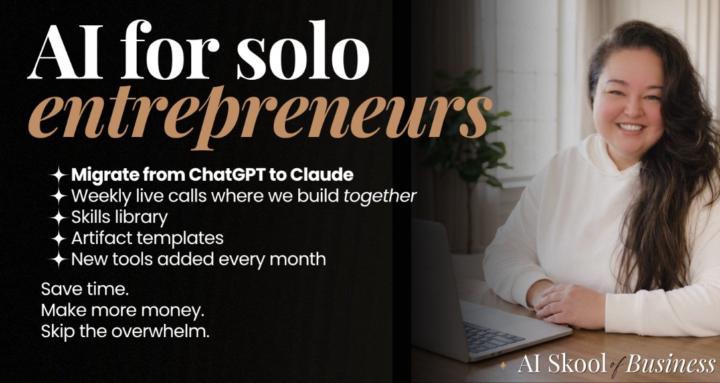
AI Skool of Business
skool.com/ai-skool-of-business
One powerful membership that blends AI, strategy, and mindset work so you can build faster, sell smarter, and LOVE your business again. 🫶✨
Leaderboard (30-day)
Powered by