
Write something
3d •
Weekly workflow drop - FreeP!k
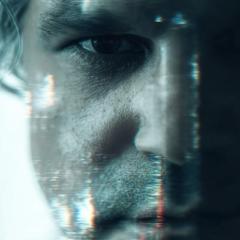
I just added a new FreeP!k module in the classroom with two short lessons: 1. Quick Start 2. Camera Angles You can get through both in under 23 minutes. If you have been curious about FreeP!k, this is the perfect place to start. I have said it before, but I will say it again. FreeP!k is an aggregator and it is one of the few AI tools I genuinely think everyone should have in their arsenal. It fits into a more professional workflow, and I use it every single day in the work I do. Mini assignment: Watch the Camera Angles lesson, then generate the same scene in at least two different camera angles. Still images are totally fine. Post both angles here and tell us a little about it. If you post, reply to one other person too.
Aug '25 •
Glad You’re Here (Read This First)
Hey, welcome! 👋 I’m really glad you’re here. This whole thing — the AI Filmmaker Lab — is about experimenting and figuring out how to make AI films feel cinematic instead of just… AI. We’re gonna learn together, share what’s working, what’s not, and push each other to make better stuff. ►Where to Start 1. Introduce yourself in the Community (not on this post). Tell us who you are, what got you curious about AI filmmaking, and maybe what you want to create. It doesn’t need to be fancy. 2. Head to the Classroom and watch "Create Your First 5-Second Cinematic Shot with AI". After you say hello, jump into this short beginner-friendly course. It walks you through the simple process of creating your very first cinematic AI shot from start to finish — perfect if you’re brand-new and want a quick win. 3. Join the Weekly Challenge. Once you’ve watched that course, the best way to grow fast is post in the Dailies thread. I encourage you to create something every day — a single image, a short clip, or even just an experiment. The more you post, the faster you’ll improve and find your cinematic style. ►What to Expect Every week, new workflows, trainings, and insights will drop in the Classroom to help you level up your craft and make your work stand out. That’s it for now. From here, share your work, your experiments, even the messy stuff. This isn’t about being perfect. It’s about moving forward and growing together. Glad you’re here. – Cameron
4d •
Challenge Update: Prize is now $250
Quick update on the current AI Filmmaker Challenge. This is no longer an affiliate commission challenge. If you win, you get $250 cash provided there is a clear winner and I feel confident running your film as an official Meta ad. If nothing feels strong enough to run, I may choose not to select a winner. Everything else stays the same Same script foundation Same goal: make AI feel real Same deadline: February 20 at midnight If you are already working on your film, keep going. You do not need to change anything creatively based on this update. If you have questions, drop them in the comments.
8d •
📢 THE AI FILMMAKER CHALLENGE: Make AI Feel Real
UPDATE (Feb 9): Prize structure change Quick update so this is crystal clear. This challenge is no longer affiliate commission based. Instead, I will award $250 cash to the winning ad if I feel there is a clear winner that I would actually run as an official Meta ad. If there is no clear winner, I may choose not to award the prize. Everything else in the challenge stays the same. To avoid confusion, please ignore the older section that mentions 40 percent affiliate commission. The current prize is $250. __________________________________________________________________________________________________ Filmmakers, new challenge time. This one is about a shift in taste. No more plastic AI skin. No more floaty movement. No more characters that change every shot. The goal is simple: make something that feels human enough that someone forgets it was made with AI. Use the script below as your foundation. You can use it word for word, or tweak it to match your voice and pacing, but keep the core message intact. Build a short film that proves you can direct past the obvious AI look. SCRIPT I am tired of AI looking like plastic. The fake-looking skin, the weird movements, the robotic voices… it feels fake because it is. I’m tired of characters that glitch and change in every shot. It’s not a story if you can’t tell who the main character is. I want visuals that feel real. I want the shaky camera that feels human. I want shadows that look like they belong there, not like a mistake. Inside the AI Filmmaker Lab, we are moving past that AI look. We stopped asking for cool pictures and started acting like real directors. Our way of working is simple: Prompt. Direct. Publish. We are bringing back the little mistakes that make a shot feel like a real story. Perfect is boring. If it looks like AI, people will not care. There is a new way of doing things inside the Lab. Join a fast-growing group of creators who are leaving the perfect look behind to make something that feels 100 percent real.
10d •
Consistency Pipeline 3: Character Reference Sheets
Weekly workflow drop. This one is a quick 3 minute lesson inside the Toolbox. It includes the exact prompt and shows you how to get consistent characters fast by generating a simple reference sheet. It also keeps wardrobe consistency. Your assignment is to generate a character reference sheet for two wardrobe variations of the same character using the reference sheet as your anchor. Post both sheets. If you post, reply to one other person too. Give them one small note.
1-30 of 40
skool.com/ai-filmmaker-lab
Create beautiful, cinematic AI imagery by mastering the craft of visual filmmaking inside a community built for creators.
Leaderboard (30-day)
1

+137
2
+67
3

+62
4

+50
5
🔥
+49
Powered by