
Pinned

🔥
5d •
🏆 Weekly Wins Recap | June 27 – July 3
From $40K AI projects and first clients to custom CRMs, AI operating systems, and production-ready automations, another week inside AIS+ proved that consistent building keeps creating opportunities. 🚀 Standout Wins of the Week inside AIS+ 👉 @Kobe Shemesh closed a $40K upfront AI project after refining his Claude Code workflow, proving that small improvements in execution can create massive business results. 👉 @Galyn Fergerson landed her first client just 6 days into AIS+, turning a discovery call into a $750 AI OS project before even finishing the automation course. 👉 @Girish Mohan built an AI Scrum Master that now prioritizes his calendar, tasks, and deals automatically—helping him execute every day with more focus. 👉 William Rendall was promoted to AI Workstream Strategy Lead less than three months after joining AIS+, crediting the community for accelerating his growth. 👉 Diane McCracken celebrated her 100th Claude Code session at 68 years old, showing that curiosity and consistency matter far more than experience. ⸻ 🎥 Super Win Spotlight | @Ahmad Abd Alkarim Ahmad joined AIS+ with years of leadership experience but wanted a better way to turn ideas into action. Today, his custom AI Operating System helps him manage projects, analyze business problems, and support his team without slowing anyone down. His biggest lesson? Don't just watch. Build. Practice. Share what you learn. That's where the real return comes from. 🎥 Watch Ahmad's story 👇 ✨ Every week, members are turning ideas into systems, skills into businesses, and momentum into real opportunities. Step inside AI Automation Society Plus and start building assets, systems, and skills that compound 🚀

Pinned

💎
⭐
Jun 3 •
What do you get if you upgrade to AIS+?
Some of you have never heard of the AIS+ community. Others have but the part that trips you up is the actual difference between the two. Either way, this post will give you clarity. This free group is a bundle of quick resources pulled from my YouTube videos, plus a massive open community that anyone can join. It's a great place to get your bearings and see what's possible. But it's open to everyone, it can be noisy and overwhelming, and there's no path through it. You can get help from other members, but I rarely answer questions here. AIS+ is the opposite: - A step by step roadmap with a clear order, so you're never guessing what to do next - A much smaller community of people who are seriously committed to building and selling AI agents - I answer questions every day and run a weekly Q&A call where you can get direct access to me For the course material: The roadmap takes you from zero to building and selling AI agents, and the whole thing is built on the latest tech like Claude Code and Codex. We update it constantly. The old n8n material has been archived. It's still there if you want it, but it's no longer the focus, because the way you build today has moved on and the courses moved with it. Here's the actual roadmap inside, in order, with when each piece opens up: 1. Start Here (opens the moment you join). Gets you oriented. How the community works, the path ahead, and how to get help when you need it. 2. Build Your Portfolio (opens the moment you join). Why a portfolio matters, beginner level tutorials, and what types of projects to focus on. You end up with real work you can show a client. 3. Claude Code (opens the moment you join). This is now its own dedicated course. Build faster, turn ideas into working automations, and go deep on the tool serious builders are using right now. This takes you from beginner to advanced, step-by-step. 4. Get Your First Clients (opens after 30 days). Getting your first clients is hard, because you don’t have any case studies yet. So, we analyzed all of the success stories from our members and found they get their initial clients with two different techniques: warm outreach and Upwork. So, we teach both techniques in detail with exactly what to say, exactly how to position yourself when you have no proof.
Pinned
💎
⭐
12d •
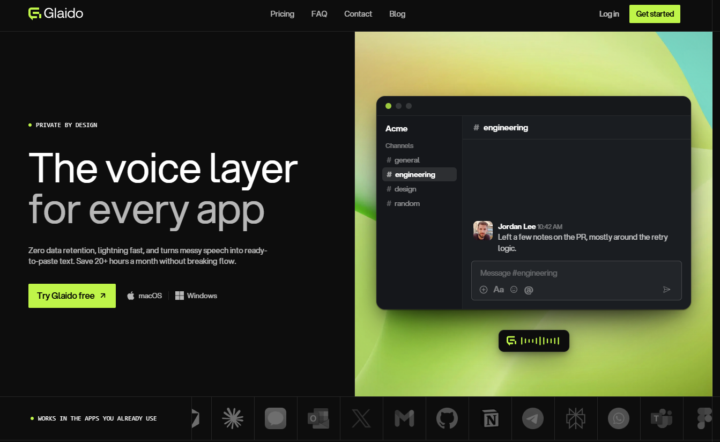
🎉LIMITED TIME try Glaido FREE, then 40% off.
I'm a co-founder of Glaido, building it with Jack Roberts, Dave Ebbelaar, and Jannis Moore. It's a voice tool built around two things: speed and privacy. Fastest on the market, completely private. It used to be Mac only. It's now on Windows too, so all of you can use it. You get 40% off your first 3 months ($20/mo → $12/mo) with this code: D5J6BIF8K4P Next 30 days only 👉 https://get.glaido.com/nate I switched from Wispr Flow a few months ago and it just felt better. If you're on Wispr, try Glaido free, use the code, and tell me if you feel the difference. If you want to switch back after, no hard feelings. Good to know - Mac + Windows - Snippets: insert any text instantly with one word - Dictionary: save your own words, import straight from Wispr Flow - Agentic Mode: manipulate any text on your screen with your voice - Webhooks coming to Agentic Mode soon (huge) - We action feedback almost immediately Give it a shot and drop your thoughts in the community.

30m •
I got my LLC "Kingdom AI Solutions"
I'm starting to freelance building AI voice receptionist. I live in a smaller rural city where most people don't know much about AI so I know the opportunity is huge! Now I'm on the "learning N8N" curve! Pray for me hahaha
💎
⭐
Mar 21 •
🚀New Video: Stop Learning n8n in 2026...Learn THIS Instead
Stop learning n8n in 2026. Seriously. If you’re still trying to learn n8n in 2026, you might be focusing on the wrong thing. In this video, I explain why you should stop learning n8n in 2026 and what you should learn instead. If you’re thinking about learning n8n in 2026, watch this first. I break down why some creators say to stop learning n8n in 2026, what the better alternative is, and how you can stay ahead by learning the right automation skills instead. Enjoy!
1-30 of 21,109

skool.com/ai-automation-society
Learn to get paid for AI solutions, regardless of your background.
Leaderboard (30-day)
1

🔥
+7837
2

+6875
3

🔥
+6210
4

🔥
+5717
5

🔥
+2562
Powered by