

Mar 19 •
How I Increased My Productivity by 50%!
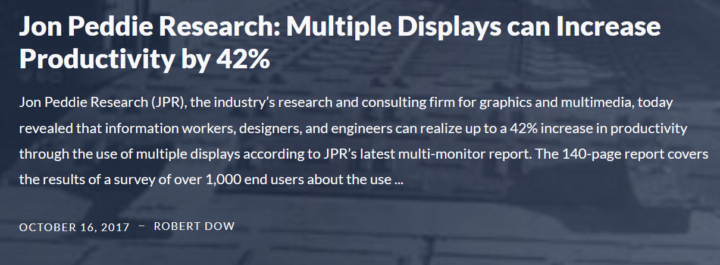
Simple answer: Having dual monitors! Why? It removes a big friction for my ADHD brain --> the cost of switching context or transitioning What do I mean? - Less window switching --> transitions are hard for ADHD brains, including transitions between apps and windows. Did you know we spend about 1 hour/day just switching apps (if you add up all the microseconds it takes to switch apps and windows)! 🤯 - Better spatial memory --> I see where things are on my screens, so I remember them better. Who is this tip for? The more your work requires holding multiple pieces of information at once…the more multiple monitors amplify your productivity. How exactly do I leverage multiple monitors? I set up a "role-based screen system," meaning: - Screen 1 = Creation (writing, thinking) - Screen 2 = Reference (ChatGPT, research, emoji app) 😁 - Screen 3 = Calendar (always up, so I know what's happening next in my day) As you can see, I have 3 screens, which have increased my productivity further. I know, though, that 3 screens are not possible for everyone, so 2 screens are enough to boost your productivity (you don't need 3). And you don't need a fancy screen. My second screen was borrowed from a friend and was so old I had to hold it up with an empty tissue box (for real!)...but it did its job as a second monitor. 😆 So, if there's one thing you could do today to increase your productivity, find a second monitor! Do you already work with a second monitor (or 3)? I'd love to know!
Mar 20 •
How I Save Time When Using PDFs in Chrome 💻
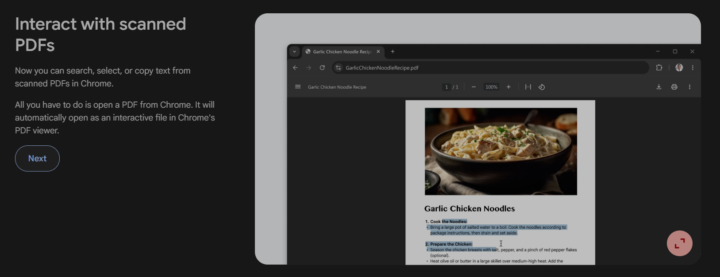
Chrome's recent updates have saved me a lot of time when I work on PDFs. Here are the top 2 updates I frequently use to simplify my work process: #1. Interact with scanned PDFs on Chrome --> Just open a PDF on Chrome, and you can search, select, or copy text in any PDF. (see screenshot). #2. Save PDFs to your Google Drive DIRECTLY (without needing to download them!) --> See screenshots for step-by-step guide (look for the hand that shows what to click). Number 2 is my favorite because I used to download PDFs to my computer --> then upload them to my Google Drive. So, it was a two-step process. Now, that process is only one step! That may seem like a small change. 👉 But, small changes accumulate into a big difference over time. That's how I think when I'm evaluating if a change in my behavior is worth it. And even with PDFs, I apply that same way of thinking 🥰...especially when I'm working on a bunch of PDFs every day as I do my neuroscience research. Now you're getting a glimpse of how I think and process info. 😄 Do you use PDFs a lot in your business?

Jan 13 •
Seeking Shopify Expertise
Hi!! I'm sooo excited that my brand new truth decks are printed (sitting on my floor) and my new book is published, but I don't have a store yet! I am looking for someone who has expertise in Shopify set-up, setting up shipping, and all the basics for a store, etc. I already have my business website (in HighLevel) and am looking to integrate both systems. (If helpful, my website is: https://thenonlinearjourney.com/ ) I'm a motherhood coach, and tech is not my expertise - emotions are! Any recommendations are welcome! Thanks so much!!! P.S. Special thank you to @Katherine Lizardo for suggesting this! <3

Jan 8 •
Empowerment
As a millionaire, I know many people are having a tough time with bills lately, and I’d like to do something small to help. I’m giving $5K each to 20 people as part of a personal community-support project. Send me the word “GRACE.” I’ll follow up with details. Please only reach out if this would genuinely help you
1
0

Dec '25 •
Hello
Hello everyone i am new here, I am an ADHD pharmacist and i am trying to find my way of recovering and building my online business.
1-17 of 17

skool.com/adhdlifesimplified
A compassionate space where execution becomes inevitable because of proximity, direction & support
Leaderboard (30-day)
1

🔥
+30
2

🔥
+29
3

🔥
+29
4

🔥
+25
5

🔥
+20
Powered by