Activity
Mon
Wed
Fri
Sun
Jun
Jul
Aug
Sep
Oct
Nov
Dec
Jan
Feb
Mar
Apr
May
What is this?
Less
More
Memberships
5 contributions to AI Automation Society

1h •
Language barrier when learning AI automation / Claude Code as a non-native English speaker
Hey everyone, I have a question for the community, especially for non-native English speakers. I’m French-speaking, and I’m currently learning more about AI automation, Claude Code, and the resources from AI Automation Society. I was wondering how you usually handle the language side of things. Do you mostly interact with Claude Code in English, even if English isn’t your first language? Or do you use your native language for prompts, explanations, and project planning? I’m also curious about the AIS resources. Since most of the content is in English, would you recommend fully switching to English when following the tutorials and building projects, or is it fine to translate/adapt everything into French while learning? For those who are also non-native English speakers: - Do you feel that working in English gives better results with Claude Code? - Do you write your prompts and project instructions in English? - Do you use translation tools, or do you keep everything in your native language? - In cases where I need to deliver the final project in my native language, what would you suggest? I’d love to hear how you manage this in practice, especially if you’re building real workflows, agents, or automation projects. New concepts are already kind of throwing me off, and having to manage another language at the same time sometimes makes it even harder. Thanks in advance for your advice.
0 likes • 40m
@Sam P Thank you for helping ! I understand that. I was just worried that mixing languages in different parts of the workflow might create confusion for the tools or the project structure or even create messed-up multilingual outputs.

10h •
#AISCHALLENGE
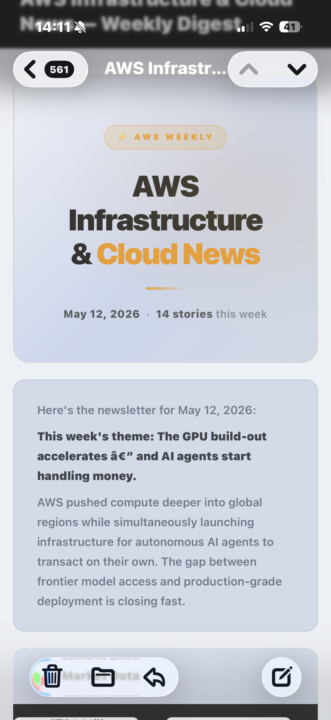
Hi everyone just sharing my day one of the sis challenge done. I built a news letter for Aws related to AWS news Currently What I liked learning is all the ways how to structure the pipeline for workflows my favourite concept the smarter and crazier and creative you are you’ll end up surprising yourself 😜 One thing I would improve is probably more interactive or make it so it opens up automatically once you open your laptop I suppose Here is just some of the post note this is the inpromemnt demo which is far better than last time
1 like • 8h
Nice one, keep it up !

13h •
Social Media
I've just set up my X and Instagrams for my personal brand - @adamthorai on both (Limited content so far, especially on Instagram, unsure what direction to take it) Follow me and drop a comment of your own handles below and i'll give you a follow - intrigued to see what type of content everyone is posting!
0 likes • 8h
@Umid Yuldashev Hi, I might want to do the same thing in the future. What kind of automation did you end up building in the end? Does it handle everything from like visual generation to actually posting the content on your social media accounts?

12h •
Day #1 - Building Newsletter
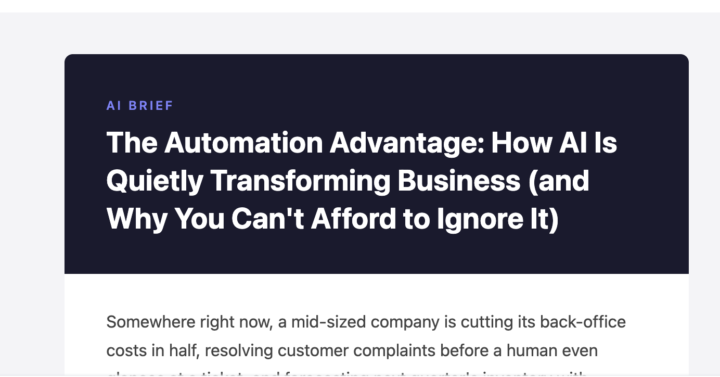
- Built a newsletter with claude code using claude for newsletter writing, nano banana for infographics - Learnings from building the newsletter was WAT framework and importance of providing good layout to claude.md file for building the project effectively. - Currently iterating newsletter for better brand design and improve overall look and feel of the same. #AISChallenge
1 like • 8h
Nice job

💎
⭐
3d •
🚀New Video: Hermes Agent: Zero to Personal AI Assistant (1 Hour Course)
This is a complete walkthrough of getting Hermes Agent set up from scratch on a VPS. You'll see how to install it on Hostinger, connect it to Telegram, set up your first skill and cron job, and back everything up to GitHub. By the end you'll understand the five pillars of Hermes, when to use it instead of Claude Code, and how to scale to multiple agents without breaking anything.
3 likes • 2d
Great content
1-5 of 5

Active 36m ago
Joined May 11, 2026
Powered by