Activity
Mon
Wed
Fri
Sun
Nov
Dec
Jan
Feb
Mar
Apr
May
Jun
Jul
Aug
Sep
What is this?
Less
More
Mastering.com Members Club
37.8k
4.5
Free
The Reverse Engineer
1.9k
Free
The Profitable Engineer 2.0
120
Free
Radio-Ready Single
151
Free
Unison Producer Growth Hub
49.5k
Free
256 contributions to Mastering.com Members Club

1d •
Downloading Updated Digital Cheatsheet Binders
Can someone tell me where I can find the link to download the latest version of the Mixing & Mastering Cheat sheet binder? I've got the older version and I'm wanting the latest one. Thanks.

2 likes • 21h
The latest version available is in the Classroom in the Start Here under Digital Downloads

1d •
DAW?
In the Classroom I know they are using Logic, but I need help with FL Studio every class I have gone into is every DAW all except FL. I hate to ask this but is there videos that can be Created kindly and respectfully by one of you mentors to put into the current classroom? also I know one of the mentors on here use FL but they are not a part of the VIP membership pack as I was told. Feel kinda at a loss
1 like • 1d
Also, if you can come to a DAW call we have on Mondays, we can try to help there too
1 like • 1d
There is also an FL Studio Tutorial in the Major DAW Tutorials in the Classroom section.

7d •
Gain Reduction vs Normalization (Foundation First > Organising Session > Gain Staging)?
I've been following the Mixing & Mastering Cheat Sheet Binder Course, with a fresh new project to follow along with. At the initial Gain Staging step of '12 Steps to Organise Your Session' I have come across a dilemma: In my DAW (Sonar) I can select all clips and then choose the following effects from the Process menu: 'Gain' - to cut or boost all clips by a specific number of decibels. 'Normalize' - to cut or boost all clips to peak at a specified level of decibels. My instinct is to use the Gain process so that the loudest clip peaks at the desired maximum level, but the rest of the clips are only adjusted relatively by the same amount, preserving the dynamics of the overall performance (ie quieter verses will still be quieter than loud choruses). Is there an argument to use the Normalization process instead, making all clips and song-sections peak at the same level and then restoring the performance dynamics at a later stage in the mix?
3 likes • 6d
The main thing to watch out for is how does the specific DAW handle the options for gain. You have to choose the option that adjusts each track's clips based on IT'S peak, not those in another track or clip.

8d •
Reference Track too Quiet for Limiter Stress Test
I just downloaded I Won't Back Down by Tom Petty as a reference track, and the wave file looks like it never went through a limiter. Nothing even close to peaking out. I even raised it a couple db, and still has plenty of headroom. I'm looking to do a Limiter Stress Test, and am wondering if I should put some limiting on this track. If you knew how long it took me to finally find an MP3 of it (amazon would only allow streaming) you'd know my frustration at seeing this track being so quiet. Any suggestions would be appreciated!
0 likes • 6d
@Sam King The reason for the specific tracks in the curriculum has more to do with the particular lesson than it does with a general reference. We picked those to have the students focus on the lessons.
0 likes • 6d
@Sam King I can tell you that we are looking at replacing some of the songs in the lessons in the near future to better help with the assignments. Feel free to take it up with a mentor ... we are always open to suggestions and ideas that will make the program better.

6d •
Is this real, or a mistake, or something else ?
Hi, I just had an email, supposedly from Mastering.com saying... Hey there, Rob here from Mastering.com. I'd love to get your thoughts on your recent purchase: NYC Drums Would you be open to leaving a quick review? If so, here's your unique link: https://courses.mastering.com/review?product=31 Thanks for your time, it's much appreciated. Cheers, Rob CEO - Mastering.com You were sent this email because you recently purchased a product from Mastering.com. I've NOT purchased NYC Drums or anything else, so why would I get this? Any thoughts?
0 likes • 6d
If you suspect it is a fake or spam, click the drop down arrow in the header to see the details of where it came from, and who it was sent to. It should only have you as the sent to, and only @mastering.com at the end of the from email addresses. If I suspect anything, that's the first thing I check.
1-10 of 256
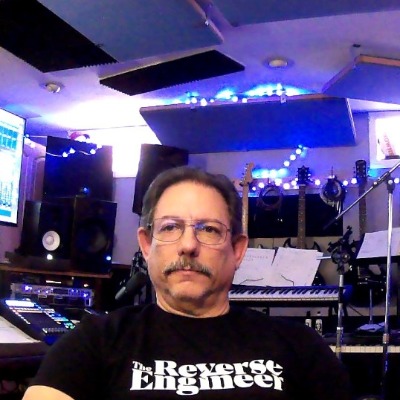
@nick-allegro-3886
I've been a musician since I was 6 yrs old. 10 yrs in Nashville. First studio experience - 1979. From Reel2Reel to all Digital in less than 45 years
Active 8h ago
Joined Aug 23, 2022
North Canton, Ohio
Powered by