Activity
Mon
Wed
Fri
Sun
Jun
Jul
Aug
Sep
Oct
Nov
Dec
Jan
Feb
Mar
Apr
What is this?
Less
More
Memberships
🇺🇸 Skool IRL: LA
322 members • Free
Fairy Tale Photo Academy
46 members • Free
KDP Publishing
1k members • Free
KNOW YOUR COLOR ENERGY
80 members • Free
Reality Mastery Academy
31 members • Free
AndyNoCode
33k members • Free
Business Builders Club
7.9k members • Free
Remote Jobs Only
1.3k members • Free
YouTube 1st Page Of Google!
1.8k members • Free
41 contributions to AI Automation Society

1d •
Struggling with Claude/Gmail Integration (Blocked by Google)
One of the reasons I’m here is that I realize I need to go deep on Claude and learn how to solve my own problems. That said, I don’t want to spend hours or days on something that feels like it should be relatively straightforward. Yesterday I spent about 3 hours trying to integrate Claude with my Gmail and Google Calendar. I wasn’t able to get it working. I’m fairly confident I configured everything correctly on both the Claude side and within Chrome/Gmail. But as soon as Claude tried to actually do anything (like create a folder or delete junk emails), Google would block the action. Claude ended up suggesting I look into tools like n8n or Zapier to handle the integration instead. I also checked Reddit, but didn’t find anything that clearly addressed this issue. At this point, I’m stuck on what feels like a basic use case: email integration and some help with calendaring. Claude also suggested that Google may have made this kind of access more restrictive. Questions: - Has anyone successfully connected Claude to Gmail/Calendar for real actions (not just reading)? - Are Google’s security restrictions the main blocker here? - Is using something like n8n or Zapier basically required now? Would really appreciate any guidance or a simple path forward.

0 likes • 1h
You’re not alone on this 👍 It feels like a “simple integration,” but Google security rules make direct actions almost impossible. Most people end up using n8n or Zapier as the middleware layer for Gmail + Calendar automation. @Ron Ward

4h •
7 Questions That Reveal MBTI‑Aligned Personality
7 Questions That Reveal MBTI‑Aligned Personality Traits 1. “When solving a problem, do you first look for underlying patterns or first gather concrete facts?” 2. “Do you make decisions by evaluating logical structure or by evaluating human impact?” 3. “Do you prefer having a clear plan or keeping options open until the last moment?” 4. “When learning something new, do you trust your internal insights or external sensory evidence?” 5. “Do you recharge by being alone with your thoughts or by engaging with people and activity?” 6. “Do you prefer to refine ideas privately before sharing, or think out loud to develop them?” 7. “When facing uncertainty, do you rely more on past experience or future possibilities?”
0 likes • 1h
These questions are really good 👍 But sometimes people act differently depending on situation, not just one fixed personality type 🤔✨ @Tonny Yang

3h •
I use n8n as the entire backend for my SaaS
Most people use n8n to connect Tool A to Tool B. I use it as the entire backend for a SaaS platform. Inboundy (inboundy.app) doesn't have a traditional backend. It runs on n8n as an API Gateway — 8 webhook routes, auth handling, auto onboarding, feature delegation, state management via Supabase, and rate-limiting. All in workflows. The architecture: Frontend → n8n Webhooks → Services → Supabase No Express server. No Flask. No microservices. Just workflows. But the real killer feature isn't the architecture — it's observability. When a request fails, I see exactly which node broke and why. Instantly. No digging through logs, no reproducing bugs locally. The error is right there in the workflow editor. With traditional code — especially AI-generated code — you end up with functions calling functions calling functions. Good luck tracing that when something breaks. I've been there. Hours of debugging code I barely understand, written by an LLM that's already forgotten it wrote it. n8n forces you into a visual structure. You can't hide complexity behind layers of abstraction. Every step is visible. Every failure is traceable. Is it the "right" way to build a SaaS? Probably not. But it shipped in weeks instead of months, it handles real users every day, and when something breaks — I know exactly where. Sometimes the best architecture is the one you don't have to maintain. https://inboundy.app
0 likes • 1h
@Lorenz Wieseke ❤️
2h •
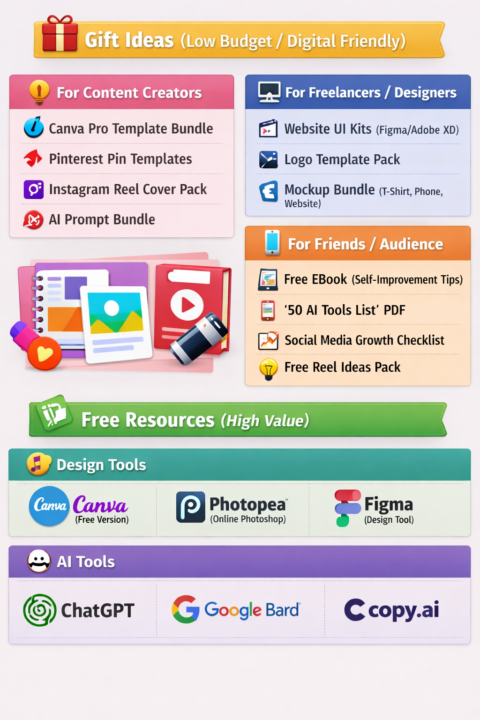
FREE GIFT FOR CONTENT CREATORS & FREELANCERS 🎁
🔥 FREE GIFT FOR CONTENT CREATORS & FREELANCERS 🎁 I’ve put together a list of 50 Powerful AI Tools that can help you: ✅ Create content faster ✅ Design like a pro ✅ Make videos & voiceovers ✅ Grow your online income 💡 And the best part? It’s 100% FREE 🎯 Want this PDF? 👉 Comment “AI” below 👉 I’ll send it to your inbox 💌 ⚡ Don’t miss it — this will save you HOURS of work! http://youtube.com/post/Ugkxo0h8UonsmAw3xKC_BnGgzm7DgLOpBMWI?si=xybO6wO3RD3JUpaD
2
0
2d •
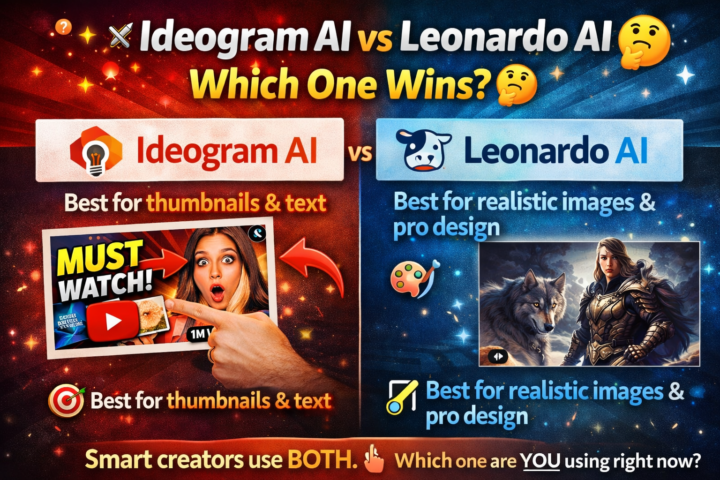
Ideogram AI vs Leonardo AI 🔥
⚔️ Ideogram AI vs Leonardo AI — Which One Wins? 🤔 If you're creating content in 2026, you NEED one of these tools… 🎯 Ideogram AI → Best for thumbnails & text 🎨 Leonardo AI → Best for realistic images & pro design But here’s the real question 👇 👉 Do you want MORE clicks or BETTER visuals? 🔥 Smart creators use BOTH. So tell me…Which one are you using right now? ⬇️
0
0
1-10 of 41

@mohammad-sakib-mia-2664
I help new businesses grow. We try to solve the problems that exist in business.
📂 +8801926384218 Whatsapp
Active 20m ago
Joined Oct 13, 2025
Powered by