Activity
Mon
Wed
Fri
Sun
Jun
Jul
Aug
Sep
Oct
Nov
Dec
Jan
Feb
Mar
Apr
May
What is this?
Less
More
Memberships
The LinkedIn Mastery System
6 members • $25
AI Money Lab
72.8k members • Free
Ignite - Your LinkedIn Growth
62 members • $99/month
The AI Founder’s Vault+
69 members • $67/m
AI Automation Society
361.3k members • Free
The Growth Innovator Community
698 members • Free
The AI Advantage
122.1k members • Free
88 contributions to The AI Advantage

Nov '25 •
My Notes from Day 1 (November 2025 Summit)
Here's some notes from Day 1 if anyone is interested.
1 like • 14d
@Pome Knight Those notes are rom the November 2025 AI Advantage Summit.
1 like • 14d
I'm going to make notes from April'26, but I haven't had time to do so yet.

15d •
DAY 1 WAS OFF THE CHARTS!
Most people will spend the next year trying to figure out where AI fits into their life and business… and still won’t come close to what we accomplished together in just 3 hours today. Day 1 of the AI Advantage Summit was ELECTRIC. In a few short hours, we tackled one of the biggest challenges people are facing right now: too many tools, too much noise, and not enough clarity. And together, we cut through it. Today you learned: • Why AI is here to empower us, not replace us • The 4 levers to achieve peak AI success • How to build real AI fluency and go from Level 1 to Level 3 • Why you do not need to be “techy” to win with AI And Tony’s session on the patterns you can model to thrive through any world shift… unforgettable. Today was about seeing what’s possible. Tomorrow is about taking action and making it real. But before we move into Day 2, I’d love to hear from you… What was your biggest takeaway from Day 1? What clicked for you? What are you most excited to apply? Drop it below. Your insight might be the breakthrough someone else in this community needs right now 👇
3 likes • 15d
The biggest Day 1 signal for me was the shift from chasing tools to building actual AI fluency. That Level 1 to Level 3 framework gives people a path through the noise, which is what most business owners have really been missing.
15d •
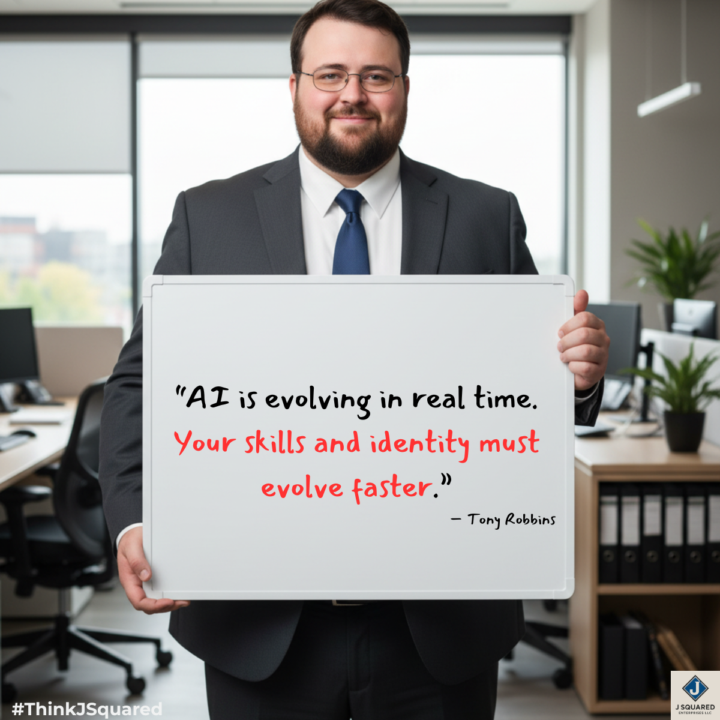
“AI is evolving in real time. Your skills and identity must evolve faster.”
That line from Tony Robbins hits because most people are still treating AI like a tool upgrade. It is not just a tool upgrade. It is a value-definition upgrade. The risk is not only that AI changes how you work. The risk is that you keep defining yourself by work AI is learning to do cheaper, faster, and at scale. The old identity was: - I do the task. - The stronger identity is: - I design the workflow, apply judgment, own the outcome, and improve the system. If you want to stay valuable in the AI era, build these five things: • judgment that improves decisions • systems thinking that reduces chaos • workflow design that creates leverage • communication that builds trust • ownership that carries work across the finish line That is where the premium is moving. AI can generate. AI can summarize. AI can accelerate. But businesses still pay for clarity, accountability, and results. That is why I think the smartest professionals right now are not just learning new tools. They are rebuilding their identity around what becomes more valuable as execution gets cheaper. If AI keeps reshaping work, what part of your value are you intentionally strengthening right now?
3
0
16d •
How Do You View Obstacles?
The way you view obstacles will shape the way you experience life. If you see them as proof the path is wrong, you’ll stop. If you see them as unfair, you’ll resent them. If you see them as permanent, you’ll feel stuck. But if you see them as part of growth, everything changes. Because obstacles often show up for a reason. They reveal where you need to get stronger. They expose what needs to change. They build the capacity required for the next level of your life or business. So, I’ve learned to see obstacles as opportunity. Opportunity to overcome. Opportunity to learn. Opportunity to grow. Opportunity to increase my capacity. That doesn’t mean challenges are fun haha. But it does means they can be useful. The obstacle in front of you may not be there to block you. It’s likely there to develop you. To push you. To invite you into a whole new level. Because when you do overcome it, you don’t just get past the challenge. You gain the lesson you needed, the growth you needed, and the strength you needed to become the person who can hold the thing you’ve been asking for. Sometimes the obstacle isn’t separate from the path. Sometimes it is the path. So I’ll ask you… how do you view obstacles right now?
1 like • 15d
That line “sometimes the obstacle isn’t separate from the path” is the real unlock. The hard part is knowing whether an obstacle is building capacity or exposing a bad strategy. Usually the answer shows up once you stop reacting and start diagnosing.


0 likes • 15d
Nice work. That looks great!
1-10 of 88

@joseph-terrell-6862
Ops Manager at Dynamic Wealth Group
IT expert w/ 25+ yrs enhancing efficiency, productivity, & ops.
LinkedIn: https://www.linkedin.com/in/joeterrell1/
Active 18h ago
Joined Nov 6, 2025
Northern Illinois
Powered by