Activity
Mon
Wed
Fri
Sun
Apr
May
Jun
Jul
Aug
Sep
Oct
Nov
Dec
Jan
Feb
Mar
What is this?
Less
More
Memberships
Your Awareness Made Simple
22 members • Free
2 contributions to Your Awareness Made Simple
🔥
Jan 6 •
👀 Most Folks Miss This When They Create AI Images
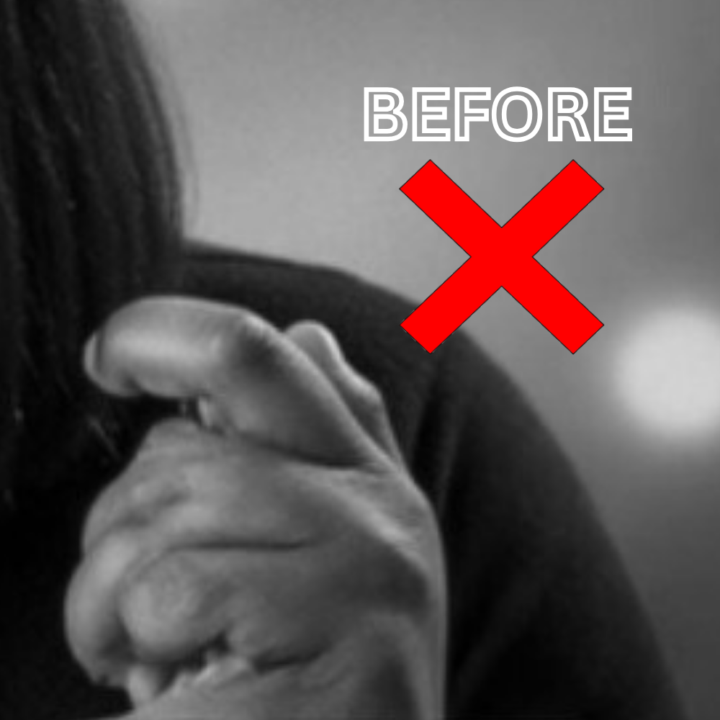
At first glance, an AI image can look perfect. The lighting is right. No typos in the text. Everything feels done. But sometimes it’s like those spot-the-difference games —nothing stands out… until you notice "what doesn’t belong". That’s the mindset I use when reviewing AI images. Not to nitpick. Not because anything was done “wrong.”Just analyze the image (limbs especially), and use ai prompts built to catch anything that feels slightly off. 👉 WHAT FOLKS MISS CREATING Ai IMAGES: AI image prompts aren’t just for product mockups or turning a photo into a movie poster. They’re incredibly useful for subtle refinements —fixing hands, facial expressions, poses, smoothing awkward details, adjusting hairstyles, backgrounds, and more — without starting from scratch. In the example below, I used a prompt to refine one specific area instead of regenerating the entire image. See for yourself below. Same image. Cleaner result. So, because I completely nerd out on refining images, I've decided to share 3 precision-edit prompts from my AI Image Correction Kit FREE for members—so you can try this for yourself (it's the pdf attached below next to the image examples). There’s an extended version available if you want a little more control and flexibility. It builds on the mini prompt stack used here but goes deeper—without overcomplicating things. Here's the link to get the extended version 🤔 Curious… what do you typically create Ai images for? Is it for products, blog posts, just for fun?

2 likes • Jan 8
Love this!
🔥
Jan 3 •
Happy New Year ✨
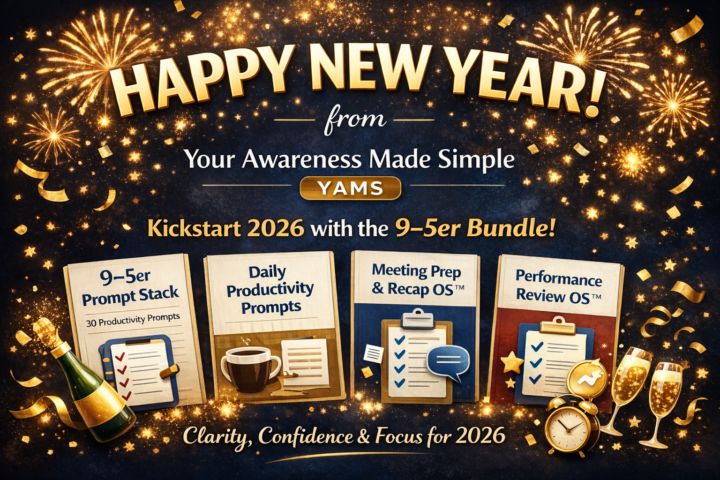
If you’re new here (or quietly observing 👀), welcome to Your Awareness Made Simple (aka YAMS). This space exists for people who want: - clarity over chaos - strategy over guesswork - tools that actually make work easier To start the year off strong, I want to highlight one of the most-used resources inside YAMS so far — The 9–5er Prompt Stack. It includes: • The 9–5er Prompt Stack (30 prompts to help you think, write, and work faster) • Daily Productivity Prompts (10 prompts to get unstuck during your workday) • Meeting Prep & Recap OS™ (turn messy notes into clear summaries, follow-ups, and talking points) • Performance Review OS™ (translate your work into impact when it actually matters) This prompt stack includes practical tools meant to reduce mental load. It's also free.99! If you’re balancing work, ideas, or building something on the side, this is a good place to begin. More coming soon — and if you’re not sure where to start, just say hi below 👋😁
1 like • Jan 5
HNY
1-2 of 2