Activity
Mon
Wed
Fri
Sun
May
Jun
Jul
Aug
Sep
Oct
Nov
Dec
Jan
Feb
Mar
What is this?
Less
More
Owned by Andrew
🥇 #1 Ranked DaVinci Resolve community on Skool 🔥 Built for creators who want to make better videos using tools like DaVinci Resolve.
Memberships
Mid-Life Creator Community
188 members • $39/month
The YouTube Blueprint
1.7k members • Free
Skool Growth Free Training Hub
6.9k members • Free
Skoolers
191.7k members • Free
The 5- Hour YouTuber Community
1k members • Free
The Content Revenue Lab
740 members • Free
Next Level Growth Hub
321 members • Free
YouTube Mastermind Free
1.2k members • Free
Creator Boost Tribe
9.1k members • Free
134 contributions to Resolve School

5d •
Zooming in on a video before editing??
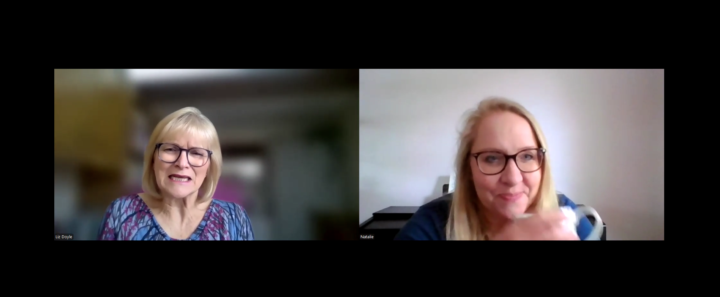
Hi. I'm really new to all this so forgive me if this is a basic question. I am co-ordinating a Christian women's conference in a few weeks. It wil be in person, about 150 attendees. Instead of speakers, we are having interviews and one of the ladies cannot make it on the day so she has been interviewed online and that recording has been sent to me to edit. I didn't realise they would both be on screen and so I need to cut the video down by about half (its currently 11 mins and I need it to be 6. Then I also want to put only the interviewee (the author on the right) on screen but keep the audio for the whole video. Can that be done? Is it a real faff? should I be thinking about it differently? Thanks!

1 like • 4d
@Catherine Marriott That would probably be an audio track for each person. So it separates the mics from the two speakers on two separate audio tracks, which actually helps in the long run.
0 likes • 16h
How did this work out for you? Just curious.
3d •
Holy Shit - This worked! How to copy attributes & a bit of fussion
I'm placing this here more for me to remember how to do this. But I thought this might help someone else. And hey, if you got a better way of doing this, help out a bud. The Goal - to make a bunch of shorts that have a text message floating off the phone. To easy right? Well... maybe not. Things I learned: Resolve is NOT Photoshop! How to add text in fusion (Easy Peasy) and how to copy attributes.. I had no idea you could do that! Can you say exited? 😄

1 like • 17h
Nice, this is a solid find. Copy attributes is one of those things that just makes everything faster once you start using it. Glad you posted it, this kind of stuff is super useful for people working through the same thing 👍
4d •
FRIDAY WINS 🎉
Let’s run it back. What did you actually get done this week? Not what you planned… what actually happened. Could be anything: - Finished a video - Learned something new in editing - Posted consistently - Took on a client project - Fixed something that’s been slowing you down - Even just sat down and did the work when you didn’t feel like it Small wins count. Honestly, those are usually the ones that matter most. If you’ve been stuck or this week didn’t go how you wanted, that’s fine too, just share one thing you did move forward. Drop your win below 👇 And if you want, share the video or project you worked on, I’ll jump in and take a look. Let’s stack some momentum going into next week.

2 likes • 4d
@Sandra Buchanan Yes, amazing! 2 video a week is hard.
1 like • 3d
@Benjamin Lanin this is great! It always means so much more when you can provide help like this. Great job getting that done.
5d •
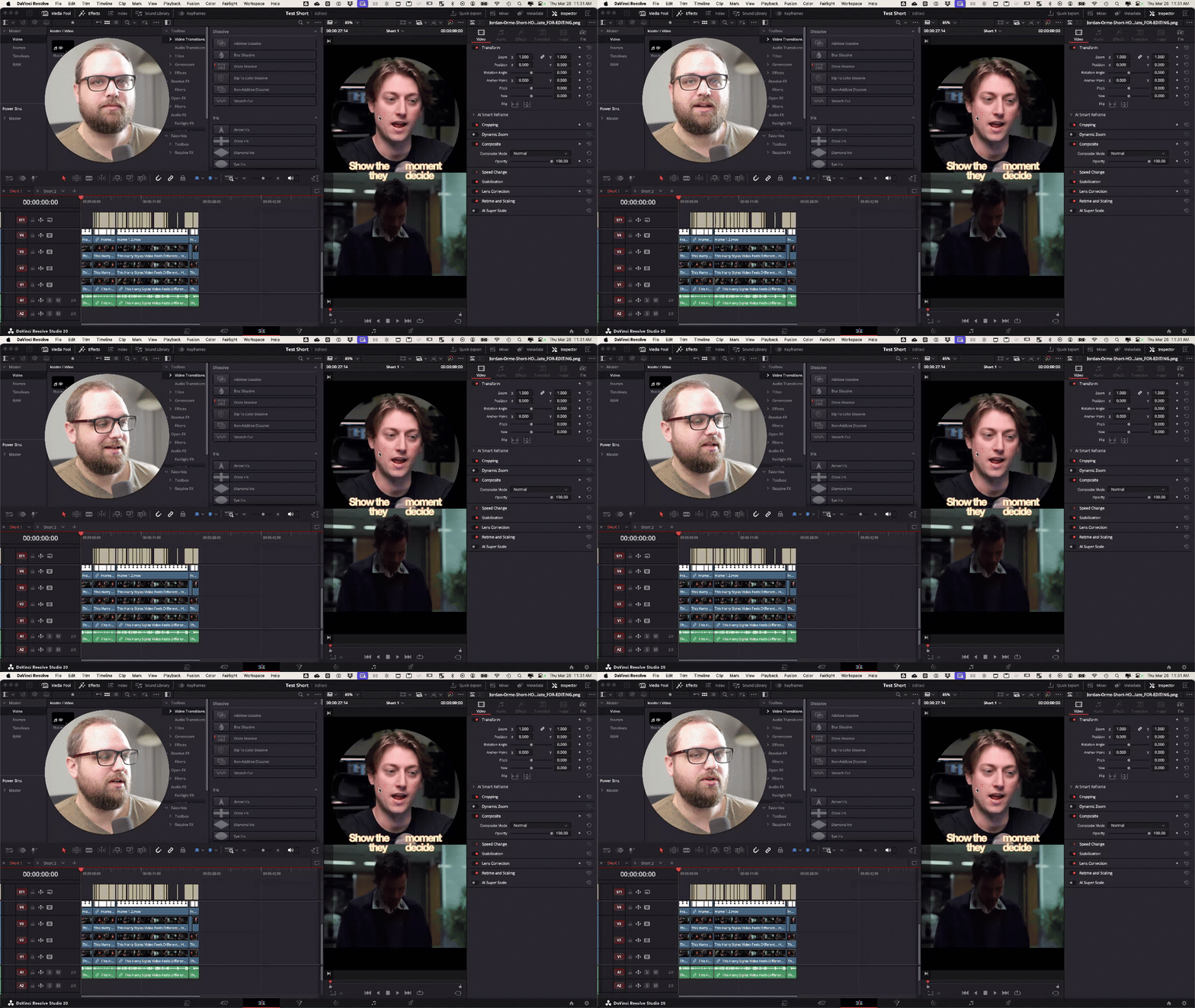
✂️ How I Turn Long Videos Into Shorts
Quick one for you guys, I don’t usually talk about Shorts much, but I was working on a few for Jordan Orme this week and figured I’d just show you exactly how I approached it. This is me actually doing it in Resolve, not just letting AI handle everything. I do use transcripts + ChatGPT to help find good moments, but the edit itself is still very intentional. Nothing fancy, just the real process I’m using right now If you’re making Shorts or thinking about it, watch it and let me know what part you get stuck on, or what your current process looks like.
7d •
📅 Mar 23 - MONDAY CHECK-IN (on a Tuesday 😅)
Sorry, I missed this yesterday. I was traveling. If you just joined last week, welcome, glad you’re here. @Casey Faris @Ha Tuan @Periklis Fattal @Christoph Kaul @Jan Syrotiuk @Elacabado Elquelocritica @Prime Diddy @Anson La @Tyshaun Carter @Sidney Speaks @Bruno Deza @Dave Clements @Enrique Noboa @Nelly Sophia @Oliver Sokolský @Mohammad Termanyni @Sumanth K @Psy Fpv @Itad Dlaim @Phillip Broadbent @Markus Lach @Jack Zickert This space works best when you actually use it. Post what you’re working on, ask questions, share where you’re stuck. A lot of the real progress comes from that, not just watching. VIDEO FEEDBACK / CRITIQUES I posted about this on Friday and want to remind you, I'm trying something new. If you’ve got a video you want feedback on, DM it to me. I’ll pick 1–2 and record a full breakdown, then post it for the group. Not private feedback, this will be public, so everyone can learn from it. Usually, way more valuable seeing the thought process behind what works and what doesn’t. RESOLVE ROOM LIVE – FRIDAY (1 PM EST) We’ve got Resolve Room Live this Friday. This is where we go deeper, break things down, answer questions, and actually workshop stuff together. It’s for Premium and VIP members, so if you’ve been thinking about upgrading, this is where you’ll get the most hands-on value.

1 like • 7d
@Bob Wild 🤣
1-10 of 134
@andrewgfarmer
Follower of Jesus, Husband, Dad of 5, Helping Creators Make Better Videos, F1 Fan, Tech Nerd, & I Drink Cold Coffee.
Active 5h ago
Joined Jul 9, 2025