Activity
Mon
Wed
Fri
Sun
Dec
Jan
Feb
Mar
Apr
May
Jun
Jul
Aug
Sep
Oct
Nov
What is this?
Less
More
Women Build AI
6.9k
Free
Clief Notes
54.6k
5.0
Free
AI Realism Academy Video/Image
2k
4.9
$9/m
Maker School: AI Automation
2.8k
4.9
$184/m
The RoboNuggets AI Network
106k
Free
6 contributions to AI Bits and Pieces

18d •
AISLive: Speaking About AI OS This Weekend
Out of more than 450,000 global members, it is a privilege to have been selected to speak about the AI OS I built—one that now runs several aspects of my own consulting agency—at the AIS Live Virtual Event this weekend (detail and link below). Join The Event Online Oct 17, 8:00AM - Oct 18, 8:00PM CDT Just 18 months ago, I began pursuing AI full time with my new agency, AI & Data Strategies. Armed with sheer curiosity and determination, I started building my AI skills and dove in headfirst to learn how to build advanced AI and automation solutions through AI Automation Society on Skool. Fast-forward to today: I have been able to combine more than 30 years of enterprise experience with AI technology. Through AI & Data Strategies, we are helping dozens of medium and large companies transform their businesses with AI. At the event, I will share how an AI OS has changed the way I operate my business, create capacity, and deliver for clients—and what that journey has looked like from learning the basics to applying AI in the real world. If you are interested in learning about AI to start a small agency or advance at work, this event can open up a new future for you. Join The Event Online Oct 17, 8:00AM - Oct 18, 8:00PM CDT https://events.ringcentral.com/events/ais-live-superhuman-build-your-ai-os/registration My Website: https://aidatastrategiesllc.com AI Bits & Pieces: https://www.skool.com/ai-bits-and-pieces/about


7 likes • 18d
Excellent @Michael Wacht! Looking forward to your session!

Sep 14 •
Grok is early. Super users should still get in.
I’m a guest contributor here, and I live in Grok. Short version: I recommend it. Highly. But only if you are a super user. The current flagship is Grok 4.6 (released August 12, 2026). It is built for long-running agents, coding, research, and work that keeps going after you step away. The product is still a little early. It will keep improving. That is not a reason to wait. That is the terms of using it. Who this is for You already work in AI every day. You will hand it real jobs, research, drafts, inbox, code, ops, image and video. You want an agent that stays on a task, not a chat window you open twice a week. Who this is not for Casual questions. A few prompts a week. If that is you, stay free or keep the tool you already have. What I would spend Confirm live prices on grok.com/plans before you pay. Plans move. If you really want to jump in, I think you can at $100, that is SuperGrok Plus. Higher usage across Chat, Imagine, Voice, and Build. Priority when it gets busy. 1080p video. That is the honest daily-use tier. The $300 version is SuperGrok Heavy. That is what I’m testing. I’m very happy. Do not start on Heavy to try Grok. Move there only if you already know you will burn the $100 plan. The $300 tier is not “better chat.” It is more compute: highest limits, fastest replies at peak, and a larger team of agents on hard problems. Grok Bot is the practical reason to climb. You message a bot like a teammate and let it keep working. 🔁 Practice This Pick one real job on your desk this week. Not a demo. A job. Paste this: “You are my operator for this one task. Outcome I need: [one sentence]. Current state: [three bullets]. Do not redesign the work. Find the constraint, propose the smallest next step, then wait for my go.” Use it once. Judge Grok on whether it stayed on the job. 📌 Note Paid Grok uses one shared weekly usage pool across chat, images, voice, and build. An afternoon of image or video work can spend the week. That is why I say super user, not tourist.

1 like • Sep 14
@Matthew Sutherland I've only played around with Grokbots a little bit at the $100/month level. I'm undecided at this point if I'm going to continue. What are you finding that is better in Grokbots versus using Fable or Astra, in your opinion? I haven't used it enough to get a good sense of this.
1 like • Sep 14
@Matthew Sutherland thanks Matthew (you are always so kind and supportive. I really appreciate it). Is your Grokbots orchestrator orchestrating Fable and Astra for you as well or are you still human in the loop on the other two? I do have a Grokbots chief of staff that is orchestrating some client workflows and there are many things I do like about it. Still undecided on where I want to go with it. And I love learning from other people’s set ups and thought processes as well! Thanks for sharing!

Jul 28 •
The moment a client understands what an agent does is worth gold. How do you create it?
With agents, the technology is rarely the hard part. The imagining is. Clients and prospects simply cannot picture what happens inside the individual steps. Planning, calling a tool, checking the result, going back when something is missing, handing the draft to a human for approval. From the outside it looks like a box that spits out text. And yet those steps are where the entire value sits. So here is my question to you: how do you make that visible? How do you visualise the way an agent works so that a client really gets it? What I would love to know: 1. Which format worked for you? Something to click through, a short video, a live demo, 2. What did you build it with? 3. At which point did it click for the client? Every idea and every screenshot is welcome.
1 like • Aug 9
@Michael Wacht demos are always good! What kind of demos do you use?
Jul 21 •
❤️ Learn with Your Whole Heart Giveaway: 1 Member Wins, 1 Charity Benefits (Ended)
We are kicking off the new "Learn with Your Whole Heart" chapter of AI Bits & Pieces, and you get to help decide what we create next, enter for a chance to win, and help us give back. Cast your vote below. 👇 How the Giveaway Works: ✅ Everyone who votes or adds a comment will be entered to win. ✅ Each person receives one entry per giveaway. ✅ Claude will randomly select one winner from all eligible participants. 🎁 The winner will receive a $25 Amazon eGift Card. ❤️ AI Bits & Pieces will also donate $25 to one of our approved charities. You can learn more about the organizations we support, here: Our Charities: Learn with Your Whole Heart A winner and charity will be selected on Sunday, July 26th at 6pm EDT, and announced sometime on Monday, July 27, 2026. Cast your vote below. 👇
Poll
17 members have voted

1 like • Jul 23
@Frank Priboy congrats!
Jul 13 •
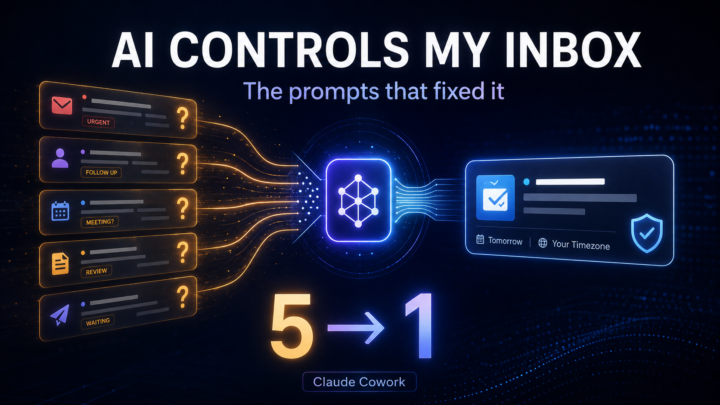
📬 AI Controls My Inbox: The Prompts That Fixed It (Claude Cowork)
I promised @Kyle Covan my next post would be the specific prompts strategies that I used to make my Inbox triage more efficient. Not the philosophy. The actual strategies. 📝 What actually changed for the better this week: - It (Cowork) stopped asking me things it already knew the answer to - When a question was genuinely open, it started handing back a ready answer instead of just a flag - The one narrow auto-accept rule finally got tested by something trying to slip past it Here's how each one played out: 📝 It stopped asking things it already knew. Early runs, it asked "should I create a follow-up note?" for a contact. The same report already showed a meeting booked with that person, two lines up. It had the answer. It asked anyway. Fix: before flagging anything, re-check it against my sent email and meetings first. Five questions became one. 📝 Flagging it isn't finishing it. A Skool contact wanted a meeting time. His only clue was "morning or night." Turned out that meant Jakarta, eleven hours ahead. Fix: don't just flag it as open. Pull my calendar, check the timezone, hand back ready-to-paste times. Three options came back, both timezones shown, nothing left for me to calculate. 📝 The narrow rule finally got a real test. The auto-accept rule only fires on one exact domain. Everything else gets flagged, no guessing. On 7/12, a meeting came in from a different organizer doing the same kind of work, close enough to pass at a glance. It didn't auto-accept. It got flagged. That's the test that actually matters. Not the obvious case, the one built to sneak through. 📝 The number that proves it. Day one: five items needing me. Day five: one. Same volume of email and meetings. The difference was an agent that stopped asking what it already knew.
1 like • Jul 13
Nice Michael - have you been able to get Claude to check your Skool dms?
1-6 of 6
