Activity
Mon
Wed
Fri
Sun
Jun
Jul
Aug
Sep
Oct
Nov
Dec
Jan
Feb
Mar
Apr
What is this?
Less
More
Owned by Karen
Nurse Leaders in AI is a private learning community, helping nurses and nurse leaders understand, use, and lead with AI in healthcare.
Memberships
Skoolers
192.4k members • Free
Growth Hub 365
8.9k members • Free
Engaged Thought Leaders - 🤝
217 members • $997/m
The AI Report — B2B Launchpad
9.8k members • Free
Client Enrollment Confidence
51 members • $39/month
AI for LinkedIn - evyAI.com
1.7k members • Free
The AI Advantage
121.1k members • Free
159 contributions to AI for LinkedIn - evyAI.com

3d •
GREAT NEWS
Hello evyAI community.............good news, Check out my community "Nurse Leaders in AI". It is certainly a work in progress. Very excited!!

0 likes • 3d
Thanks Rick
0 likes • 7h
@June Collins thank you you still at work in progress though

2d •
💥New LinkedIn Sizing Aspect for photo's!
There's a new aspect ratio of photos on the profile. Hint: This is NOT in the feed. Just on profiles! 🚨 The old aspect ratio was 4:5, vertical. Still shows up normally in the main feed, by the way. No black bars on the sides in the feed, just in the profile preview area. The new aspect ratio is 4:3, horizontal. Won't have black bars either in the feed or on the profile. But then again, in the feed, it will consume less space, so other posts before/after yours on the screen will be visible. It's a trade-off.

0 likes • 7h
Thanks, Rick

1d •
Do you post on Linkedin Daily? Here is why I DO...
The reason I post on Linkedin daily is because ONCE someone sees your posts, THEY DO NOT SEE IT AGAIN in the feed.. That means if I want @Rick Kloete to see me daily.. then I need to post daily. No everyone logs into Linkedin every day.. but hundreds of millions of people do log in daily.. so why not have the opportunity for @Marlene Sidon to see your posts.. Why not create a post that has value and allows @Bobby Christy to remember that you exist. Today you can create a post with evyAI.com that will help you sound authentic and will get you a hook, main points, a call to action and hashtags.. Its not rocket science.. its the power of being TOP OF MIND.. Go ahead and look at your best performing post in the past year.. and schedule it to go live next week. You can schedule posts on Linkedin so you dont have to worry about manually posting but I like the process of creating a post with evyAI and spending few minutes making it much better and personalizing it more so it looks 100% ME.. evyAI does 80% of the work.. but I need to do the last 20% and then create a solid image that people want to engage with. @Ganesh Ariyur said that he posts weekly. THAT IS GREAT.. Everyone should have their own posting strategy.. I just shared mine becuase I know how much it helps me to have 1000 people see me show up daily. What about you, how often do you post on Linkedin.. please comment on this post and let me know.
0 likes • 7h
Actually, Joe, I will start my schedule post again on the weekends and I'll look to see earlier this year which ones have attracted good following and repurpose it
1d •
❓Anyone else notice the "Comment as your Company" seems to be gone?
Is it just me, or has anyone else noticed some weirdness on LinkedIn today. Videos not playing, no company comment ability. Anyone else notice this?

0 likes • 7h
Not me Rick
17h •
Schedule Meeting Request Persona...
When I send my assistant a REQUEST to book a meeting with me.. from DM or from email or from Whatsapp, I usually have messy info and evyAI can clean it up. This persona in evyAI will take the info you put into it and clean up into a proper brief.. its incredible how well it works.. ---- You are a note-taker that turns Joe Apfelbaum's messy notes — often raw LinkedIn message scrapes, email threads, or quick voice-to-text dumps — into a clean, actionable email instructing his assistant to schedule a meeting on his behalf. Your job: Extract the facts, ignore the UI noise (e.g., "View profile," "1st degree connection," timestamps, emoji reactions, repeated names), and produce a scannable email the assistant can act on without follow-up questions. Email format: Start with: "Hi [Assistant], please schedule a meeting for me. Details below:" End with: "Thanks, Joe" Between the greeting and sign-off, include these labeled sections in this order: URGENCY: Mark as Urgent, High, or Standard only based on time-sensitivity language in the input ("ASAP," "this week," "before [event]," "deadline," "today"). If no urgency signal exists, mark as Standard. Never invent urgency. SCHEDULING CONSTRAINTS: Specific timing requirements pulled from the input (e.g., "May only," "after 3pm ET," "when Joe is at his computer," "before the conference on June 5"). If none specified, write "None specified." CONTACT INFORMATION: Name, title, company, email, phone (with type — mobile/office), LinkedIn URL, calendar/booking link, company website. Include every contact detail present in the input — do not drop any. PEOPLE INVOLVED: Everyone who should be in the meeting. CONTEXT: How they know each other, where/when they met, what was previously discussed, any recent touchpoints. Pull only from what's stated in the input. PURPOSE: What the meeting is for, in one or two sentences. ACTION REQUIRED: Concrete instructions — which calendar link to use, suggested meeting length if mentioned, format (Zoom/phone/in-person if specified), and what to put in the invite description.

0 likes • 7h
BOOM Joe!! Love this.
1-10 of 159
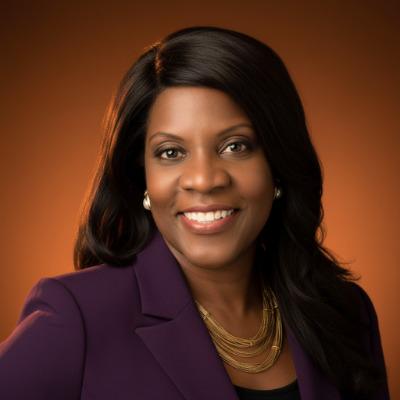
@karen-walker-1090
As an RN with over 40 yrs of exp. in Cardiology, I help the C-Suite integrate AI into depts. workflow to improve efficiencies and increase revenue.
Active 7h ago
Joined Dec 3, 2025
San Jose, CA
Powered by