Activity
Mon
Wed
Fri
Sun
Mar
Apr
May
Jun
Jul
Aug
Sep
Oct
Nov
Dec
Jan
Feb
What is this?
Less
More
Memberships
129 contributions to Creative 3D Community


1 like • 27d
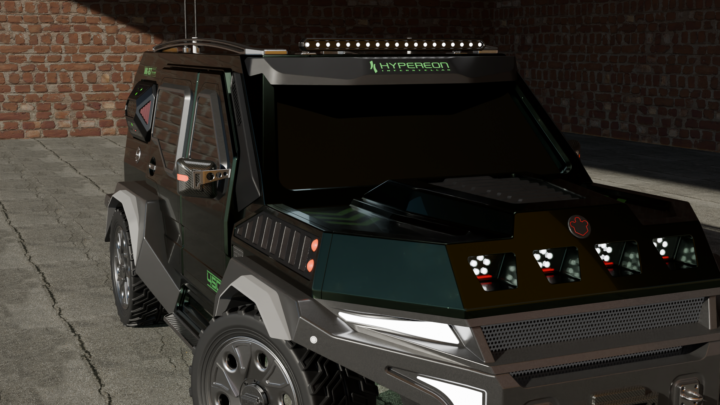
@Luigi Zaca Have you ever tried rendering your scenes with an HDRI dome? The advantage of this is that the ground doesn't appear to float, and you don't have to use a repeating texture for the floor. If you want, I can gladly give you a Blender file that already has this dome; you can open it and add your objects using append. The node setup is designed to give you realistic shadow casting.
3 likes • 27d
You can copy the folder "Blender HDRI Dome" into your Blender directory. I included the abandoned_slipway_4k.hdr from Polyhaven.com so that you have a good standard lighting setup for testing your shaders. If you want to use the dome for rendering with other HDR textures, you first need to select the object "HDRI DOME" in the Scene Collection and choose your HDR texture on the "Object Node" in the Shader Editor. Additionally, you also need to change the same HDR texture in the Shader Editor "World Node" so that both textures match. I use this for my preview renderings, but also for final renders, as long as there is no distortion of the background caused by the HDRI DOME projection. So this is just a good starting point for rendering with HDR lighting. Of course, you can still add objects for your environment into the scene and change your surroundings accordingly. I hope it helps.

1 like • 28d
hey Jon, cool! 👍

Dec '25 •
Audi RS E-tron GT
Finally finished a quite long and a bit painful course by Kuechmeister Swagger (available on Patreon 40 tutorials of 45 min each in avarage). I wanted to try something more advanced using Studio features. And honestly it really was not easy for me. I learnt a lot new techniques because there was a huge amount of material. However it is not actually a traditional course but more like master class. This was a downside I struggle the most and had to solve problems of misunderstanding. I mean in many places the author didn't explain his intentions and advantages of his approach. If you compare amount of explanations in Nikita course then you will find only 10% of what should have been explained for E-tron but haven't. So I 100% won't recommend the course for beginners 'cause it definitely will be hard even for intermediate level. But for advanced users it is a good choice to level up skills. XNurbs, Square and Align commands are widely used, also Deform - a couple of last lessons. Here is an interactive model sharing (can be slow on laptop, so it better to disable Render mode) https://share.plasticity.xyz/r/PioAKq4BAeiLlB8SyRyBoAIT-UE0J9d3s8rHOgAY06E

1 like • 29d
I also followed this tutorial by kuechmeister swagger on Patreon. His Patreon and his YouTube channel are real goldmines for advanced modeling with Plasticity. Even his older videos on Moi 3D are very insightful. I'll study his Audi e-tron tutorial to learn even more. Respect for completing it all the way through. Your result speaks for itself. Hats off to you!

29d •
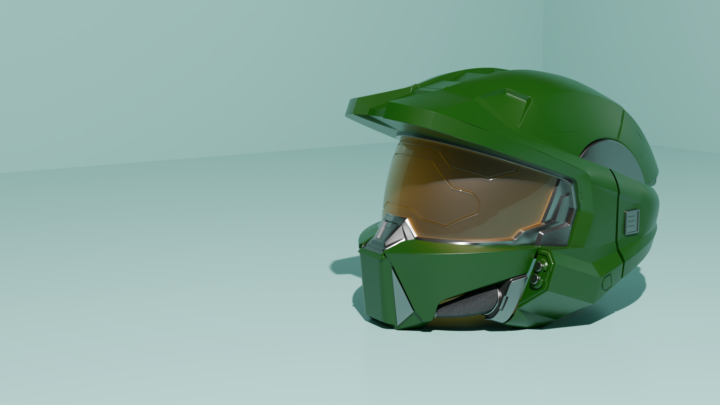
Halo Master-chief Helmet
I am finally done with yet another helmet. Done in plasticity and rendered in Blender. This one took a lot of time and effort. Very happy with the outcome.
1 like • 29d
Amazing work Ahmed, hats of for the design, and the renders also!

29d •
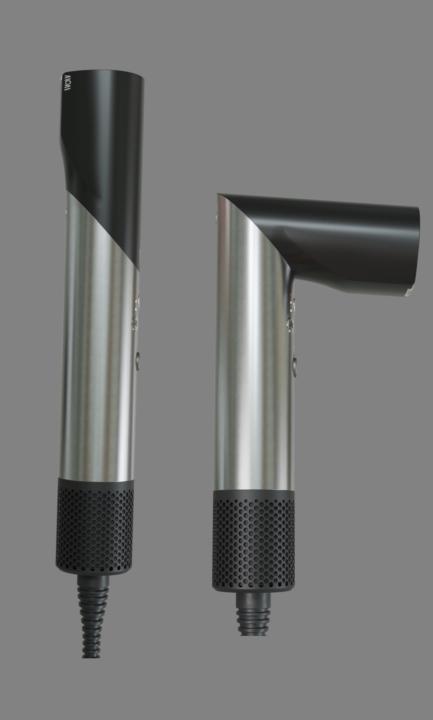
Hair dryer:🍃
Nikita YouTube tutorial: UV unwrapped in Blender - Textured in Substance Painter - Rendered in Blender. And a few AI concept images.
1 like • 29d
Quality as always. Love it!
1-10 of 129