Activity
Mon
Wed
Fri
Sun
May
Jun
Jul
Aug
Sep
Oct
Nov
Dec
Jan
Feb
Mar
Apr
What is this?
Less
More
Owned by Alex
A listening-first community for busy working dads to share real challenges and help shape simple systems for presence without burnout.
Memberships
Clief Notes
23.5k members • Free
Join Skool
150 members • Free
82 contributions to Clief Notes

10h •
Your prompts aren’t the problem. Your system is!
Before joining this community, I thought I needed better prompts. Turns out I was asking AI to work with nothing, no context, no structure... just random chats. Everything changed when I did one simple thing. I defined; what I’m building, what “good” looks like and what to avoid. That’s it. The outputs improved not because the AI got smarter, but because it stopped guessing. Most people here are still trying to “talk better” to AI, but remember better wording doesn’t fix missing structure. Are you still refining prompts… or actually building systems around them?
2 likes • 8h
@Allan Durhuus Yeah most “gurus” are optimizing how you ask and not what you’re actually building.
1 like • 7h
@David Vogel I get your point and I don’t think we’re actually that far apart. If you zoom all the way in, yes… everything resolves down to prompts. But what I was running into and what I see a lot of people do is this: Treating the prompt as the starting point when it’s really the last step. If the system behind it isn’t clear that is what you’re building, what “good” looks like, the constraints, etc... then the prompt has nothing stable to operate on. So it looks like a prompt problem, but it’s actually a definition problem upstream. Once that’s clear, the prompt almost becomes obvious. So I’d say prompts are foundational at the execution level… but structure defines whether that foundation holds. Thanks.

14h •
AI Acronym Overload? Here's the Ultimate Cheat Sheet Every Newbie Needs
Over the past couple of days, there have been numerous discussions about the heavy use of acronyms in the AI space and the overwhelming frustration that those new to AI often feel when trying to understand conversations in the community. I created this resource to help.Below is a comprehensive, well-organized list of the most commonly used acronyms in AI — covering LLMs, prompting techniques, model architectures, training methods, tools, and more. Whether you're just starting out or looking to fill in the gaps, this should serve as a quick and handy reference.Commonly Used Acronyms in the AI Space Core AI & ML Foundations - AI — Artificial Intelligence - AGI — Artificial General Intelligence - ASI — Artificial Superintelligence - ML — Machine Learning - DL — Deep Learning - RL — Reinforcement Learning Models & Architectures - LLM — Large Language Model - SLM — Small Language Model - LMM — Large Multimodal Model - VLM — Vision-Language Model - GPT — Generative Pre-trained Transformer - BERT — Bidirectional Encoder Representations from Transformers - MoE — Mixture of Experts - CNN — Convolutional Neural Network - RNN — Recurrent Neural Network - LSTM — Long Short-Term Memory - GAN — Generative Adversarial Network Techniques, Prompting & Alignment - CoT — Chain of Thought - ToT — Tree of Thoughts - RAG — Retrieval-Augmented Generation - RLHF — Reinforcement Learning from Human Feedback - DPO — Direct Preference Optimization - LoRA — Low-Rank Adaptation - QLoRA — Quantized Low-Rank Adaptation - PEFT — Parameter-Efficient Fine-Tuning - ReAct — Reason + Act Other Practical & Business Terms - POC — Proof of Concept - MVP — Minimum Viable Product - GenAI — Generative AI - MLOps — Machine Learning Operations - AEO — Answer Engine Optimization This list focuses on the acronyms you’ll encounter most frequently in papers, forums, product documentation, and day-to-day AI discussions. Feel free to bookmark this post — I’ll keep it updated as new terms become common. If you come across an acronym that’s missing or want a deeper explanation on any of them, just drop a comment and I’ll add it.
2 likes • 9h
This is really helpful, especially for beginners. Thanks you.

12h •
Can AI become too expensive for companies?
I saw this on LinkedIn and I can’t help but wonder what went wrong? Text reads thus: “We just did an "Al layoff" due to rising costs ••• Turns out Al is getting way too expensive. We just canceled 5 of our Al subscriptions and hired 2 mid-level devs instead.” What are your thoughts?
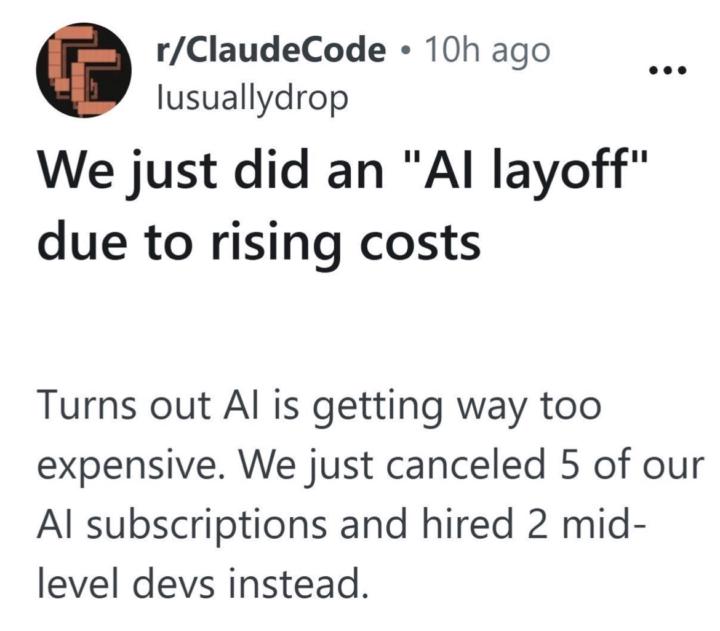
2 likes • 9h
My opinion, this isn’t an AI cost problem, I think it might be a usage problem. Most teams stack subscriptions without a system, so costs scale with chaos instead of output. If replacing 5 tools with 2 devs makes more sense, it usually means AI was being used like a shortcut and not infrastructure.

2d •
They're all catching on
@Jake Van Clief I'd say you're right... in six months or possibly less, everybody's going to be working in folders. I know its partly my RAS (https://biologyinsights.com/what-is-the-ras-and-how-does-it-affect-your-brain/) in action, but I'm starting to see the message of portability by working in folders so that you can just swap out the brain as you wish/need.
2 likes • 9h
Yeah, folders are the unlock, but I think the real shift is standardizing what goes inside them. A lot of people will just copy the structure but very few will define; what good output looks like, what constraints the system runs on, what gets reused vs rebuilt.

1d •
How to learn quickly with YouTube and Claude
Hey All wanted to share something I was able to use today that helped me get something done in 20min rather than the usually 2-3 hours. I like to use Youtube a lot to learn new techniques and ideas to use in my work, but that takes a lot of time. I wanted to learn a specific granular synthesis patch to recreate a sound. Under normal conditions: watch the video, rewatch the confusing parts, look up GRM's modulation system separately, rebuild the patch by trial and error. Realistically 2–3 hours before I'm actually working. With this workflow: clipped the video, had Claude reconstruct the signal flow and give me step-by-step instructions, followed them, asked for timestamps twice when I needed to see something visual. I was building the patch within seconds. Here's the breakdown of the workflow pasted from my session summary from claude: --- ## The Problem YouTube tutorials are great but they also take a lot of time to watch and digest. A 45-minute walkthrough covers maybe 20 minutes of usable information, buried in real-time narration, visual demos, and the host's live troubleshooting. To actually *do* what you watched, you still have to reverse-engineer the steps or follow along. But if I'm hunting YouTube for a tutorial for something I need to do right now that's a time sink. --- ## The Workflow Works for any tutorial, any domain. **Step 1: Clip it.** - Use Obsidian Web Clipper to save the YouTube video as a markdown file. The clipper pulls the transcript and metadata into a structured note directly to an Obsidian vault you can work with directly in a chat. - If you store the Obsidian Vault inside your Claude workspace in a directory you can access it with Claude. **Step 2: Have Claude teach it to you.** - Ask Claude to read the transcript, summarize the technique and walk you through it step by step. - you can immediately start working or learning. **Step 3: Execute with Claude on standby.** - If you need calrifcation ask Claude for the timestamp to a specific step. It can point you back to the exact moment in the source video without you having to scrub through the whole thing. It will even give you a direct link to that point in the video.
3 likes • 9h
What stands out is that you use Claude to reconstruct the logic of the tutorial into something executable, that’s a big difference. Thanks for sharing this.
1-10 of 82

@alex-nartey-1708
I test AI systems, tools, and online business ideas. No hype. Just what works (and what breaks) - one step ahead of beginners...
Active 6h ago
Joined Apr 5, 2026
Powered by