
Write something
Pinned

May 6 •
Using Ai in Simple But Helpful Ways in Automations
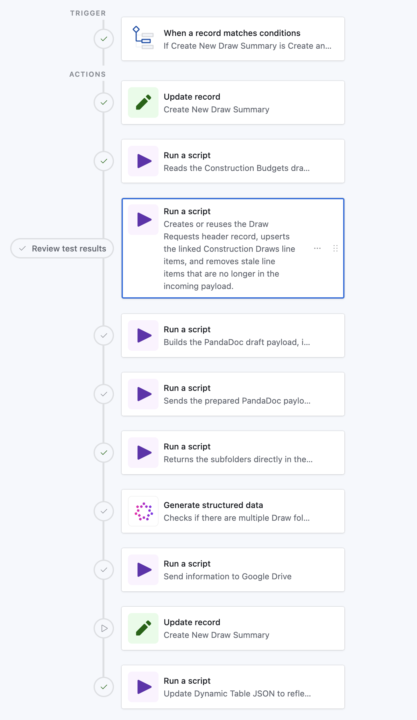
I would MUCH rather have Ai focus on a small bit of information over handling large tasks. Here's a look at what that means (See Pictures) In this automation, we’re trying to create a clean "draw-request folder flow" (client specific language) in Google Drive for each draw against a Construction Loan, then link those exact folders back to Airtable so the team can go straight to the right draw, photos, and invoices. BUT, the problem is that historical loan folders are messy. Some loans already have a draw folder, some do not, some use names like `Draws` or `Draw Requests`, and some even have duplicates. We could hard-code a lot of matching logic, edge cases, and fallback rules, but that becomes brittle... fast. The AI step gives us a much simpler layer. The script just returns the loan subfolder list, very specific and narrowed down data. I don't want Ai digging into everything in Google Drive when a script can just do it QUICKLY. After we get the subfolder list (See Dark Photo), AI interprets that list: - Does a draw-related folder exist? - Are there multiple, and which existing one should be treated as the oldest valid candidate? - That gives the next Google Drive script a clean decision input instead of forcing all that fuzzy logic into code. The win is that the rest of the automation stays deterministic! Scripts do the heavy lifting, AI handles the naming ambiguity, and the folder-creation step can reliably decide whether to reuse a folder or create a new one without a giant pile of special-case code. I KNOW this is a little advanced, but hopefully this opens up the sandbox for you a little!
Poll
1 member has voted
Pinned
Apr 22 •
Build HTML Emails Natively in Airtable </>
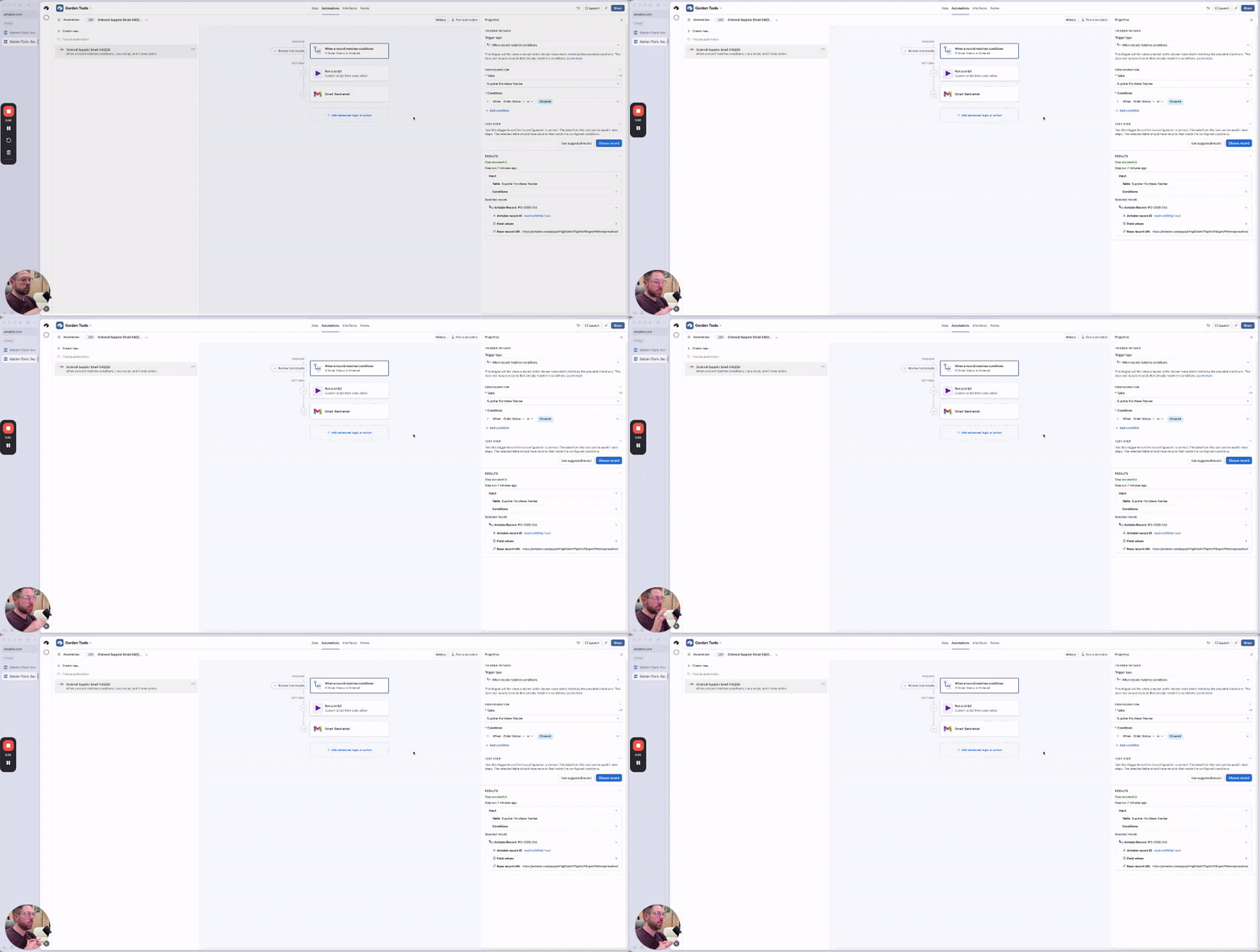
Real business application here! Create beautiful emails directly from Airtable with the power of HTML. (Cheat with Ai if you don't know HTML or any coding) This DOES need you to use the Script block in the automations. SO, I created this as a simple getting started with scripting in Airtable walkthrough. There are a few key things to hone in on in here: - How to get information INTO the script so that the script can manipulate or use it. - How to get information out of the script so it can be used for the following automation steps. During this whole video I tried to give you my best practice tips and go over some common gotchas that might happen, especially when you're working with AI to help build out these workflows! - 00:00 Why scripting matters in Airtable - 00:24 The business use case: sending supplier emails - 01:05 Breaking down the script inputs and structure - 03:13 Passing data from the script to the next automation step - 04:08 Rebuilding the automation from scratch - 06:10 Setting up inputs, table IDs, and field references - 12:21 Building the email output - 16:06 Adding error handling and success checks - 19:26 Why this matters for real business workflows - Did this unlock anything for your Airtable workflows? - Was anything confusing about this? - Do you have any further questions about how to use scripting automations?
Pinned
Apr 15 •
What a Community Can Give You That Courses Can’t
There are plenty of YouTube channels, courses, and even Airtable certifications out there. But most of that content is missing one thing: your context. A video can show you how someone else uses Airtable. Then you try to map that onto your own business, your own workflow, and your own mess. Sometimes that works. A lot of times, it doesn’t. And when it doesn’t, you are back to searching for another video and hoping that one gets closer to your situation. That’s why community matters. A good community goes way way way way way beyond tutorials and courses. Good community gives you: - Awareness: one of the BIGGEST benefits of a community is seeing problems, solutions, and use cases you would not have thought of on your own. Sometimes you do not realize a business problem can even be solved in Airtable until you see how another company is handling it. - Feedback → someone can tell you when your design is headed in the wrong direction before you spend hours/days/weeks building the wrong thing. - Nuance → a tutorial can tell you what a feature does; a community can help you understand when to use it, when not to use it, and what will break later if you structure something poorly. - Live edge cases → real business data is almost always messier than tutorial data, and a community helps you deal with that reality. - Troubleshooting → you can get help fixing stuck automations, poor schema/layout decisions, broken linked records, and messy formulas. - Pattern recognition → you get to see how real businesses actually structure CRMs, operations systems, content workflows, and inventory bases. (Or using the latest Ai workflows!) - Trust → you can learn from people who are doing real Airtable work. - Network → communities can lead to referrals, collaborations, service providers, examples to learn from, and peer support. There are a lot of communities here on Skool, and a bunch of them are centered around automation and AI.
Poll
8 members have voted
3
0

May 25 •
Understanding Interface Page Levels
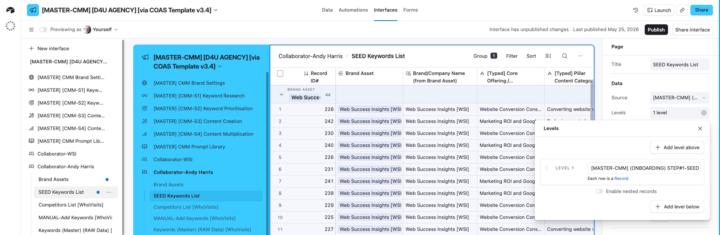
Can anyone help me understand how I might use Page Levels in my shared interfaces? My use case is I have a 'Master' keywords research database that is linked to multiple tables and I'm looking at more efficient and effective ways to share the data with collaborators. I've asked Omni to explain them to me and there are nuggets of interest on my part, but I still don't really understand the reality. Definitely need a 'show and tell' example for the penny to drop! (Can't find anything on YouTube specific to Levels either). This is what Omni told me: Key Points About Levels What They Do: - Levels help display relationships between data across different tables in a visual hierarchy - They allow you to show nested records (e.g., Projects → Tasks → Subtasks) on a single interface page - Users can drill down through the hierarchy to see related information - This interests me but I don't I can't visualise a use case even though I realise many must exist. Available For: - List visualization - Has a "Hierarchy" section with Levels configuration - Dashboard layout - Also supports adding levels of hierarchy - (Both the above interest me if I can find a way to share information more easily with our collaborators. But again, I can't visualise how this looks in reality. When Levels Are Enabled: (The last two interest me but again I can't visualise the use case). - Any existing list configuration moves to the page level - This allows dropdown filters to be created for any of the tables within the hierarchy - Users can collapse or expand levels to focus on specific parts of the data Levels are especially valuable when you need to display related information from multiple linked tables in a single, organized interface page rather than requiring users to navigate between separate pages. [https://support.airtable.com/docs/getting-started-with-airtable-interface-designer]

Apr 30 •
Something That Helped Me Think Differently About Online Presence
Hey everyone 👋 I wanted to share something that might genuinely help someone here. I recently learned how much having even a simple website can change how people see your business or personal brand, it makes things feel more real, more trustworthy, and easier to understand. A friend of mine who’s a professional web designer is currently offering free website design while building his portfolio. It includes basic design and setup, and it’s great for small businesses, creators, or anyone just starting. I’m sharing this purely as a helpful resource in case it supports someone’s journey. If interested, you can reach him directly: WhatsApp: +1 (639) 458-6729 Email: [email protected]
1-30 of 64
powered by

skool.com/7-figure-real-estate-investors-1267
Ran by a certified Airtable builder. Solve Airtable problems faster with support alongside other problem-solvers.
Suggested communities
Powered by