
Write something
Pinned

⭐
3d •
🔥 Welcome to the Private AI Advantage Community!
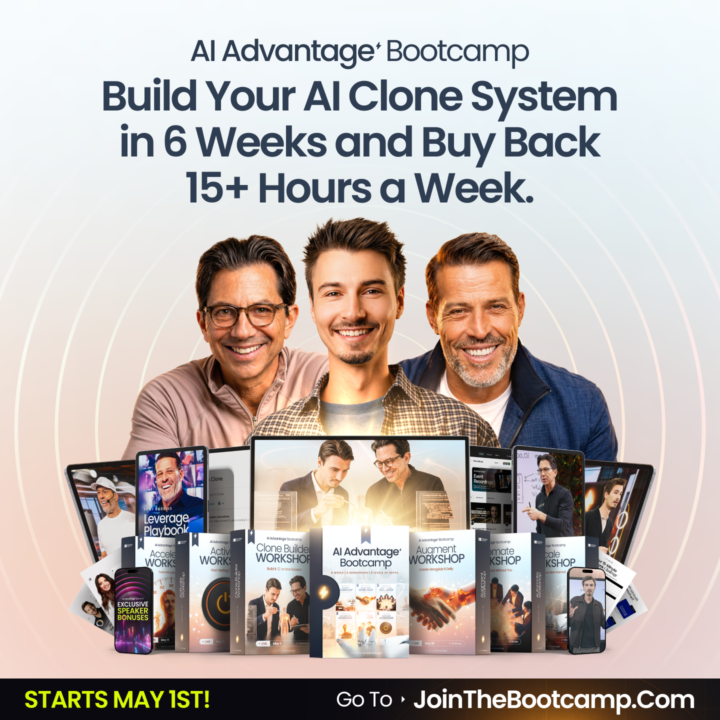
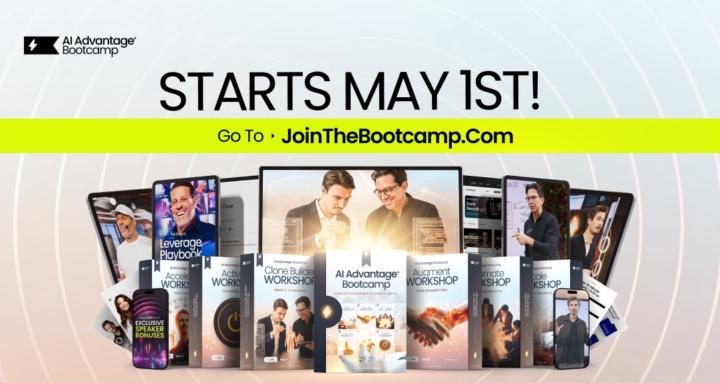
First and foremost, so glad you’re here. The 2026 AI Advantage Summit just wrapped, and the energy was incredible. If you joined us live, you already know what this community is about. And if you’re just finding your way here now, perfect timing. The doors to the AI Advantage Bootcamp are officially open. This is where the real work begins. Over the course of the Bootcamp, you’ll build your own AI clone, create AI agents that work for you around the clock, and put together a setup designed to save you 15 hours every week. Not 15 hours of busywork. Fifteen hours of the stuff that drains you, distracts you, and keeps you from the work that actually moves the needle. Whether you’re brand new to AI or you’ve been experimenting for a while, this is the right next step. The Bootcamp is practical and step-by-step. You don’t need a tech background. You just need to show up and do the work. JOIN THE BOOTCAMP HERE And while you’re getting settled, introduce yourself in the General Discussion section. Let us know where you’re from, what you do, and what you’re most hoping to change. We’re glad you made it. Let’s get to work.
Pinned
⭐
24h •
🔥 Quick Clarification: The Difference Between Our 3 AI Advantage Communities
Hey everyone, we’ve received a few questions in the customer service inbox, so we wanted to take a moment to clearly explain the difference between the groups and experiences inside the AI Advantage ecosystem. --------------------------------------------------------------------------------------------------- 1. This Skool Community (Free) This group right here is our free community. It’s where Igor Pogany, our team, and the community continue to share value, insights, resources, conversations, and support. Inside here you can expect: - Free trainings and resources inside the Classroom - Ongoing conversations - Community support - Updates of the latest AI News - Updates and announcements for AIA - Valuable insights to help you grow with AI This group is completely free and we fully encourage you to stay engaged, ask questions, connect, and use everything available here. And just because the Summit is over, doesn’t meant mean this group is going anywhere! --------------------------------------------------------------------------------------------------- 2. AI Advantage Club (Paid Membership) The AI Advantage Club is our premium membership for those who want to go deeper and continue building their AI skillset consistently. Depending on how you joined: - VIP members received a 30-day trial - Bootcamp members receive 3 months included And if you took the VIP upgrade AND joined the Bootcamp, you would have 4 months free inside the Club. Inside the Club, the experience goes deeper with things like: - Advanced trainings - Step-by-step guides and our “Hacks of the Week” - AI workflows - Prompt libraries you can copy - Business use cases - Time-saving systems - Ongoing implementation support - New resources added regularly - A Technical Support Team who can answer questions if you hit roadblocks trying to implement an AI tool Think of this as your AI gym membership. It’s the place where you will train those AI muscles and really focus on implementing AI into your life and business.
Pinned

2d •
What an incredible few days
I just wanted to take a moment and sincerely thank you for showing up for the AI Advantage Summit. Thank you for investing your time. Thank you for being open. Thank you for being willing to learn, grow, and prepare for what’s next. In a world full of distractions, noise, and reasons to wait… you made a decision to be here and we don't take that lightly. And as Tony said during the event, your decisions shape your day, your future, and ultimately your reality. That’s why this doesn’t end when the summit ends. Now you get to decide what comes next. Decide to stay plugged in. Decide to keep learning. Decide to take action on what you discovered here. Decide that your future matters enough to keep moving forward. If you are joining us for the Bootcamp, we cannot wait to see you Friday and go even deeper with you. If you grabbed the VIP upgrade and unlocked access to the AI Advantage Club, our team is already pouring insane value into that community every single week and we’re excited to support you there. And if now isn’t the right time for anything more, that’s okay too. This free community is staying open. We’ll keep showing up. We’ll keep adding value. We’ll keep giving you tools, insights, and support to help you grow. No matter where you are in your journey, there is a place for you here. From my heart, thank you for trusting us, for spending these days with us, and for being part of something special. Excited to build alongside you!

19h •
AI for business owners
I'm here to learn how to use AI in my businesses and to create the agent to help with mundane daily tasks and frankly just research on topics that are of interest to me. I have "dabbled" with the AI and already had the paid subscription to Claude because I found that to be a superior tool when using all the tools I've tried to date. Looking forward to learning in the community.

⭐
2d •
🔥 Bonus Day Replay and Your Next Steps
Congratulations to everyone who decided they are not going to be scared, anxious or keep putting off embracing the power of AI and stepping into power of AI and what it can do for your business and for your life! What does life look like when you teach AI to think and work like YOU - to learn your goals, your constraints, your preferences, and your voice? Today’s Bonus Day of the AI Advantage Summit (click for replay!) gave you the answer… and gave you the first steps to make it YOUR reality! In just about 90 minutes, we showed you: - 7 success secrets to guide you through this shifting world - How to build the foundation of your own AI clone - How to use AI to offload the repetitive work that's been stealing your time Whether you were there live or couldn’t make it… click here to watch the replay before it comes down for good Now that’s officially a wrap on our AI Advantage Summit. And only you can decide what comes next... But if there's any part of you that wants to take this further and continue building out your AI Clone-Agent that you started today… If you want to save hours every single week that you can reinvest into your business, your relationships, your health and your happiness… The AI Advantage Bootcamp is open until Thursday at midnight* *We have our first Kickoff Call on Friday so we can’t push the deadline! No matter what you decide, we hope this event inspired you to not let the fear of change stop you from living into who you are meant to be. That’s a one-way path to regret, and no one wants that for you! Thank you for making this the greatest event of our careers. Now let’s move boldly and confidently into the future, together.
1-30 of 18,302
skool.com/the-ai-advantage
Founded by Tony Robbins, Dean Graziosi & Igor Pogany - AI Advantage is your go-to hub to simplify AI and confidently unlock real & repeatable results
Leaderboard (30-day)
1

+1715
2
+1245
3

+701
4

+590
5

+545
Powered by