
Write something

12h •
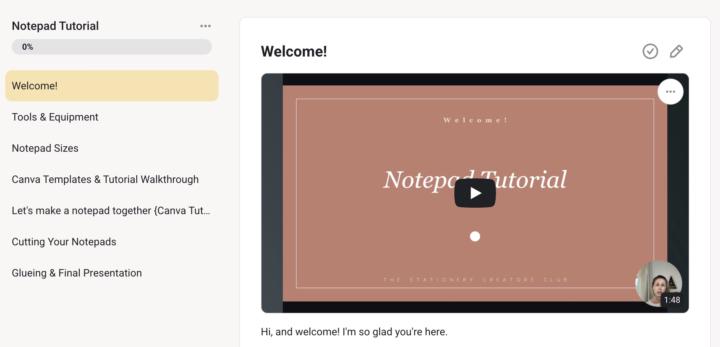
Notepad Tutorial is live!
Thank you for your patience as I put this together and to our premium founding members who upgraded early! @Shannon Perkins Ortega @Shelly Omel @Shannon Martin @Susan Garcia a full notepad tutorial is waiting for you in the classroom! The Design Library will be launching shortly as well, just adding the finishing touches 🤗 Head on over to the classroom if you'd like to dive in this weekend -->> https://www.skool.com/stationery-creators-club-3580/classroom/43cc1e15?md=3676caccf59b4391a653e0c1b24c93a8 What's included in this 1-hour tutorial: - List of tools needed with links - Sizes overview — a quick tour of every notepad size (4x6, 5x7, A5, square, desk pad) so you know exactly what you're working with and which one feels right for you - Canva templates in every size - 3 of each plus Canva template guidelines. I also give you a complete Canva Tutorial on how to use the templates in the classroom, swap out colors, fonts, and backgrounds, and turn one template into 20 different notepads (it's wild how quickly it adds up) - Designing from scratch — building your own notepad using elements from the Design Library, with all my little tips on layout, fonts that actually read well, and arranging things so the design feels grounded - Print setup — everything from scaling to borderless printing to the trick I always use (print two of the same design — your future self will thank you when it's time to cut!) - Cutting cleanly — the guillotine workflow that ends "why are my cuts uneven?!" forever, including the ruler trick that changed everything for me - Gluing & Packaging it up — cello bags, branding stickers, and the pricing tip I learned from doing markets that genuinely makes a difference in sales

5d •
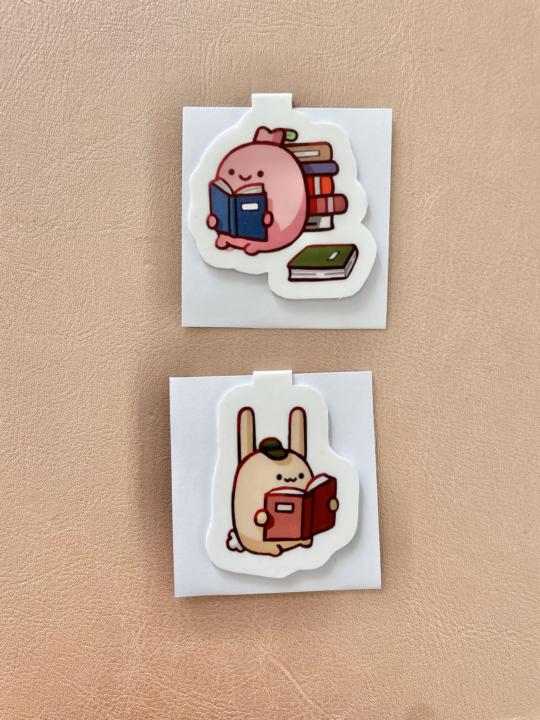
First Try Making Magnetic Bookmarks
Today I finally tried making my own magnetic bookmarks for the first time and it was way easier than I expected! And this was how I did it: I printed my designs on the same sticker paper I usually use for stickers and flipped the design horizontally so the front and back would match after folding. Then I added a small space in the middle for the fold. After roughly cutting them out, I stuck the designs onto thicker 230g paper to make them sturdier. Then I laminated them with matte laminate sheets for a nicer finish and extra durability. Since I don’t have a cutting machine yet, I cut everything by hand with scissors ✂️ For the magnets, I used thin magnetic sheets, cut them into small squares, and glued them inside the bookmark so they clip nicely onto pages. And here are the results! 😋✨ I’m really happy with how they turned out and will definitely experiment more with different designs in the future ☺️
10d •
How to make double sided bookmarks
I just recorded a tutorial showing how to make double-sided bookmarks using our templates in the bookmark tutorial. Please find it here: https://www.skool.com/stationery-creators-club-3580/classroom/e9af6203?md=6532c08c3aba4e689b78c8b367b8e55f @Melissa Romero @Flora Ikoueli 🤗
15d •
📊 How Do You Like to Learn?
I'm building out more resources for you all and I want to make sure they actually work for you — so I'm putting it to a vote! When you're learning something new, what format helps it click best? 👇 Pick your favorite below. Drop any extra thoughts in the comments— do you like a mix? Short videos or longer ones? This genuinely shapes what I create next 💛
Poll
27 members have voted
16d •
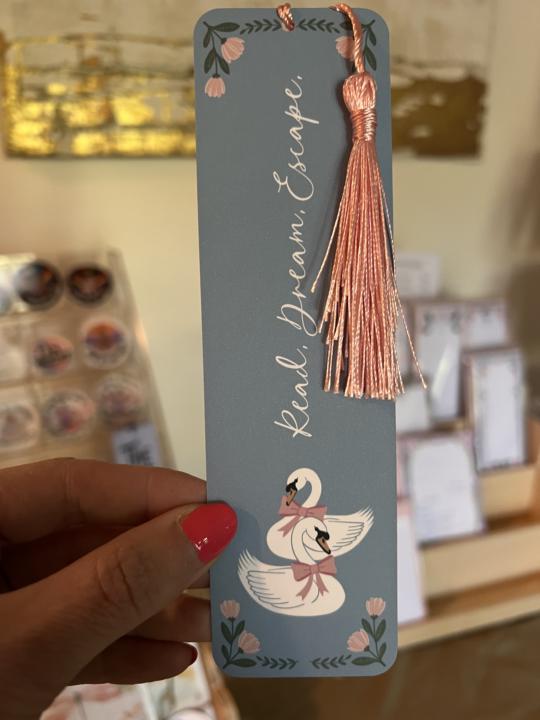
🔖 Corner Rounder + Swan Bookmarks
One tool that changed everything for me: a corner rounder punch. It takes my bookmarks from "homemade" to "professional" in about two seconds. 🙌 I've been watching the swan trend and couldn't resist — so I drew these in Procreate and turned them into a new bookmark design. I'm really happy with how they came out! Have you made bookmarks yet? Drop your creations below — I'd love to see them! 👇 And if you need a starting point, I've got a free tutorial and some templates inside the classroom. I'll be updating it to include packaging and display ideas later today.
1-6 of 6
skool.com/stationery-creators-club-3580
A space for stationery lovers to learn, create and grow. Join me as I build my business in real time sharing tools, designs and lessons along the way.
Leaderboard (30-day)
1

+33
2
+27
3

+25
4

+25
5

+23
Powered by