

🔥
21h •
Unlocking Skool's Hidden Superpowers 🚀
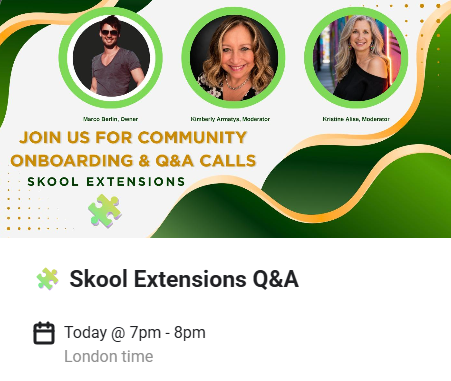
I just got off an absolutely fantastic Skool Extension Q&A call today! A massive shoutout to our very own Resident Experts, @Kristine Alise, who is an admin over in our fellow expert @Marco Berlin 's Skool Extension community. I thought I knew my way around this extension pretty well, but learning about some of the new features of this awesome software today completely blew my mind. If you are building a community right now and you haven't installed this extension yet, you are leaving hours of your week on the table and doing things the hard way! Every day's a skool day! Here are just a few of the game-changing features I didn't even know about that I learned about on the call: - 𝗗𝗶𝗿𝗲𝗰𝘁 𝗩𝗶𝗱𝗲𝗼 𝗗𝗼𝘄𝗻𝗹𝗼𝗮𝗱𝘀 - You can automatically save your live recordings directly into a classroom. I was up up until 3 AM spending 45 minutes downloading and re-uploading each Resident Expert meeting videos last night. (Skool makes them like over 1gb each - Not ideal on UK Cornish internet speeds!) This feature completely eliminates that hassle! I just wish I had known it was there yesterday! - 𝗖𝘂𝘀𝘁𝗼𝗺 𝗞𝗮𝗻𝗯𝗮𝗻 𝗕𝗼𝗮𝗿𝗱𝘀 - You can open up to 12 different panels and drag-and-drop a personalized project management board right inside your Skool window. You can even collaborate with your team, assign tasks, and track project progress without ever needing an external app. - 𝗔 𝗕𝘂𝗶𝗹𝘁-𝗶𝗻 𝗖𝗥𝗠 & 𝗧𝗮𝗴𝗴𝗶𝗻𝗴 𝗦𝘆𝘀𝘁𝗲𝗺 - You can create custom visual tags for your members (like "Warm Leads," "VIPs," or "Coaching Clients") and even apply these tags in bulk. The CRM also lets you see exactly when a member was last active and tracks their course progress at a glance. - 𝗔𝗱𝘃𝗮𝗻𝗰𝗲𝗱 𝗣𝗼𝘀𝘁 𝗦𝗰𝗵𝗲𝗱𝘂𝗹𝗶𝗻𝗴 - You can batch your content, schedule posts days or weeks in advance, repeat them and even set them to automatically pin to the top of your community when they go live. Perfect for when you need to take a well deserved holiday! (Shame it can't actually do the fire for you, but at least it does show you visually)

🔥
2d •
Are you wanting to get your numbers up...
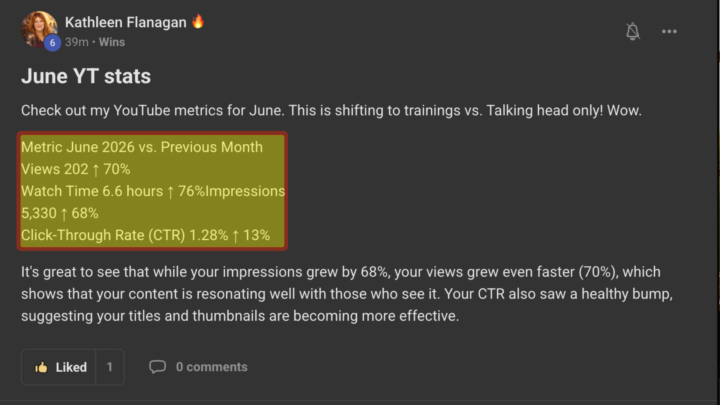
Is your community not growing the way you want, are you not getting enough eyes on your product or service. Look at your numbers and they will tell you the answer. Do you look at your numbers?
🔥
4d •
🏆 Celebrating Our Top Community Collaborators for June!
Before we dive into our goals for July, I want to take a massive moment to recognise three incredible Resident Experts who have been showing up, dropping absolute gold, and adding immense value to our community over the last month. People who give the most, get the most. So please join me in congratulating our top three Resident Expert champions for June, who all get a spot at the very top of the classroom. 🥇 𝟭𝘀𝘁 𝗣𝗹𝗮𝗰𝗲 𝗛𝗲𝗮𝘁𝗵𝗲𝗿 𝗕𝗼𝗲𝗿𝘀 Taking the absolute top spot for June is Heather! She has been a powerhouse of support and advice in here all month. If you haven't connected with her yet, Heather runs The Directory On Skool. It is a brilliant visibility community for online business owners who are ready to stop shrinking and start getting found by the exact people searching for what they do. She even hosts an awesome "Red Light, Green Light" pitch-feedback game to help you ditch cookie-cutter pitches. If you want to stop getting lost in the algorithm, you need to be in her world. 👉 Check out Heather's community here 🥈 𝟮𝗻𝗱 𝗣𝗹𝗮𝗰𝗲 𝗞𝗿𝗶𝘀𝘁𝗶𝗻𝗲 𝗔𝗹𝗶𝘀𝗲 Coming in hot at number two is Kristine! Kristine has been bringing incredible energy to our discussions. Over in her own space, along with @Mary Newton She Builds Anyway, they have created a phenomenal free AI community specifically for women building digital income. Whether you are a mom building a side hustle in your "stolen hours" or a woman over 50 reinventing yourself with "reclaimed hours," Kristine and Mary breaks down AI tools like ChatGPT and Claude into plain English with zero overwhelm. 👉 Check out Kristine's community here


9d •
What if your next client came from a conversation instead of another post?
Most marketing tells us to create more content. I believe the better question is: 𝐇𝐨𝐰 𝐝𝐨 𝐰𝐞 𝐭𝐮𝐫𝐧 𝐜𝐨𝐧𝐯𝐞𝐫𝐬𝐚𝐭𝐢𝐨𝐧𝐬 𝐢𝐧𝐭𝐨 𝐜𝐨𝐧𝐬𝐢𝐬𝐭𝐞𝐧𝐭 𝐨𝐩𝐩𝐨𝐫𝐭𝐮𝐧𝐢𝐭𝐢𝐞𝐬? That's why I created 𝐆𝐫𝐨𝐰𝐭𝐡 𝐋𝐚𝐛 - a weekly working session where business owners build a simple relationship-marketing system they can actually stick with. Every Thursday, we focus on one thing: 𝐋𝐞𝐚𝐯𝐢𝐧𝐠 𝐰𝐢𝐭𝐡 𝐚 𝐜𝐥𝐞𝐚𝐫 𝐩𝐥𝐚𝐧 𝐟𝐨𝐫 𝐭𝐡𝐞 𝐰𝐞𝐞𝐤 𝐚𝐡𝐞𝐚𝐝. If you've been craving more momentum and less guesswork, I'd love to invite you to join us. 𝐂𝐨𝐦𝐦𝐞𝐧𝐭 "𝐆𝐫𝐨𝐰𝐭𝐡" 𝐨𝐫 𝐬𝐞𝐧𝐝 𝐦𝐞 𝐚 𝐃𝐌, 𝐚𝐧𝐝 𝐈'𝐥𝐥 𝐬𝐞𝐧𝐝 𝐲𝐨𝐮 𝐭𝐡𝐞 𝐝𝐞𝐭𝐚𝐢𝐥𝐬.

🔥
10d •
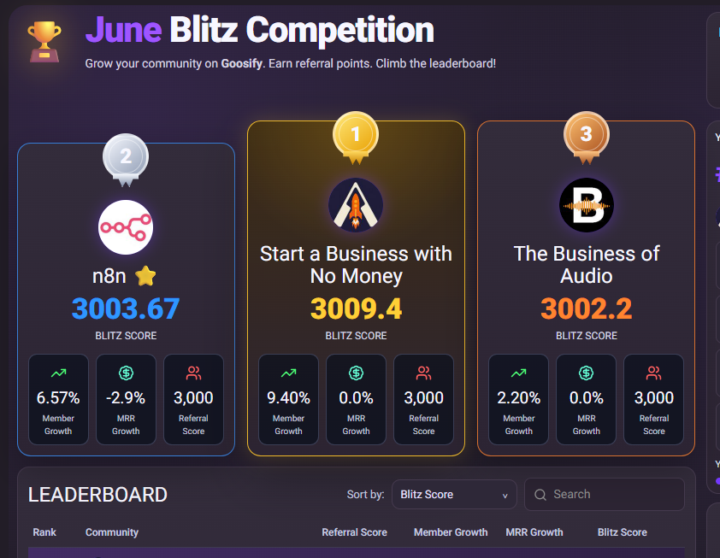
We won the BLITZ!
... And well done too to my super worthy competitors and friends up on the podium with me @David Ashby & @Donny Baker. 𝗧𝗵𝗲 𝘀𝗲𝗰𝗿𝗲𝘁? I did say that if we won I would show you how - well, there's a small but brilliant cheat code here. Just tell a friend or two about Wingman, and when they realise how brilliant and awesome it is, and wonder how they ever Skooled without it, you get a massive amount of points! 𝗧𝗼𝗽 𝗧𝗶𝗽 The power combo - Combine it with The Free Skool Extension to give your skool superpowers! And, to WIN a 1:1 with @Goose Dunlavey to plan my next strategy, it would have been worth signing myself up several times to win that!
1-30 of 55
skool.com/start-a-business-with-no-money
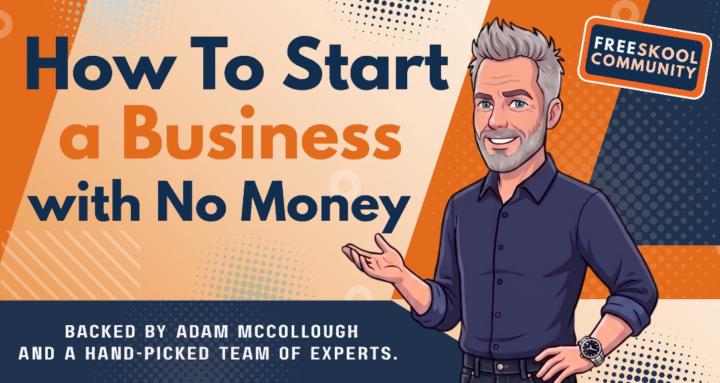
Build a real business with no money, guided by hand-picked experts, practical support, and a community of like-minded entrepreneurs that care!
Leaderboard (30-day)
1

🔥
+298
2

+225
3

🔥
+219
4

🔥
+211
5

🔥
+195
Powered by