Write something

9h •
Turn a Pi into its own Wi-Fi network.
Configures hostapd and dnsmasq so the Pi broadcasts an access point. Useful for a travel router, a lab network, or extending coverage. Some steps changed under newer Pi OS, so check the version notes. Resource: Set up a wireless access point on the Pi — https://raspberrypi-guide.github.io/networking/create-wireless-access-point (The Raspberry Pi Guide) What would you use a Pi-hosted Wi-Fi network for?
1
0


3d •
Tic Tac Toe challenge
My Pi fame was to write the code and to play and construct a 3D Tic Tac Toe or O's and X's - ran on about 300 lines of PYTHON 2 code and use my own PCBs (x3) and 30 RGB LEDs - how many ways can you get a winning line in 3D Os and Xs - I sold my first prototype but still have more PCBs to use...
4d •
Reach your home network from anywhere, privately.
Jeff Geerling walks through PiVPN with WireGuard, including DNS, port forwarding, and phone setup with a QR code. Clear and honest about security responsibilities. Requires a public IP or workaround; CGNAT users will need Tailscale instead. Resource: Build your own WireGuard VPN with PiVPN — https://www.jeffgeerling.com/blog/2023/build-your-own-private-wireguard-vpn-pivpn/ (Jeff Geerling) WireGuard or OpenVPN for a home server, and why?
5d •
An official, step-by-step smart mirror build.
An official, step-by-step smart mirror build. Turns a monitor and two-way acrylic into a mirror that shows time, weather, and calendar. Clear instructions from Raspberry Pi themselves. Budget for the glass and a frame; the woodworking is as much work as the software. Resource: Build a super-slim smart mirror — https://www.raspberrypi.com/tutorials/how-to-build-a-super-slim-smart-mirror/ (Raspberry Pi) What modules would you put on your mirror's display?
2
0

6d •
Self Hosting (NAS Setup for Beginners)
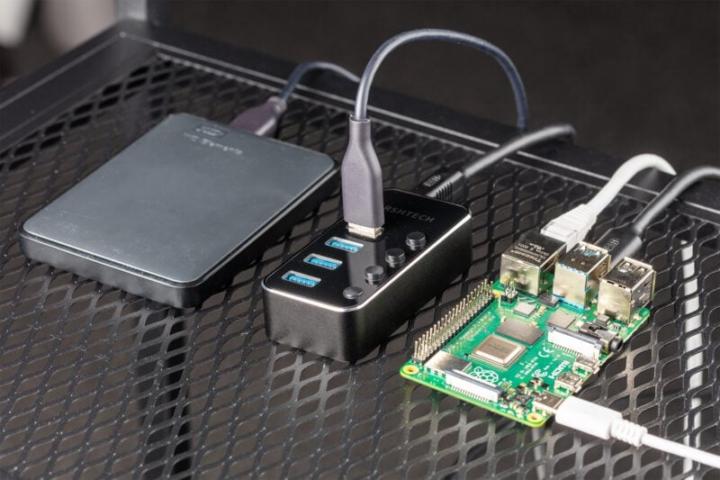
A Raspberry Pi plus an external USB drive can serve as shared network storage for every device on your home network. the official tutorial walks through the full command-line setup. The Raspberry Pi Foundation's NAS guide covers SSH connection, drive partitioning and formatting, Samba configuration, and accessing the share from macOS, Windows, and iOS. It assumes comfort with a terminal but no programming experience. This isn't a replacement for a dedicated NAS appliance if you need terabytes of data, but it's a solid way to share files locally and learn Linux basics in one project. How to build a Raspberry Pi NAS — https://www.raspberrypi.com/tutorials/nas-box-raspberry-pi-tutorial/ (Raspberry Pi, official tutorial) What would you store on a Pi NAS — documents, photos, media, backups?
1-16 of 16