
Pinned

⭐
6d •
Start here
Welcome to any new members! Please start by watching this video, which will walk you through how this group works. If you want to upgrade, you can view plans and pricing here: https://www.skool.com/mastering/plans If you want to learn more about how paid membership works, along with curriculum breakdowns, FAQs and more, click here: https://courses.mastering.com/membership_info_skool Cheers, Rob

Pinned
⭐
4d •
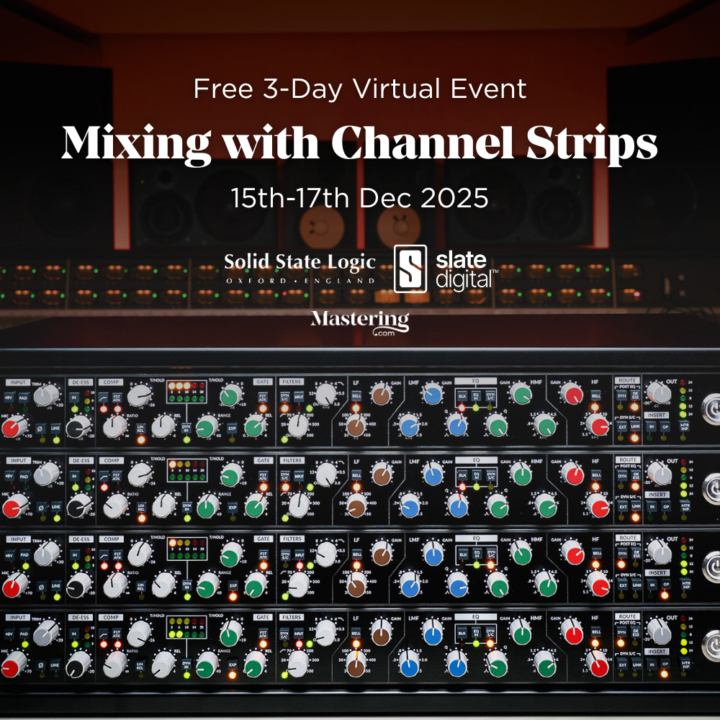
New event: Mixing with Channel Strips 🎛️
Hey everyone, We're hosting a brand new, free 3-day event next week called Mixing with Channel Strips. It starts Monday Dec 15th at 10am Eastern (earlier than usual). I'll be mixing a song from start to finish, using only channel strips. This is a great way to force yourself to focus on core principles, while also keeping things simple and adding analog character. On day 3, we'll also master the track, and listen to your submitted mixes, with prizes for the best. This event is hosted in partnership with SSL and Slate Digital, and I'll be using a range of channel iconic channels trips from both companies (software and hardware). You can find the event here in the Calendar tab, or click the link below to go straight there. Then you can add it to your personal calendar and grab the Zoom link. https://www.skool.com/mastering/calendar?eid=89f5cc1651404379b25f7ba9c89c1a8f&eoid=1765810800 See you there! Rob
Pinned
⭐
10d •
Mentor call booking update
Hey all, thanks for your patience as we continue to find the optimum system for handling mentor calls here in Skool. In short, the easiest way to book your monthly session is by going to Classroom then opening the course called "Mentor Check-In Booking Link". Here you will find the link to book along with more information and a breakdown of each mentor. Here is a direct link: https://www.skool.com/mastering/classroom/57934705?md=ee483932abd443c4922b05f789b4bf93 For now, we have removed the mentor calls from the Calendar page, as people were trying to attend sessions that didn't have any bookings. The next booking isn't currently until Dec 8th, and we will find a way to publicly show what calls are coming up, so you can sit in on calls when you want to. Please do comment below if you have any questions! Either way, the important thing for now is to go ahead and book your session for December before it gets too close to the holidays! Cheers, Rob


2m •
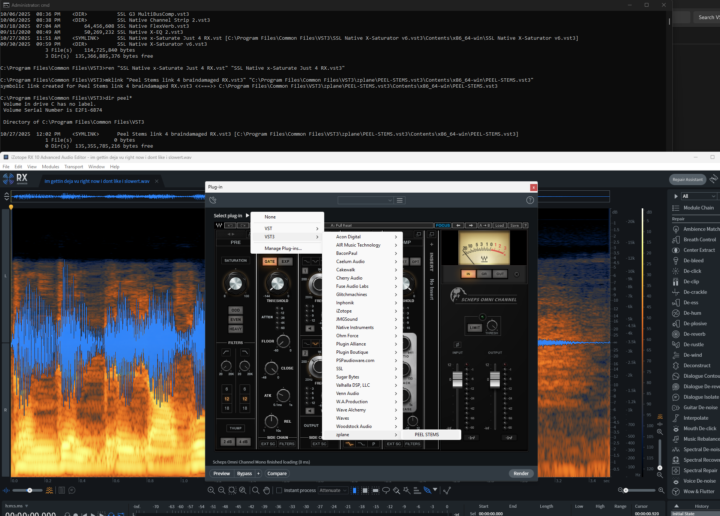
Anyone use RX, but it can't find your plugins?
izotope's rx finds only VST2 , not the VST3 of some plugins. some plugins are vst3 only, so it doesn't find them at all. For me, that was SSL's x-saturator plugin, and zplane's PEEL Stems, and others. I've heard this includes Bluecat's patchwork also. There is a workaround for this. Izotope support recommends moving the vst3 in question to the the root of your vst3 install directory. This would break updates, though, and break some plugins altogether (some of them need resources in the expected paths). Instead i found you can make a link. say you have a vst3 called combox in "\Program Files\Common Files\VST3\COMBOX.vst3\Contents\x86_64-win\COMBOX.vst3" ; in windows you can use mklink to create a symbolic link. you need to open a cmd prompt as administrator to do this. C:\Program Files\Common Files\VST3>mklink /? Creates a symbolic link. MKLINK [[/D] | [/H] | [/J]] Link Target SSL saturator was another example of a plugin rx could not see. pictured is the end result of: mklink "C:\Program Files\Common Files\VST3\SSL Native x-Saturate Just 4 RX.vst3" "C:\Program Files\Common Files\VST3\SSL Native X-Saturator v6.vst3\Contents\x86_64-win\SSL Native X-Saturator v6.vst3" Now RX can use it! for mac, you would use terminal instead of cmd, and 'ln' instead of 'mklink', like so : ln -s /path/to/original /path/to/link Unlike windows, on a mac you can also do this from the gui just in Finder. see details here: https://www.howtogeek.com/297721/how-to-create-and-use-symbolic-links-aka-symlinks-on-a-mac/
0
0

4d •
Final Composition Call of 2025 (VIP Members) + Sync Spreadsheet
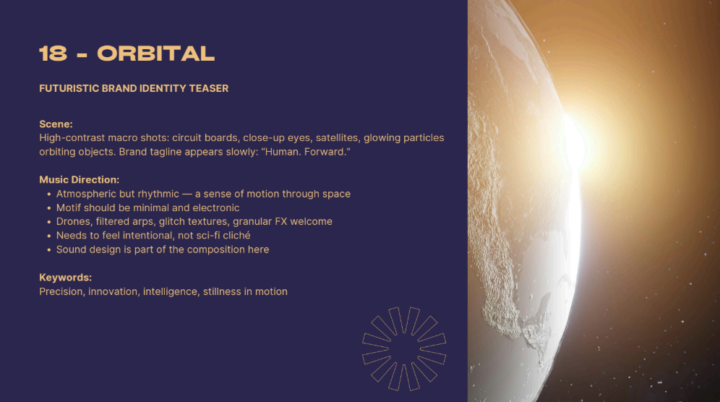
For those who don't know, for the last 6 months or so I've been hosting weekly Music Composition calls on Wednesday evenings for Mastering.com Members. We went through a 6-week course that taught music theory, composition and arrangement concepts. After that, the students wrote to practice sync-briefs and shared their work in the calls for feedback. It's been a fun experience watching everyone in the course learn and up their composer chops, and learning from / collaborating with each other. With the holidays coming up, I'll just be doing one more of these feedback calls to wrap up for 2025, and will start them back up again in mid January next year. Thanks to all the peeps who have been coming to the calls and helping each other learn and grow. P.s. By popular demand, here is my sync spreadsheet that anyone can use to compare different sync libraries, catalogs and music houses to send our music to. https://sapphire-badge-605.notion.site/c8b9958807264b90a294745fbb4b18a0?v=201ccf4b37c248e28776ac25ecc4ff6e That's all, BYE!
1-30 of 6,037

skool.com/mastering
This is a community for artists, producers & engineers who want to achieve pro quality in their music.
Leaderboard (30-day)
1

+117
2

+93
3

+57
4
+57
5

+48
Powered by