

21d •
Introducing my self
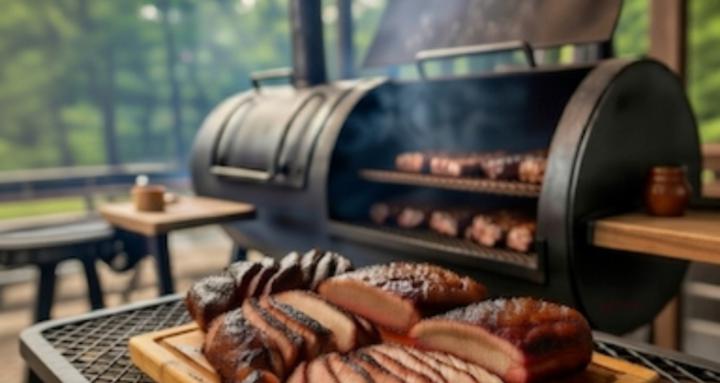
Hi guys im Robby all the way from new zealand 🇳🇿 I love bbq foods I do alot of offset smoker cooking like brisket pork Ribs fish and chicken a hole wide range of cooking 🔥🔥🔥🔥

Feb 2 •
Quick Guide & Intro! 🔥🍖
Hey everyone! Brian here. If you're new to the group or just joined, this is your one-stop starting point. Take 2-3 minutes to read through— it'll help you get the most out of our community right away. Let's keep it simple, fun, and all about great smokes. 1. Quick Walkthrough: How Skool Works Here Skool is super easy once you know the basics—no complicated forums, just clean discussions and tools to share your cooks. - Posting a New Thread or Sharing: Click "Write something". First, pick a Category (super important—e.g., "Beginner Basics" for questions, "Recipes and Rubs" for your latest spice blend, "Show & Tell" for photos of your bark). Give it a clear Title (e.g., "First Brisket – Tips Needed!"), write your post, add photos/videos (they get way more replies), and hit Post. You can edit or delete your own stuff anytime. - Replying / Commenting: Scroll to any post and type in the comment box at the bottom. Reply directly to someone's comment for threaded convos. Use @ + their name to notify them (e.g., @BrianBeddingfield). React with emojis (fire, thumbs up) or likes. Comment early/often—it's how friendships and great advice happen! - Using Categories: Top Bar (under "Write Something") shows all categories like Beginner Basics, Recipes and Rubs, Equipment Reviews, Advanced Techniques, Q&A Help Desk, Show & Tell, Events and Challenges, Announcements, etc. Click one to see only posts there—makes finding rub tweaks or gear advice fast. Always post in the right category so people see it. - Searching for Stuff: Use the search bar (magnifying glass at top). Type keywords like "maple rub," "brisket stall," "Weber Kettle smoking," or "Crimson Core tweaks." It searches posts, comments, and even Classroom modules. Great for finding answers without asking the same question twice! - Notifications – Stay in the Loop: You'll get alerts for replies to your posts, @mentions, or new activity. Customize in your profile pic → Settings → Notifications. Turn on/off email/push for new posts in categories, replies, or events. Follow specific members (their profile → Follow) for alerts when they post. Bell icon on any thread = get notified for new comments there. Turn on Calendar notifications so you never miss a live smoke session!
3
0
1-2 of 2
powered by
skool.com/low-slow-bbqsmoking-group-8793
Join our free community for low & slow BBQ and smoking meats! All levels welcome-share tips, recipes, & techniques from newbie to pitmaster. Smoke on!
Suggested communities
Powered by