
Write something

4d •
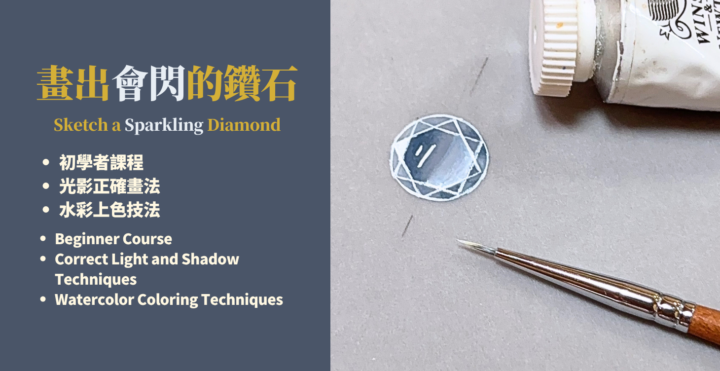
你們敲碗的鑽石畫法,來了 💎The diamond drawing tutorial you’ve been asking for is finally here 💎
在GIA學習的時候,我發現一件事 幾乎每個人畫鑽石都會在同一個地方出錯。 猜猜看是哪個部分? 不是刻面線,而是光影的位置放錯了!🥲 我自己也是。 進GIA之前,我不知道怎麼畫出立體又閃亮的寶石。 那種畫完之後覺得「哪裡怪怪的」好像會亮? 但起來好扁平不立體.但又不知道問題在哪的感覺,我完全懂。 後來才明白,那個「怪」不是天份的問題,是「光影位置」畫錯了。 光影對了,同一顆鑽石瞬間就不一樣了。 你們前幾天敲碗鑽石畫法,我把這個最關鍵的東西整理進去了。 9分鐘,現在就可以去CLASSROOM看。 畫完之後來這裡告訴我你的感覺 或者把作品分享出來,我想看你們畫出來的樣子。😃 When I was studying at GIA, I realized something— Almost everyone makes the same mistake when drawing diamonds. Can you guess what it is? It’s not the facet lines. It’s the placement of the light and shadows! 🥲 I was the same way. Before entering GIA, I didn’t know how to draw gemstones that looked dimensional and brilliant. I completely understand that feeling of finishing a drawing and thinking, “Something feels off…”It looks like it should sparkle, but somehow still feels flat and lifeless and you can’t figure out why. Later, I realized that strange feeling wasn’t about talent at all. It was because the placement of the light and shadows was wrong. Once the lighting is correct, the exact same diamond instantly looks completely different. A few days ago, many of you asked for a diamond drawing tutorial, so I included this most important concept in the lesson. It’s only 9 minutes long, and you can watch it right now. After you finish drawing, come back and tell me how it felt or share your artwork with me. I’d love to see what you create. 😃
0
0
25d •
不用模板就畫出寶石的方法How to Draw Gemstones Without Using Templates
附的影片,是我設計媽媽的手環的片段。 對我來說,模板在做多石設計的時候,有時候會遮蔽圖面反而會成為一種阻礙 所以我更偏向直接徒手畫出來。 那要怎麼畫出來呢? 可以試著拆解一下寶石,不要想著一口氣畫出來。 以梨形切割為例子, 它是由一個圓的下半部「︶」+2個「()」畫出來的 那就拆解他,先畫「︶」再畫「()」 多練習幾次,就可以畫出形狀完整的寶石囉! 如果你嘗試了,還是有哪邊卡卡的、畫不好 歡迎在下方留言 我可以解答。🫶 The attached video shows a clip of me designing a bracelet for my mom. For me, when working on multi-stone designs, templates can sometimes block the view of the composition and actually become a limitation. That’s why I prefer drawing freehand. So how can you do it? Try breaking the gemstone down instead of thinking about drawing it all at once. Take a pear cut as an example: It can be constructed from the lower half of a circle “︶” + two “()” shapes. So, break it down—start by drawing the “︶”, then add the “()”. With a bit of practice, you’ll be able to draw a complete gemstone shape! If you give it a try and still feel stuck or something doesn’t look right, feel free to leave a comment below I’ll help you out. 🫶
0
0

Mar 19 •
Templates are helpful—but why should you still learn to draw gemstones without them?
Gemstone templates of different shapes are definitely useful. So why do I only teach using circle templates and oval templates? Templates are great—especially when you're working on multi-stone designs. They help you align sizes quickly and improve your efficiency. 【But here’s what happens in real situations:】 Templates come with limited sizes and proportions. You might run into problems like: - The proportion you need isn’t available in your template - You want to scale up your design, but the template is too small - You’re working on a custom piece and need a very specific proportion—but there’s no matching template When that happens, if you rely only on templates…you get stuck. 【But if you know how to use circles and ovals—】 Everything changes. You’ll be able to: - Control proportions on your own - Scale your drawings freely - Draw almost any gemstone outline (including most faceted shapes) Because in reality,most gemstone outlines can be built from a circle or an oval, then adjusted and refined. 【The key isn’t to stop using templates—】 it’s to not be limited by them. I’m not saying you shouldn’t use templates. In certain situations (like multi-stone layouts),they are still incredibly efficient tools. But there’s one skill you need to have: 👉 Even without the perfect template, you can still draw it. If you’re still at the stage whereyou only feel confident drawing when a template matches perfectly— this mindset shift will be your breakthrough. 🔥
1
0
Mar 19 •
模板很好用,但為什麼你還是要學會「不靠寶石模板畫寶石」?
各種寶石形狀的模板很好用, 為什麼我的教學還是都只教使用「圓形模板」和「橢圓模板」? 模板確實很好用,尤其在畫「多寶石排列設計」的時候, 它可以幫你快速對齊尺寸、提高效率。 【有時候現實中會遇到的狀況是】 模板的尺寸與比例,是有限的。 你可能會遇到這些情況: - 想畫的寶石比例,模板上沒有 - 想要做設計放大,但模板尺寸不夠 - 客製化設計,需要「剛好某個比例」,但找不到對應模板 這時候如果你只依賴「模板」,就會畫不出來。 【如果你會用圓形+橢圓模板】 情況就完全不一樣了。 你可以: - 自己抓比例 - 自由放大縮小 - 畫出任何形狀的外輪廓(包含大部分刻面寶石) 因為幾乎所有寶石的外輪廓,本質上都可以從「圓」或「橢圓」去延伸出來。 【重點不是不用模板,而是不要被模板限制】 我並不是要你「不要用模板」。 在某些情境下(例如多石設計),模板依然是非常有效率的工具。 但你需要具備一個能力: 👉 就算沒有完整模板,你也能畫出來 如果你現在還在「一定要對到模板才敢畫」的階段, 那這個觀念,會是你突破的關鍵。🔥
1
0
Feb 25 •
你還在畫沒有立體感的珠寶設計圖嗎?Are you still drawing jewelry design sketches that lack a sense of dimension?
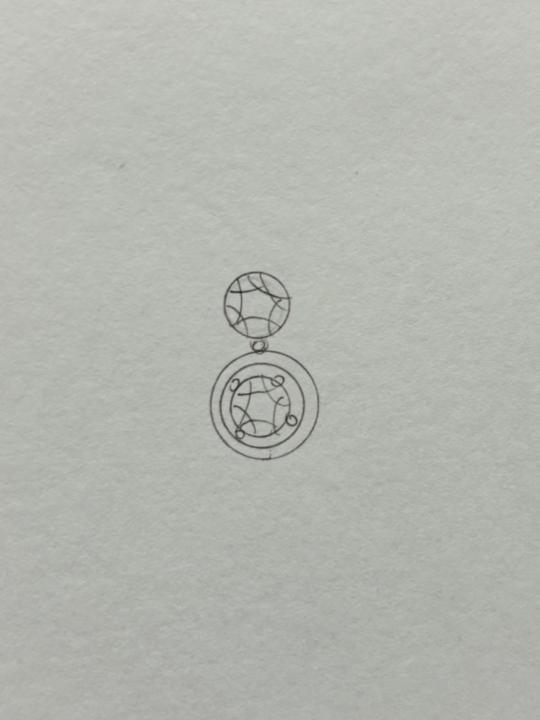
你畫出來的珠寶設計圖,是不是像附圖那樣? 看起來很平面,沒有任何的起伏,或者立體感? 常常讓金工師傅或是珠寶專業人士看不懂? 當專業人士和你溝通時,又覺得卡卡的,好像無法完整表達你的想法? 你缺乏的是「立體概念」以及「如何表現金屬的立體感」。 如果你想要畫出具有立體感的珠寶設計圖, 現在就趕快點選【Classroom】的【金屬表現概論】課程! 裡面有簡短又清楚的介紹,還有設計圖面vs實際珠寶可以對照著看! 實際的畫圖教學影片,我也會在日後更新! Do your jewelry design drawings look like the attached image? They appear flat, with no volume or three-dimensional form? Do jewelers or other jewelry professionals often have trouble understanding your designs? And when you try to communicate with professionals, does it feel awkward, like you can’t fully express your ideas? What you’re missing is a “sense of dimension” and “how to render metal with three-dimensionality.” If you want to create jewelry design drawings that truly convey depth and volume,click on the “Introduction to Metal Rendering” course in Classroom now! It provides a concise and clear introduction, with side-by-side comparisons of design sketches and actual jewelry. I’ll also be updating with real drawing tutorial videos soon!
1
0
1-7 of 7
powered by
skool.com/jewelry-aesthetics-atelier-8829
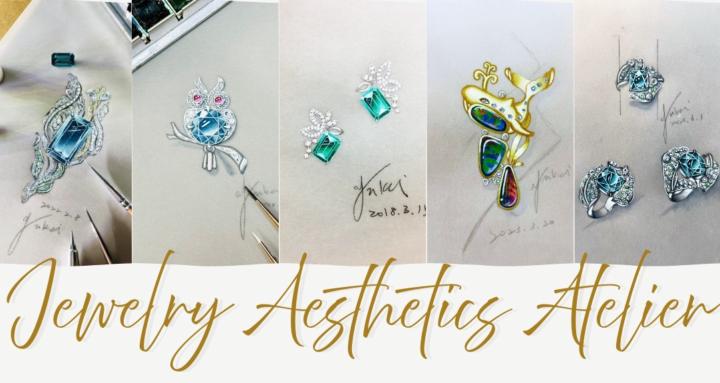
👉這是一個從珠寶手繪開始,學會真正看懂珠寶的長期學習空間。
This is a long-term learning space where you start with jewelry sketching and learn how to truly understand jewelry.
Suggested communities
Powered by