
Write something
👑
⭐
🔥
25d •
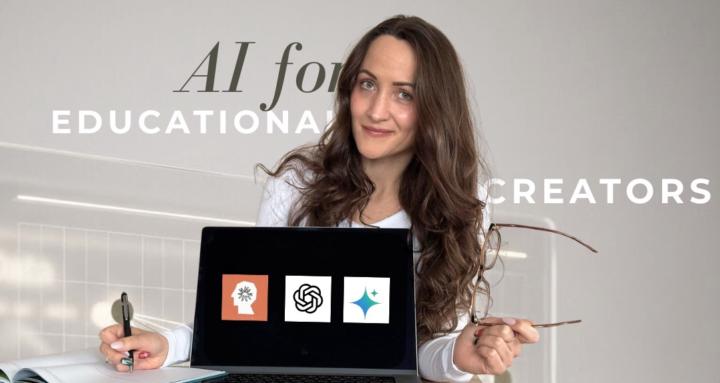
How I Use NotebookLM to Never “Create Content” Again
NotebookLM is my secret weapon for turning everything I've already created into more assets, better trainings, and promotional materials that actually sound like me. In this video I show you exactly how I use it: → How I turn one training into slides, podcasts, infographics, AND carousel content without writing from scratch → The "critique" feature that tells you what's unclear, contradictory, or missing in your own teachings → Why uploading OTHER experts' videos helps you structure YOUR content (without stealing their ideas) → How to generate quizzes and flashcards your students will actually use → The simple prompt that creates a 2.0 version of any course or challenge you've already made This is how I create more while doing less. 🎬 Watch the full breakdown: https://www.youtube.com/watch?v=tapWDph5iDY&views
24d •
YouTube content hack?
@Evelyn Weiss You spoke about creating content first in Youtube. I found this as an interesting gateway into creating more content on Youtube!! Thoughts? https://vidpros.com/best-custom-gpts-for-youtubers/ and also this article for making Youtube shorts https://medium.com/prompt-engine/how-im-using-chatgpt-to-create-viral-youtube-shorts-e6818811e958
👑
⭐
🔥
Dec '25 •
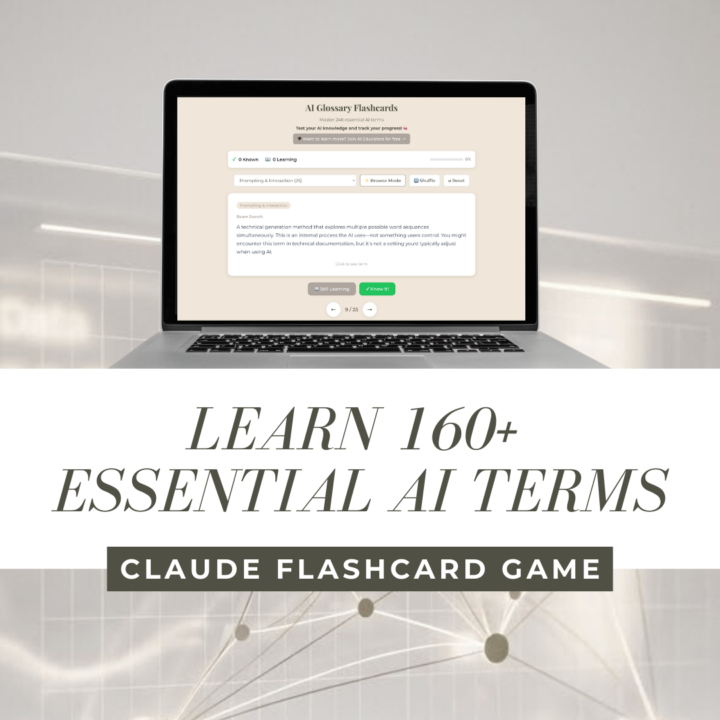
Free AI Glossary Flashcards: Learn 240+ Essential AI Terms With Ease
Master artificial intelligence terminology with this free interactive flashcard game—perfect for coaches, educators, and anyone getting started with AI. Confused by AI jargon? You're not alone. Large language models. Transformers. RLHF. Prompt injection. RAG. If you've ever felt lost in a sea of AI terminology, this tool is for you. I created the AI Glossary Flashcards—a free, interactive learning tool featuring 160+ essential AI terms explained in plain English. No PhD required. Check it out here: https://claude.ai/public/artifacts/686d57a6-45e8-42c4-8828-a99b90a4575d Whether you're a coach integrating AI into your practice, an educator teaching AI concepts, or simply someone who wants to understand what all the AI hype is actually about, these flashcards will help you build real AI fluency. What's Included 🧠 The flashcard game covers 12 categories of AI knowledge: - Foundational AI Concepts – AI, machine learning, deep learning, neural networks, LLMs, and more - Model Architecture – Attention mechanisms, embeddings, tokens, and how AI actually works - Training & Optimization – How AI learns: supervised learning, RLHF, fine-tuning, Constitutional AI - Model Behavior – Emergent abilities, hallucinations, context windows, chain-of-thought reasoning - Prompting & Interaction – Prompt engineering, system prompts, temperature and prompt injection - Safety & Alignment – AI safety, red teaming, guardrails, bias, and the Waluigi effect - Data & Knowledge – Training data, RAG, semantic search, benchmarks, and knowledge cutoffs - Deployment & Infrastructure – APIs, latency, edge vs. cloud deployment, Hugging Face - Economic & Business – Token pricing, compute costs, ROI, vendor lock-in - Specialized Applications – Chatbots, AI agents, code generation, image generation, and more - Advanced Concepts – Multimodal models, tool use, reasoning, explainable AI - Community & Culture – Open source vs. closed source, AI ethics, SOTA

🔥
23d •
How do you recreate this profile pic/thumbnail color grade?
I am trying to replicate the the type of color correction used in modern profile pics and thumbnails, suitable for small format display - not bigger format. I ran these example photos (see below) through Nano Banana with tons of prompts, but it always stays too realistic or too flat. In Canva I found an app called Cartoonify or Toonify that gets surprisingly close, but it still looks too much “cartoon.” See the attached image (man with diving mask). ➡️ The style I am after is not real photography. It is UI-optimized color grading with clear contrast / darker hair. Difficult to explain what exactly it is. Do you know any apps, AI tools, or plugins that can achieve this look without turning the face into a cartoon?
👑
⭐
🔥
19d •
This ChatGPT Workflow Turns One Ad Into Dozens of Winners
I recorded exactly how I use ChatGPT to turn ONE winning ad into dozens of variations (without starting from scratch every time). Here's what you'll see: 1. The exact prompt I use. Screenshot it directly from the video and paste it into ChatGPT. 2. How it extracts the "first principles" of WHY your ad is working (so you're not just guessing) 3. The 5x5x5 method. 5 angles, 5 buying personas, 5 design styles... generated automatically. 4. How to give feedback and iterate when ChatGPT doesn't nail it the first time (because it won't) 5. The color inversion trick that instantly creates scroll stopping variety in your ad account This is the beginner friendly version for those of you using ChatGPT. Check it out and let me know what you think 🫶
1-5 of 5
skool.com/educators
For coaches & educators learning AI the right way. Ethics and skills first. No hype. New videos weekly.
Leaderboard (30-day)
1

🔥
+27
2

+24
3

🔥
+22
4
+22
5

+21
Powered by