

5d •
WALMART Maketplace * PAYOUT 🤑 read below 💃💸
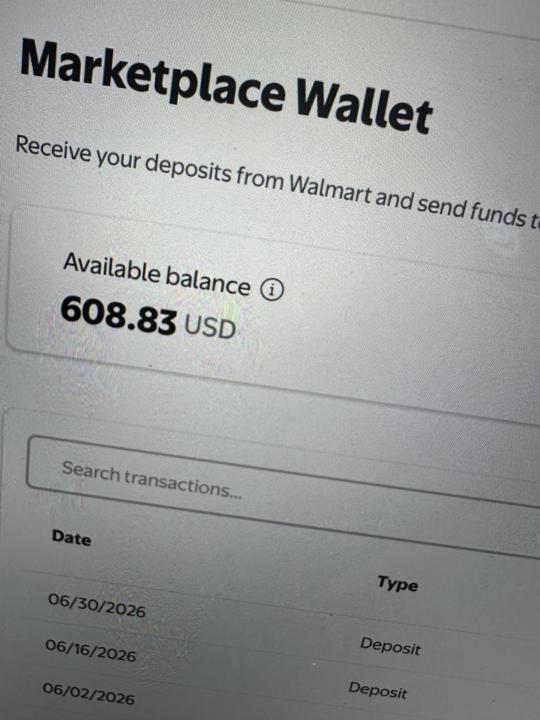
Y’all, I was completely wrong! 😂 I thought Walmart made you wait 3 months and hit $7,500 before getting paid. Turns out Walmart payouts are generally every 14 days. I logged in and found over $600 just sitting there waiting to be paid out. 😳🤦♀️ . . 😮💨Moral of the story: always check your payout settings and account details for yourself because money might be sitting there waiting on you! 💰✨

4d •
Success will not happen overnight!
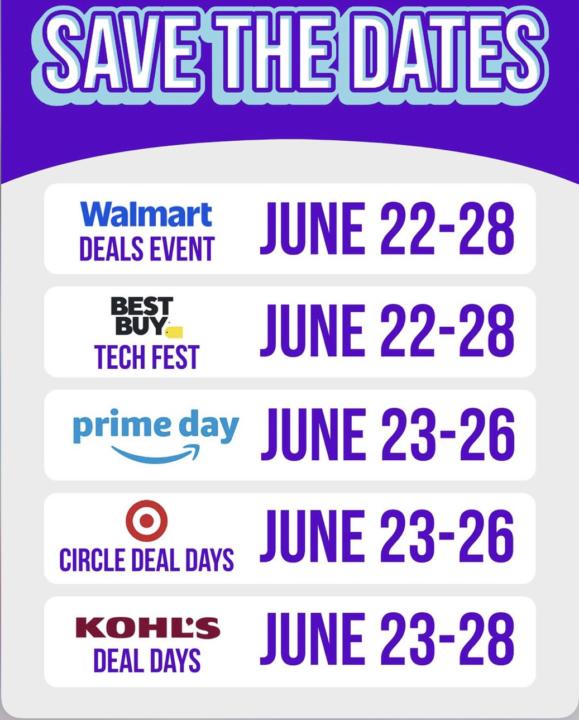
Every recipe you create … Every design you make… Every post you create… Every lesson you teach… Every product you design… Every lesson you learn… Every challenge you overcome… It’s all building something bigger than you can see today. Keep planting the seeds! Your harvest will come! #📦 Top Office Essentials KeepBuildingOnestep@atime!🏝️🔆
2
0
22d •
Hey sellers 🚨 Tik Tok Affiliate 💸another stream Income
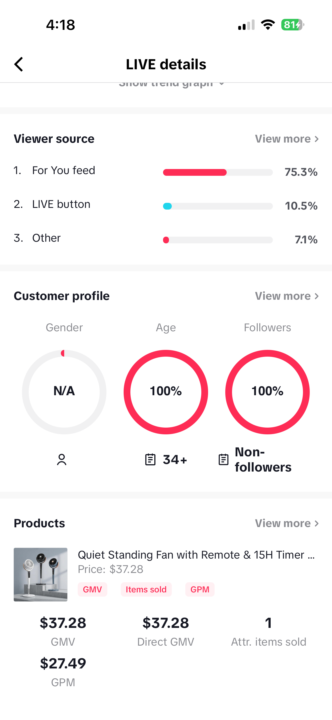
🚨 From Today’s Live 🚨 Extra stream of income from promoting products! 💸🧨Amazon and or Walmart Affiliate requires no followers I went live today showcasing a fan and a few other items I purchased from TikTok Shop. The response was amazing, and sales started coming in almost immediately! 🎉 ➡️ I had to end the live early because the featured product sold out. ✨ You Don’t Have to Show Your Face to Make Sales ✨ Today was proof that you can earn income online without ever showing your face. {Between allergies and puffy eyes, I wasn’t feeling camera-ready, but I didn’t let that stop me from showing up. 💕 I simply focused on the products, shared my honest thoughts, demonstrated how they worked, and connected with viewers.

19d •
Amazon Feature for Multi Platform Sellers
Hey All! I’m home today, so I’m more productive with Amazon on these days 🤣 Since lots of people are selling on multiple platforms now like eBay, walmart, Shopify, etc.. I found a really cool feature you guys could use so I thought I’d share! So basically what it is you FBA all of your products as usual. So everything that you ship on these other platforms, you do have to “list” on Amazon.. even if you don’t get Amazon sales though, it’s still a good option for those who don’t want products all over their house. So what happens is when you get a sale from another platform, you create an MCF order in seller Central or you can connect your store automatically. (Like connect your Walmart store to your seller central). And after you create the order or the order comes through to seller central if you connect it, then Amazon ships and packs your packages as usual! Even though you’re you’re selling for another platform! Crazy right?! So this is called Amazon multi channel fulfillment (MCF). The benefits like I mentioned are they will store all your inventory, you get Amazon‘s fast shipping and fulfillment, and then you have one place that serves all the different marketplaces to sell. (Also, I know majority people sell on other platforms because Amazon won’t let them list certain items, so that is a downside. If you’re able to sell Dawn dish soap on Walmart, we know for sure we can’t sell that on Amazon, so things like that you can’t list- so that’s not an option for the MCF). You can only list the items that you have access to on Amazon, but that you also sell on other platforms, even for those with Shopify accounts, you could possibly make listings for your generic products (even though you don’t plan on selling them on Amazon, your just listing them there and using Amazon as your fulfillment center).. I think, lol! There are some other downsides.. first if you sell an order FBA you all know you get charged the normal FBA fee. BUT SAY you sold a perfume on eBay and Amazon has your inventory, so you’ll fill out that MCF form and then instead of being charged FBA fees you get charged MCF fees for Amazon to fulfill. Now it says it’s a little bit more expensive than FBA fees, how much more? Well I don’t know.. lol. But if it’s something if you’re interested in, definitely look more into all this information!
1-30 of 255
skool.com/ecom-fulfillment-formula-5734
→Start your Amazon journey here — even if you have zero experience.Roadmap, tools, and support to 3K $5K–$10K months.
https://stan.store/RaquelMariexo
Leaderboard (30-day)
1
+69
2

+17
3

+16
4

+15
5
+13
Powered by