
Write something
Pinned

17h •
🏆 HOW COMPETITIONS WORK FROM NOW ON 🏆
Quick update on the competition schedule so everyone knows what to expect. 📅 NEW CADENCE: TWICE A MONTH We're dropping comps on the 15th and the 30th of every month. Two chances to compete, every month, on a set schedule you can plan around. ✍️ WHY THIS SCHEDULE Spacing them out this way means we can give tailored feedback on every single submission. Not just the winners. Everyone who enters gets notes on what worked, where it's weak, and what to do next. 🎁 WHAT WINNERS GET Along with the prize, every winner gets a 15-minute one-on-one with Jake. Use it to talk through your build, ask questions, or bring whatever else is on your mind. Two comps a month. Feedback on every entry. Direct time with Jake for the winners. Mark your calendar for the 15th and let's get to work!
Pinned
18h •
🎆 GOOD NEWS: THE SALE STAYS OPEN. HAPPY 4TH 🎆
We're holding the last sale through the holiday weekend so nobody misses it. 🎉 Premium: $27 → $14/mo 🎉 VIP: $97 → $67/mo This is the cheapest it will ever be. Once it closes, the price is gone for good. ⏰ New deadline: July 5th, 10:00 AM EST. This is the last extension. If you've been on the fence, sign up now. You lock this rate in and keep it every month going forward. 🖥️ ONE MORE REASON TO JOIN The week of July 5th we're dropping the software we've been building for this community. It goes out for beta testing first, and only Premium and VIP members get access. Sign up before the sale closes and you're in from day one.

6d •
Running agents on a schedule — how much do you let them do unattended?
For those running agents on a recurring schedule (daily/overnight), I'm tightening my own setup and curious how you handle two things: 1. Stale or wrong context — how do you stop a scheduled run from acting on yesterday's state or drifting from the current workspace? Cold start every time, a freshness check, something else? 2. Autonomy vs approval — how much do you let a scheduled agent actually do unattended versus leave as a draft for you to approve? Where's your line between "just do it" and "prepare it and wait for me"? Mine currently drafts everything and waits for a human yes, but I suspect I'm leaving easy wins on the table by not letting it act on the safe stuff. Where do you draw the line, and what burned you?

2h •
ICM for Teams: My Understanding To Onboarding Coworkers to a Shared Content Pipeline
This has been one question i have always asked and kept trying to understand until recently. I've seen it asked and discussed multiple times here... So i decided to combine, study and comprehend the various perspective of those who have shared how they are using it @Curtis Hays and many others, to come up with a simple way for me to implement. Here is my personal understanding: Say we are four people in the marketing department, and i am the only one who has built an content pipeline using the ICM framework, now i want onboard the other 3 coworkers and you're one of them... lol 😀 We have one master system, the original pipeline i'm using is now hosted on GitHub (with the same agent.md and context.md, rules and stages). Step 1: Getting the System on Your Computer You copy/clone the entire workspace from the internet (GitHub) to your PC. This gives you the same folders I have: 01-ideas 02-drafts 03-formats etc Step 2: Creating Content Open your copy of the workspace. Talk to ai agent while in the folder normally. Example conversations: “Give me ideas for LinkedIn posts about productivity” “Turn idea number 4 into a full draft” “Format this draft for Instagram carousel and Substack” The agent uses the shared system I built, so all our content has the same style and quality. Step 3: Sharing Improvements If you create a better prompt or improve one of the stages: Tell the agent: “I improved the carousel format, make a Pull Request” I (or the content lead) will check it. Once approved, everyone gets the improvement automatically. Step 4: Where Files Live Your ideas and drafts: Stay on your computer (or save final versions to the department Google Drive, which we all have access to). The framework (how we create content): Lives in the shared system (Github). - What You Need to Do Install Git (one time, easy). Clone (copy) the workspace. Use AI agent within the folder workspace.

👑
⭐
Mar 10 •
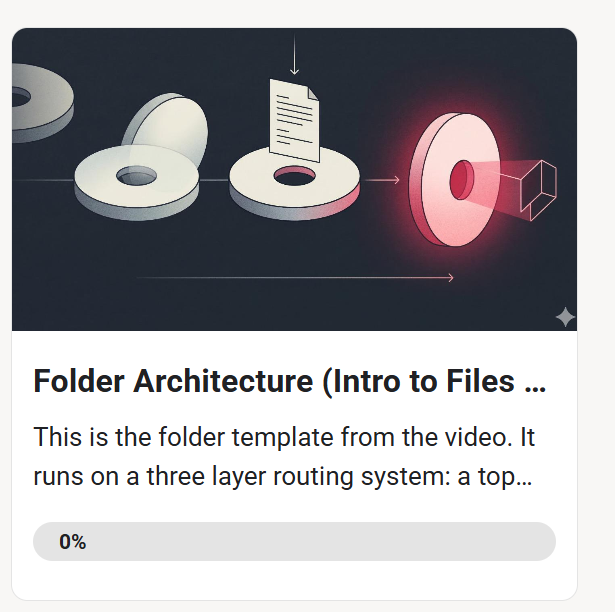
New Video: How I Structure Folders to Replace AI Agents
Just dropped a 23 minute deep dive on the folder architecture I keep showing snippets of. This time I actually walk through the whole thing from scratch and explain every layer. Covers: what tokens are and why they matter, what markdown is, the three layer routing system I use, how CLAUDE.md works, how skills plug into the system, and how naming conventions replace databases. I also built a template you can download and start using today. If you're on Premium or VIP the template files are already in The Vault. If you're on free, the video covers everything conceptually so you can build your own version no need to upgrade! Just want to add more value to my early supporters before the full paid content is done being recorded. Drop your questions in the comments. I want to know where I moved too fast or what needs a deeper dive so I can make the next one better.
1-30 of 2,179

skool.com/cliefnotes
What we give away free beats most paid courses. Build durable AI systems with a Marine vet and Edinburgh researcher. 40+ lessons, growing.
Leaderboard (30-day)
1

🔥
+1763
2

🔥
+1690
3

+1231
4

+990
5

+615
Powered by